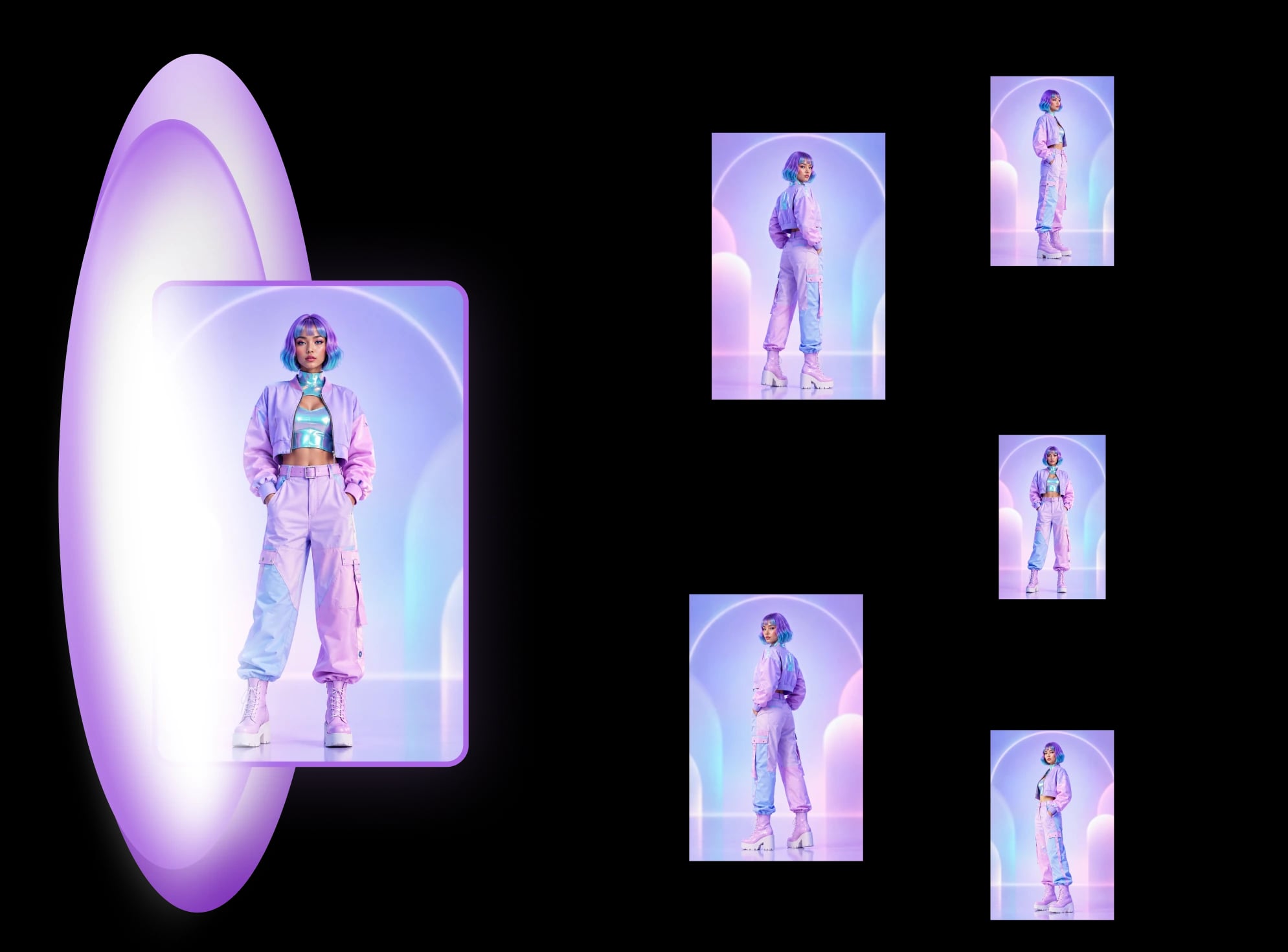
Multi-view images for 3D: 8 consistent views
Multi-view images for 3D: the views Meshy, Hunyuan3D-2mv and Tripo take, how to make 8 consistent views from one drawing, and how to check them.
What a character reference sheet is, what goes on it, how to make one step by step, which template to start from, and how it differs from a turnaround.
A character reference sheet is a page that shows how to draw a character, so someone else can draw, animate or model it. To make one, draw a clean front and back view, add the colours and a note on every detail that must not change, and lay them out on one page. A turnaround is the narrower job: the character rotated through fixed views on one baseline, and nothing else. A model sheet is the production version, with construction lines, colours, expressions and callouts. Artists use the three names loosely.
If you have one drawing and need the views, you can make the turnaround views from one drawing with MultiAngle. The rest of this guide covers what goes on the sheet, how to make one, where to find a template, and which of the three documents you need.
Key takeaways
A character reference sheet is a page that shows one character clearly enough for another person to draw, animate or model it. It usually has full-body views from the front and the back, and often adds colours, props and notes on details that are easy to get wrong. Commissions, original characters (OCs) and comics all use it.
It is the broadest of the three terms. EZ Character's guide calls the reference sheet the umbrella term and treats the turnaround and the model sheet as narrower kinds (checked 2026-09-26). RetroSupply's tutorial uses "reference sheet" and "model sheet" interchangeably for a five-view page: front, three-quarter front, side, three-quarter back and back (checked 2026-09-26).
One thing to watch when you search: the Wikipedia page titled "character sheet" is mostly about tabletop role-playing games, where it means a page of stats. That is a different document.
A turnaround (our glossary entry for the turnaround sheet has the short definition) is one character shown in fixed views, rotated in steps, drawn at the same scale and standing on the same baseline. It has no colour notes, expressions or commentary. Its job is agreement between views: the eyes, belt and knees land at the same heights, and a prop stays on the same side.
EZ Character describes turnaround sets of 3, 5 or 8 angles (checked 2026-09-26). MultiAngle's template returns 8 views: front, 3/4 front left, 3/4 front right, left profile, right profile, back, above and below. Your upload is one of them and 7 are generated. How to run it, step by step, is in how to make a character turnaround sheet from one image, and a blank sheet to draw on is in the free turnaround sheet template.
A model sheet is the reference an animation studio hands its artists so a character stays "on model", recognisably the same in every frame and every artist's hands. It contains the turnaround and more: construction lines, proportions, colours, expressions and poses. Clip Studio's tutorial describes model sheets as turnarounds plus expression, pose and colour sheets (checked 2026-09-26).
The term comes from studio production; Wikipedia's model sheet article is the place to start for the history. A turnaround is the rotation part of the package, which is why a model sheet and a turnaround get mixed up.
This table is our summary of the sources above, not a standard. Studios and artists use the names loosely, so when someone asks you for one, ask what they expect to see on it.
| Document | What is on it | Who asks for it | Views | Palette, expressions, callouts | Can AI make it from one image? |
|---|---|---|---|---|---|
| Character reference sheet | Whatever a stranger needs to draw the character: full-body views, often colours, props and notes | Commissioners and artists working on OCs, comics and games | Often 2 to 5, front and back at least | Palette and callouts are common; expressions are optional | Partly: the full-body views, yes; the notes are yours |
| Turnaround | The character rotated through fixed views on one baseline, and nothing else | Animators, comic artists, 3D modelers | 3, 5 or 8 | None | The rotation views, yes, with the limits below |
| Model sheet | A turnaround plus construction lines, proportions, colours, expressions and poses | Animation and game studios | The turnaround views plus extras | All of them | The turnaround part only |
Match the document to the job. If someone else will draw your character, send a reference sheet. If a team will animate it, make a model sheet. If someone will model it in 3D, a turnaround with front, side and back on one baseline is what they work from.
At minimum, a front and a back full-body view in a neutral pose. Many sheets add a colour palette and a note on each small detail that is easy to get wrong, such as a scar, a badge or which side a bag hangs on. Side and three-quarter views, expressions and props are extras, depending on who will use the sheet.
In the commission threads we read (checked 2026-09-26), people asked for two opposite full-body views, sometimes four to cover all four sides, plus a colour palette and sometimes expressions. As a checklist:
Draw or pick one clean full-body front view, add the back and any side or three-quarter views, then add a palette and callouts and lay everything out on one page, with the views at the same scale on the same baseline. The views take the longest. The five steps below take you from one drawing to a finished sheet.
The worked example below does steps 3 to 5 on one character. For step 3 in full, see how to make a character turnaround from one image.
Yes. Free blank layouts, paid sheets with expression panels and stock sheets already filled with a character all exist. A blank layout gives you panels and guide lines, not a design. Ours is a turnaround template, so it covers the views part of a reference sheet and leaves the palette and callouts to you.
Our free character turnaround sheet template is a blank A4 sheet with six standing views, above and below, and a notes box for palette, props and asymmetric details, as PNG, PDF and SVG. It has no expression or pose panels. Where others win: nohero's 11 × 17 template on Gumroad pairs a turnaround with an emotions sheet (checked 2026-09-26; check the price on the page).
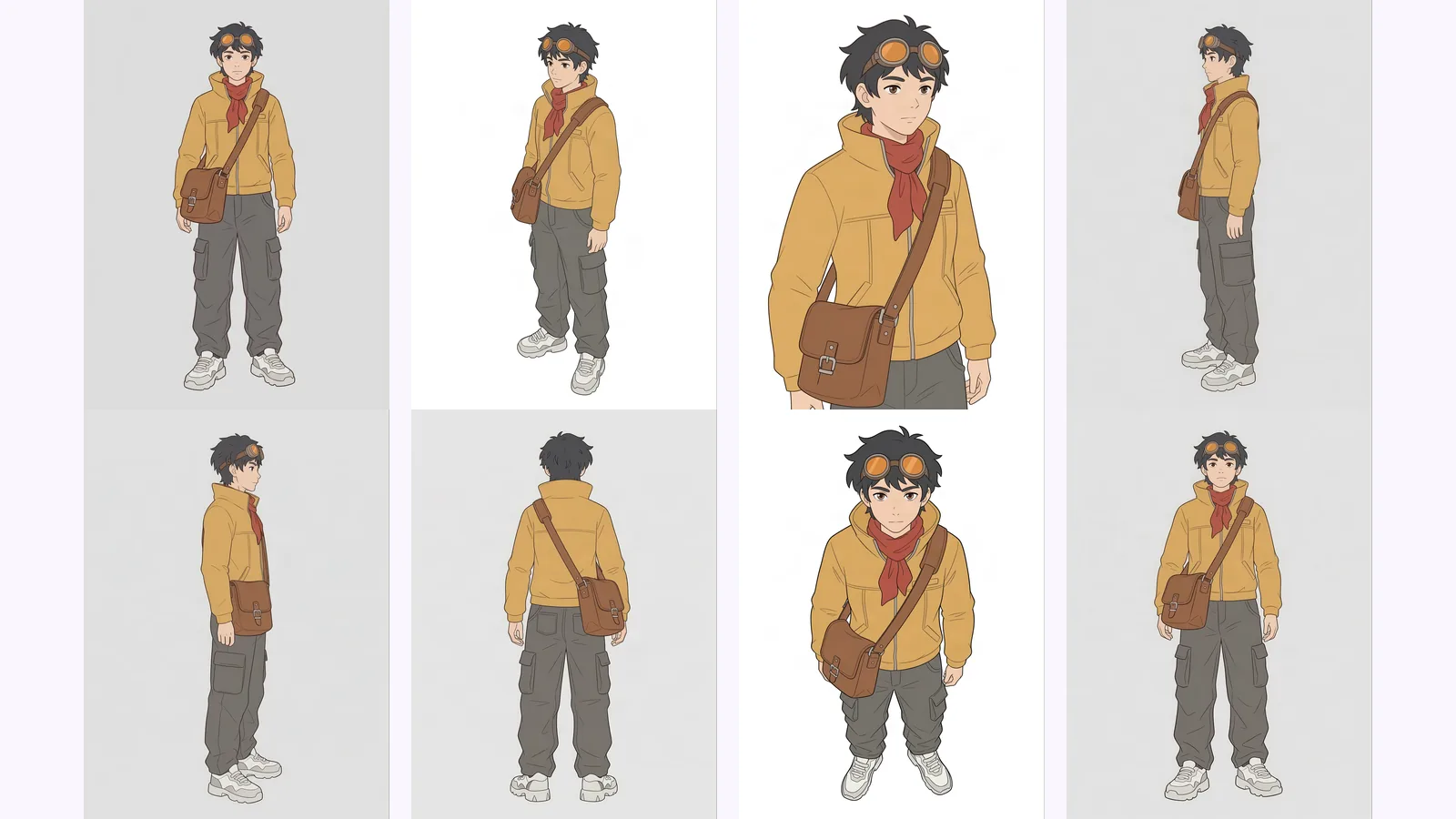
To see the difference, we took one fictional character and made all three. The character is an original courier made with Nano Banana, not drawn by hand, and that image is the front view. The turnaround is the only part that comes from MultiAngle: the other 7 views of the set. The model sheet and the reference sheet are then drawn by us around those views, and everything we added is labelled as ours.
What held: the yellow jacket, the red scarf, the trousers and the brown satchel were the same in every view where they show, and the satchel was on the character's right hip in the front view and in the back view, as it should be. What drifted was framing and direction, not the design. The "3/4 front right" view is barely turned and, like the "3/4 front left", faces the viewer's left, so the two do not mirror each other. It is also a tighter crop that cuts the figure off at the thighs. The above view has a much larger head and a higher camera angle, and the below view looks close to the front view. The background also changes between white and grey from view to view. The back view shows trouser pockets the front could not show and no goggle strap on the head, so the back is partly a guess, as the last section says.
Putting guide rows across the views is also a quick check. We set them on the front view and laid them unchanged across the other two. In the right profile the eye line and chin line fall close to the eyes and chin, and in both the profile and the back view the jacket hem sits near the hem line (the back view shows no eyes or chin to check). We scaled each view to the same figure height first.
AI can make the rotation views of a turnaround from one drawing. It does not write the rest of a model sheet or a reference sheet: construction lines, head-unit measurements, palette notes, callouts and expressions are yours to add. MultiAngle does not generate expressions.
The checks in the first turnaround post apply to any tool that makes these sheets, and how MultiAngle generates a set explains what happens between upload and download.
Draw or pick a clean full-body front view, add the back and any side views, then a colour palette and short callouts for details that must not change. Lay everything out at one scale on one page. The five steps are in the section above, and the rotation views can be made from one drawing.
No. A turnaround is the rotation views only, on one baseline. A reference sheet is the broader term and can hold a turnaround, colours, props and notes. In casual use people say one for the other, so check what the other person expects to receive.
Two full-body views (front and back) are enough for many commissions. RetroSupply's tutorial uses five: front, three-quarter front, side, three-quarter back and back (checked 2026-09-26). Add more if the design is asymmetric or has details on the sides. MultiAngle's template returns 8.
Send your own reference images, a short note on anything that must not change, and the colours you want. Ask how many views the artist will deliver and whether expressions are included, because the answer decides the price and the work.
People mean two things by it: a reference image to copy a layout from, or the reference sheet itself. In art, a character sheet usually means a reference sheet or a model sheet. In tabletop role-playing games, a character sheet is a page of stats, which is a different document. The three example sheets above are layouts you can copy.
Yes. Our free turnaround sheet template covers the views and has a notes box for the palette and callouts. It has no expression panels, so add those yourself if you need them.
Studio model sheets are production documents that belong to the studio, according to Wikipedia's article on model sheets (checked 2026-09-26). A reference sheet you make for your own character is your own work. This is general information, not legal advice; check the rights on any character you didn't create.
More on this topic: Character turnaround sheets and Character Turnaround Sheet Guides.
Multi-view images for 3D: the views Meshy, Hunyuan3D-2mv and Tripo take, how to make 8 consistent views from one drawing, and how to check them.
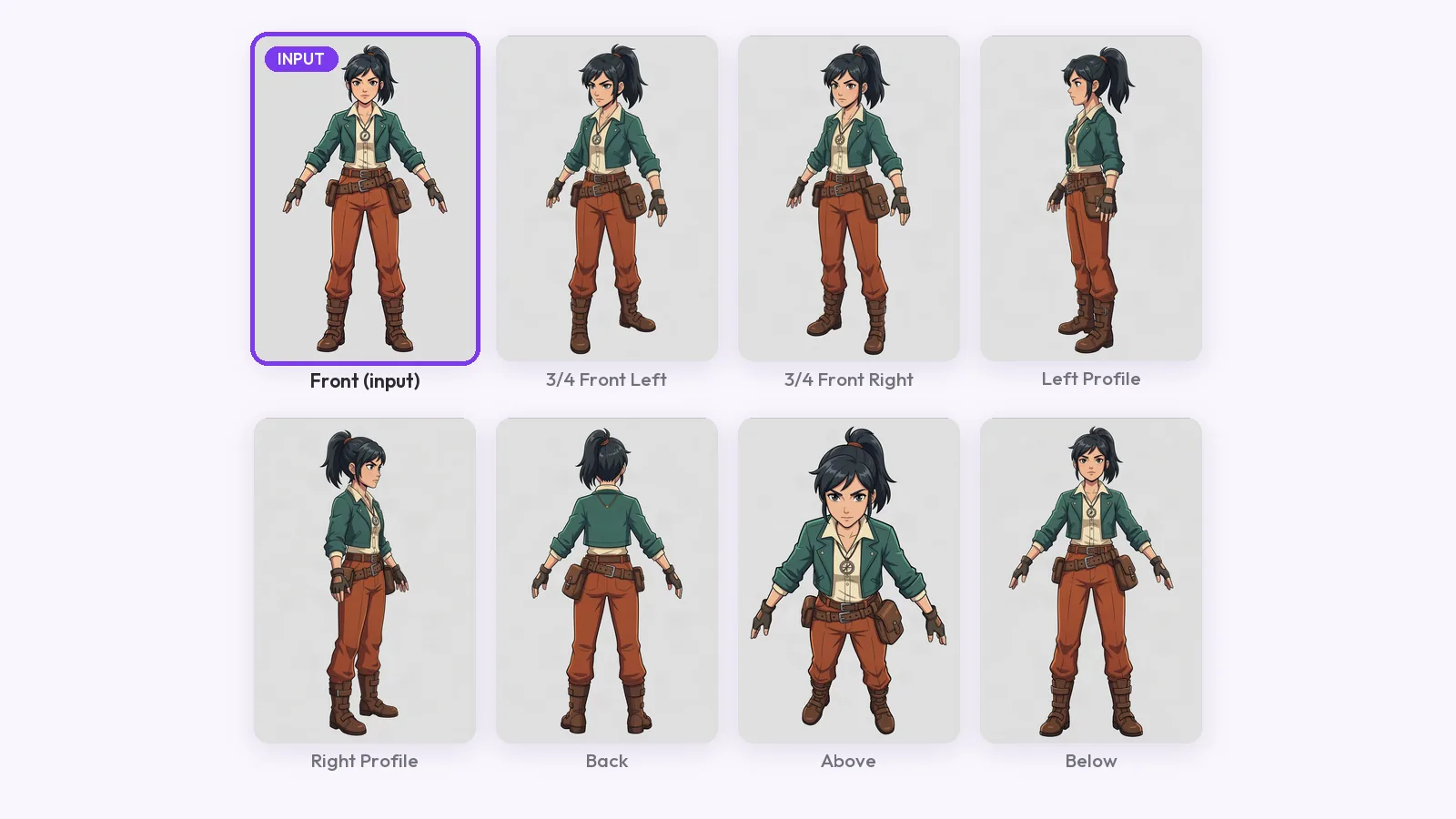
How to make a character turnaround sheet from one drawing: what the input needs, three methods compared, and a guide-line check on every view for AI drift.
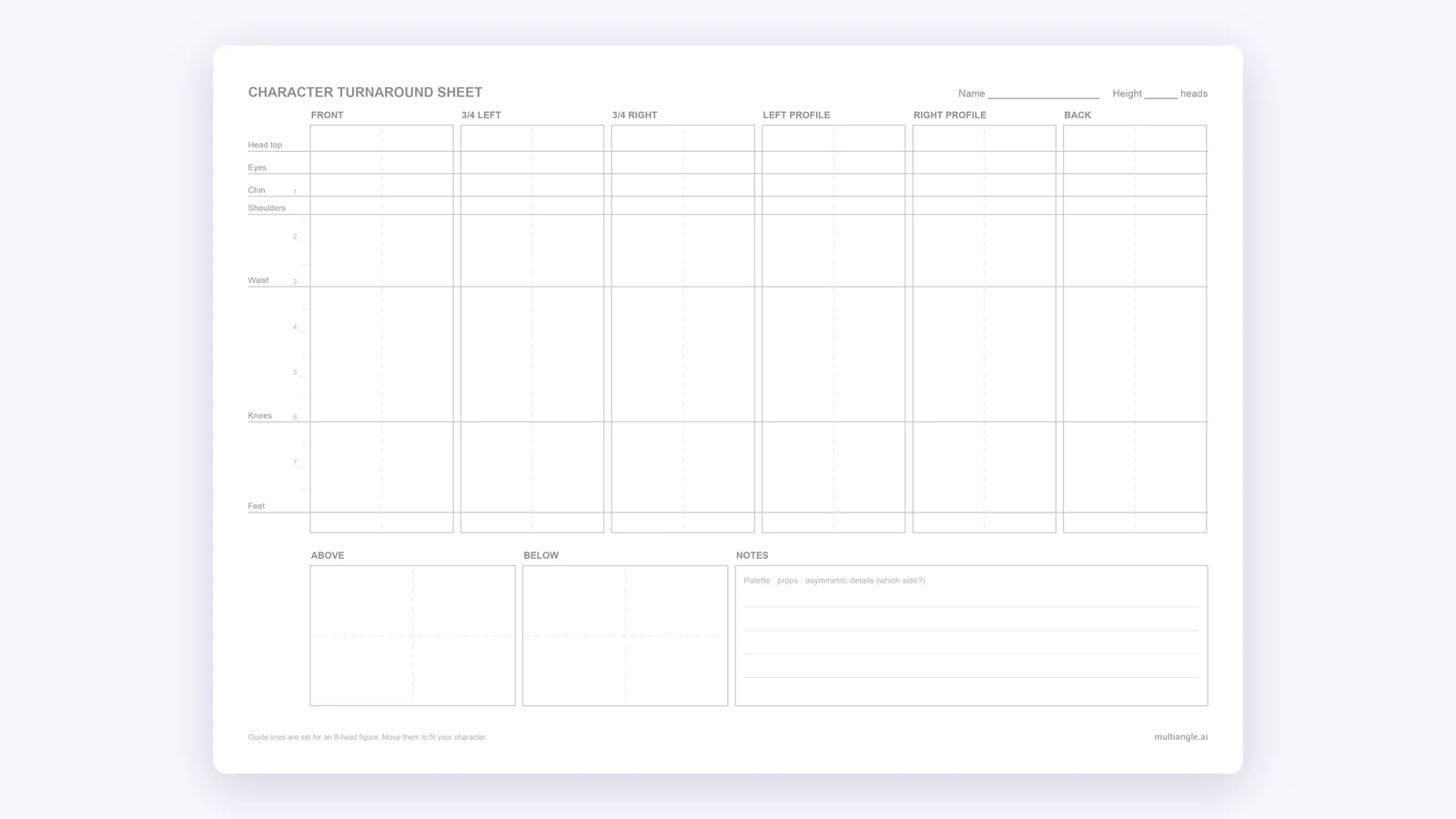
A free blank character turnaround sheet template: 8 panels and 7 shared guide lines, as PNG, PDF and SVG. Fill it by hand or from one drawing.