Character reference sheet: what it is and how to make one
What a character reference sheet is, what goes on it, how to make one step by step, which template to start from, and how it differs from a turnaround.
Multi-view images for 3D: the views Meshy, Hunyuan3D-2mv and Tripo take, how to make 8 consistent views from one drawing, and how to check them.
Image-to-3D tools take three or four views because a single image leaves them to guess the hidden sides. Front, left and back is the usual minimum, and you can generate the missing views from one drawing. The views have to agree with each other, though: a back view that contradicts the front gives the tool two answers, and the mesh can inherit the conflict. Check before you upload.
If you only have a front drawing, you can generate consistent views from one image as 8 views, 7 of them generated. MultiAngle makes images only: no mesh and no 3D file. We did not run Meshy, Hunyuan3D-2mv, Tripo or any other 3D generator for this post, so the tool details come from their own pages, and what we tested is the views. Modeling by hand in Blender instead? Read turnaround sheets for 3D modeling.
Key takeaways
A single image shows one side of a subject. The tool has to guess the back, the far side and the underside. Extra views replace guesses with information, as long as they agree. Meshy's tutorial lets you add up to four images, and Scenario's guide recommends at least three consistent views (both checked 2026-09-26). Meshy even has a section called "Why does the back or side of my 3D model look wrong?"
When the views conflict, the tool has no way to know which one is right. That is why this post is about consistency first and tool slots second. Scenario's advice for the missing views is to generate them with an image-editing model and fix the errors before you upload (checked 2026-09-26). Some people do exactly that: one r/comfyui post we saw (we have no link to it) describes a workflow that removes the background, has an editing model synthesise the rear view, then feeds Hunyuan 2.0 multiview (checked 2026-09-26). We did not run it.
Most tools take front, left and back; Meshy and Tripo also take a right view. The table lists what each tool's own page or card says, as checked on 2026-09-26. We did not check how each tool defines left and right, so confirm the side with an asymmetric detail such as a bag on one hip before you rely on a slot name.
| Tool | Views accepted | Slot names | Requirements | Plan or cost (checked 2026-09-26) |
|---|---|---|---|---|
| Meshy multi-view | Up to 4 images | Main image, then Left, Back, Right | Plain background; at least 1040×1040 px; same distance; up to 20 MB | Pro plan or above, not Free; 20 credits standard, 25 for Ultra 2K, plus 10 for texture |
| Hunyuan3D-2mv (Tencent) | 3 views | front, left, back | See the model card | Open weights under the tencent-hunyuan-community licence; read the licence before commercial use |
| Tripo multi-view, as described by Scenario | 4 views | Front, left, back, right | Not verified | Not verified: Tripo's own page was not available to us on 2026-09-26, so this row comes from Scenario's page |
Where another approach wins: if you want the views and the mesh in one place, 3D AI Studio's character sheet makes the four views most of these tools take (front, left, right, back) and sends them to its own Image to 3D. Its docs list 4 to 12 credits per sheet and a paid plan to download (checked 2026-09-26). MultiAngle gives you more views than the slots need, but it stops at the images.
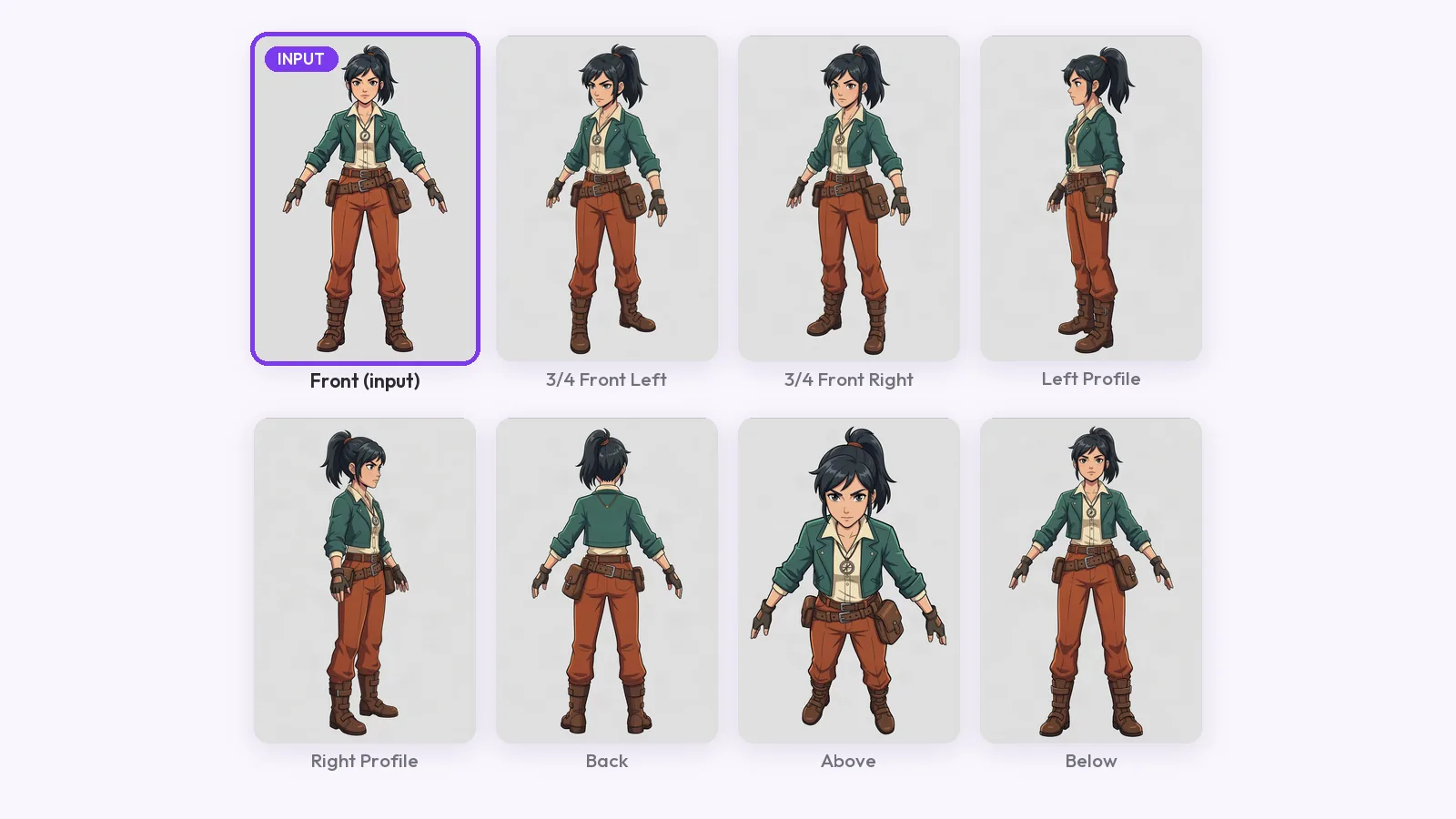
Upload one full-body front image of your character, in an A-pose, to the character turnaround template. It returns 8 views: front, 3/4 front left, 3/4 front right, left profile, right profile, back, above and below. Your upload is one of them, so 7 are generated, and a full set costs 7 credits. For an object, Product turnaround returns 8 views for 7 credits.
Then match the views to the slots:
For this post we ran one character through the character turnaround template: an original courier in a mustard jacket and red scarf, with goggles on his head, grey cargo trousers, white trainers and a brown satchel on one hip. We made the input image with Nano Banana, not by hand. It is 896 × 1200 px on a light grey background, a neutral standing pose with the arms close to the sides rather than a true A-pose.
Looking at the views, the jacket, scarf, trousers, trainers and satchel stay the same colours and the same style in every view, and the satchel stays on the same hip. Four things differ. The 3/4 front left, 3/4 front right and above views came back on a pure white background, the other views on light grey. The 3/4 front right view is a much closer framing and is cut off at the bottom of the frame. The above view is also closer, with a larger head, and shows the character from a clear high angle rather than straight down. The below view looks like a second front view: we could not see a low camera angle in it.
The generated views measure 1768 × 2366 px, against 896 × 1200 for our input. Meshy asks for at least 1040 × 1040 px, so the generated views clear it and our input does not: if you plan to use Meshy, start from a larger drawing or enlarge yours first.
We did not run Hunyuan3D-2mv, Meshy, Tripo or any other 3D generator for this post, and we did not open Blender, so we cannot tell you how a mesh from these views compares with one from a single image. Their rows above come from their own pages and Scenario's. What we could test is the part those pages ask of you: same frame, same scale, a plain background and details on the same side.
On scale, the character fills 90 to 92% of the frame height in every view except one, so levelling them would take a small rescale. The exception is the 3/4 front right view, where the character reaches 96% and is cut off at the bottom, so crop it or leave it out. On background, the views are plain but not one colour: the three white ones would need a fill if your tool wants a single background.
The one asymmetric detail on this character is the satchel. In the front view it hangs at the left of the image; in the back view it is at the right of the image, which is the same hip seen from behind. It also shows in both profiles.
The check passes on the side. Where it is doubtful is the bag itself: the buckled flap shows in the front, right-profile and back views, and a real satchel has its flap on one side. A 3D tool given all three would be handed an object that may not exist, and we could not tell from the images alone which view is right. This is the thin-part drift to look for in your own set.
Check that every view has the same frame, scale, background and pose, and that each detail sits on the same side in every view. The sources agree on the basics: Scenario asks for the same aspect ratio across views, Meshy asks for a plain background, the same distance and at least 1040×1040 px (both checked 2026-09-26).
Generated views are guesses at everything your drawing never showed, so the conflicts show up in the same places every time. Treat the set as a first draft and fix the worst view before you upload.
Make the views for your 3D model
Three at least, per the sources above: Hunyuan3D-2mv takes front, left and back, Meshy takes up to four images, and Scenario recommends at least three consistent views (checked 2026-09-26). More views only help if they agree with each other.
Yes, and people already do: the r/comfyui workflow described above generates the rear view with an editing model. Check the generated views against each other and against your drawing first, because the 3D tool will treat them as true.
The slots on these tools are front, left, back and sometimes right. The 3/4 views fit no slot, so use them to check the others. For the character itself, see the difference between a reference sheet and a turnaround, and how to keep a character consistent across angles for the checks.
The same slots apply to objects. Product turnaround returns 8 views: front, 3/4 left, 3/4 right, left side, right side, back, above and below. We did not run a product through a 3D tool, so check yours against the checklist above.
No. It makes the views as images. You then upload them to a tool that builds the mesh, or model from them by hand.
More on this topic: Character turnaround sheets and Character Turnaround Sheet Guides.
What a character reference sheet is, what goes on it, how to make one step by step, which template to start from, and how it differs from a turnaround.
How to make a character turnaround sheet from one drawing: what the input needs, three methods compared, and a guide-line check on every view for AI drift.
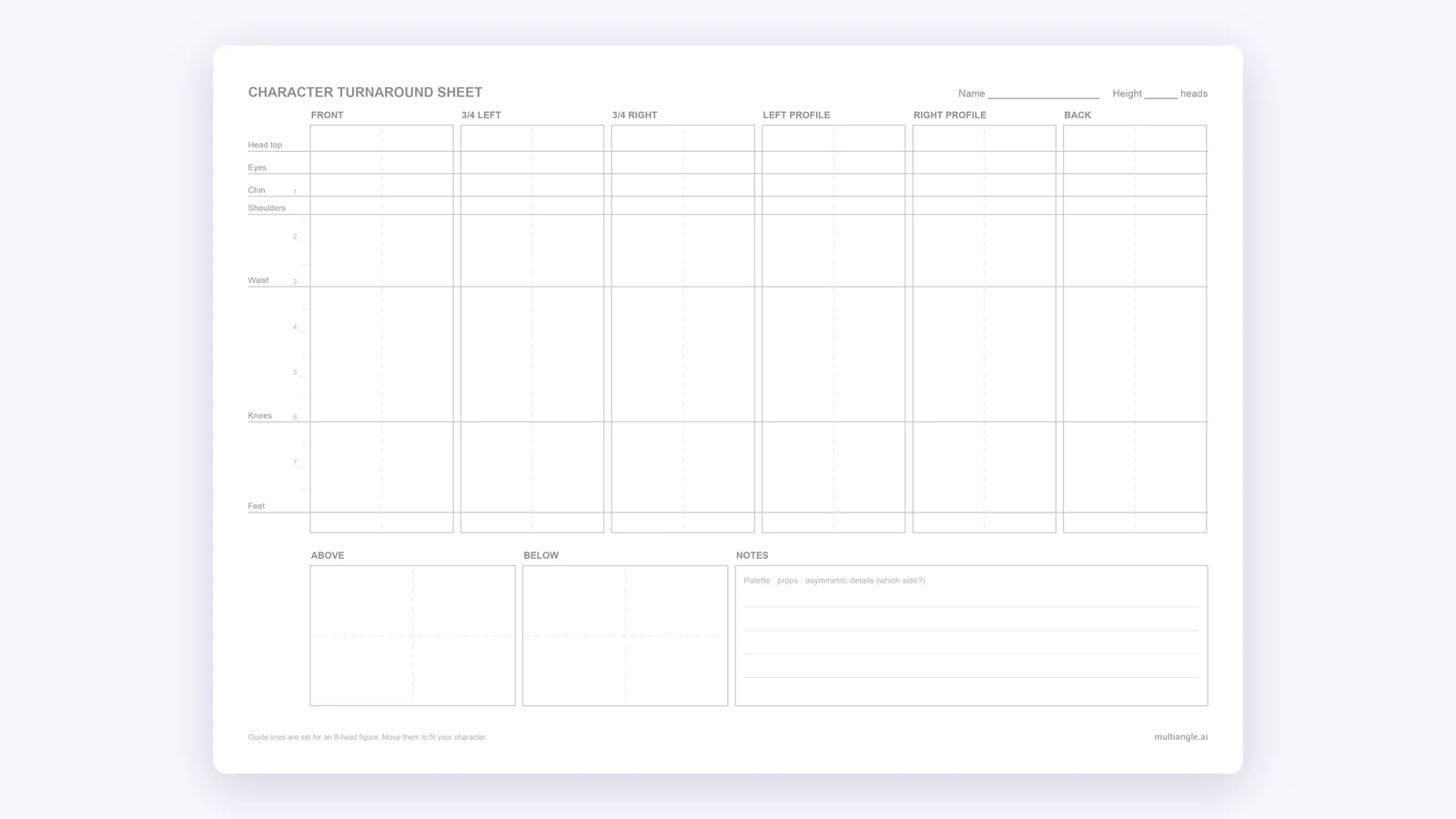
A free blank character turnaround sheet template: 8 panels and 7 shared guide lines, as PNG, PDF and SVG. Fill it by hand or from one drawing.