Multi-view images for 3D: 8 consistent views
Multi-view images for 3D: the views Meshy, Hunyuan3D-2mv and Tripo take, how to make 8 consistent views from one drawing, and how to check them.
How to make a character turnaround sheet from one drawing: what the input needs, three methods compared, and a guide-line check on every view for AI drift.
To make a character turnaround from one image, start from a clean, full-body front view, make the missing views, then check every view against the same set of horizontal guide lines. This guide is for illustrators and indie game developers who have one finished drawing and need a character turnaround sheet. We take one original character from a single front image to a full sheet and show every view, not just the good ones.
A character turnaround sheet (often just "a turnaround") shows one character rotated through fixed views, usually front, three-quarter, profile and back, drawn at the same scale and standing on the same baseline. Animators, comic artists and 3D modelers use it to keep the character "on model", meaning recognisably the same from every direction, no matter who draws the next frame.
The term comes from studio model sheets, which also include expressions and poses. A turnaround is the rotation part of that package. Everything on it is about agreement between views: the eyes sit at the same height, the belt lands at the same place, and the satchel stays on the same hip.
Three views (front, side, back) is the minimum that lets someone draw or model a character. Five is common: front, three-quarter, side, three-quarter back, back. Eight adds the mirrored three-quarter and profile views, which matter for any asymmetric design, plus views from above and below for hats, hair and shoe soles.
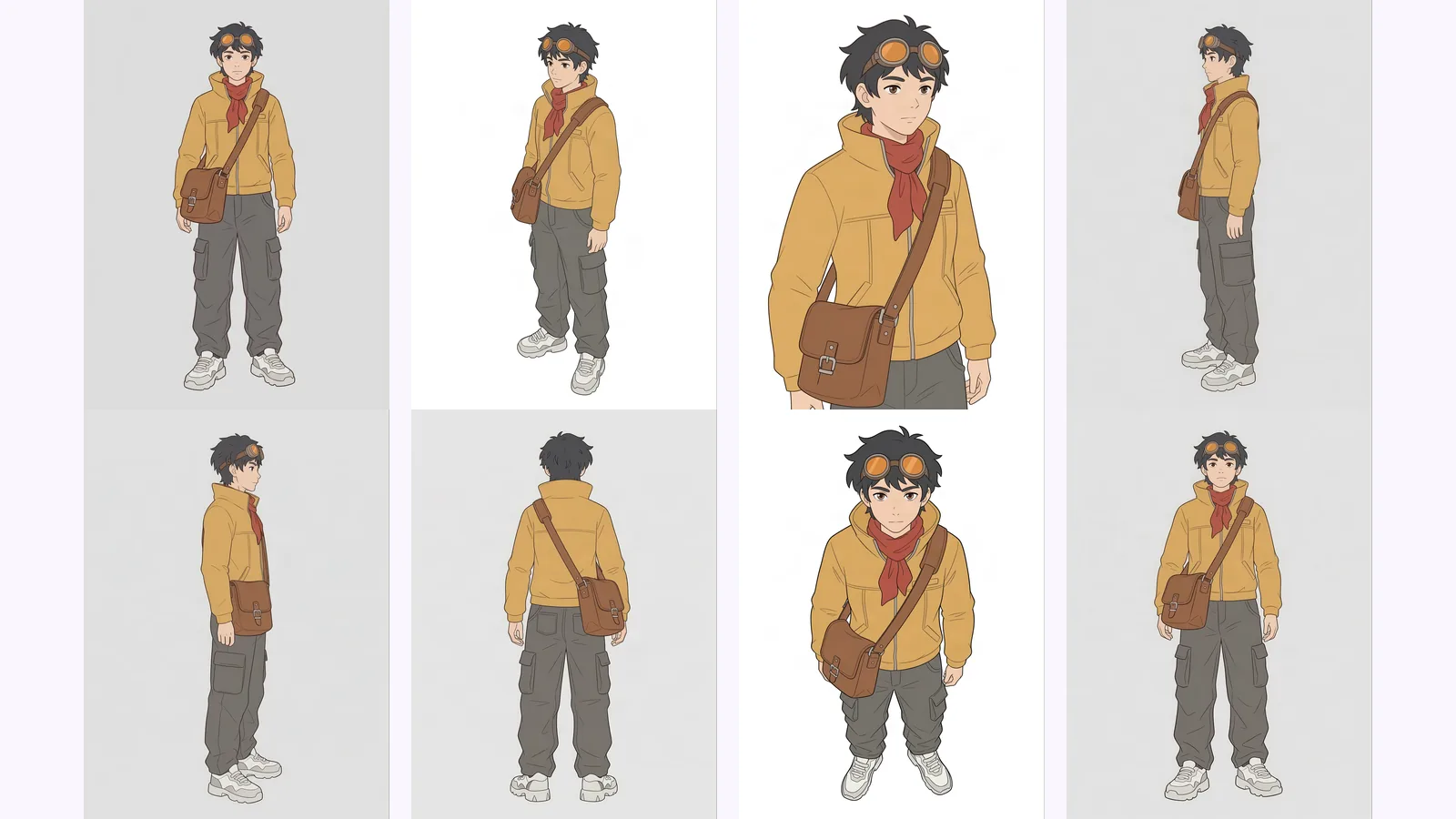
MultiAngle's character turnaround template produces 8 views: front, 3/4 front left, 3/4 front right, left profile, right profile, back, above and below. Your upload counts as one of them, so the app generates the other 7. If you only need three or five views, use the ones you need and ignore the rest.
In our run the front-facing views held up best: both three-quarters stay close to the input. The two profiles needed the most attention. The head turns fully to the side, but the torso stays partly turned toward the camera, closer to a three-quarter than a strict side view. The views from above and below are gentle high and low angles, not top-down or worm's-eye views.
To make a character turnaround, start from one clean full-body front view, choose how many views you need, make the others, then check every view against shared guide lines. You can draw them, prompt an image model one view at a time, or use a fixed-view tool. The sections below cover each step.
The input decides most of the result. Every generated view is built from what the one drawing shows, so anything cropped, hidden or cluttered in the input turns into guesswork in the other views. Spend five minutes on the input before you spend any credits.
A good input:
Our test input ticks almost every box: full body, a neutral A-pose, a plain grey background and 2400 × 1792 px. The one catch is that she wears a bag on each hip, a large satchel on her left and a smaller pouch on her right, so we track the large satchel, the easier of the two to tell apart. We made it in the app with the Generate with AI option (2 credits per image), so it is an original character we can publish. Your own drawing goes in the same slot.
You can draw the other views yourself, prompt a general AI image model one view at a time, or use a tool with a fixed view set. Drawing gives full control and costs time and skill. Prompting is flexible but each view is a separate attempt. A fixed-view tool gives the same set every time but decides the views for you.
Draw them yourself. The classic method: draw the front, then run horizontal lines across the page and build each view to those heights. Nothing drifts that you did not choose, and it is the slowest route.
Prompt a chat image model. Ask a general image model to "show this character from the back", one view per prompt, or build a local pipeline (Reddit threads recommend ControlNet with OpenPose plus a character-sheet LoRA). Scenario's own turnaround guide warns that height, proportions, faces and accessories can shift between views generated this way (checked 2026-09-26).
Use a fixed-view tool. You upload once and get a set of named views. MultiAngle is one option. EZ Character also makes 8 angles and lists a free monthly credit allowance on its pricing page; 3D AI Studio makes a 4-view sheet and says a paid plan is required to download it (both checked 2026-09-26). EZ Character's page itself notes that swords, glasses and accessories need a second look.
| Method | Views you get | Consistency control | Cost | What you still fix by hand |
|---|---|---|---|---|
| Draw it yourself | Any you draw | Full: you place every line | Your time and skill | Nothing you didn't choose |
| Prompt a chat image model | One per prompt | Low: each view is a fresh attempt | Your model subscription or GPU time | Height, face, accessories, re-rolls |
| MultiAngle character turnaround | 8 fixed views | Same view set every run, from one input | 7 credits for a full set (1 credit = 1 image) | Back-of-outfit details, hands, accessories |
Upload one front drawing to the character turnaround template, let it generate the 7 missing views, review each one, and download the set. A full set costs 7 credits. How it works explains what happens between upload and download.
The Free plan gives 4 credits, reset on the 1st of each month (UTC). That is less than one full set, so on Free you can test a few views of your character before deciding. For the details, see plan prices and credit costs per set.
Make a turnaround from your drawing
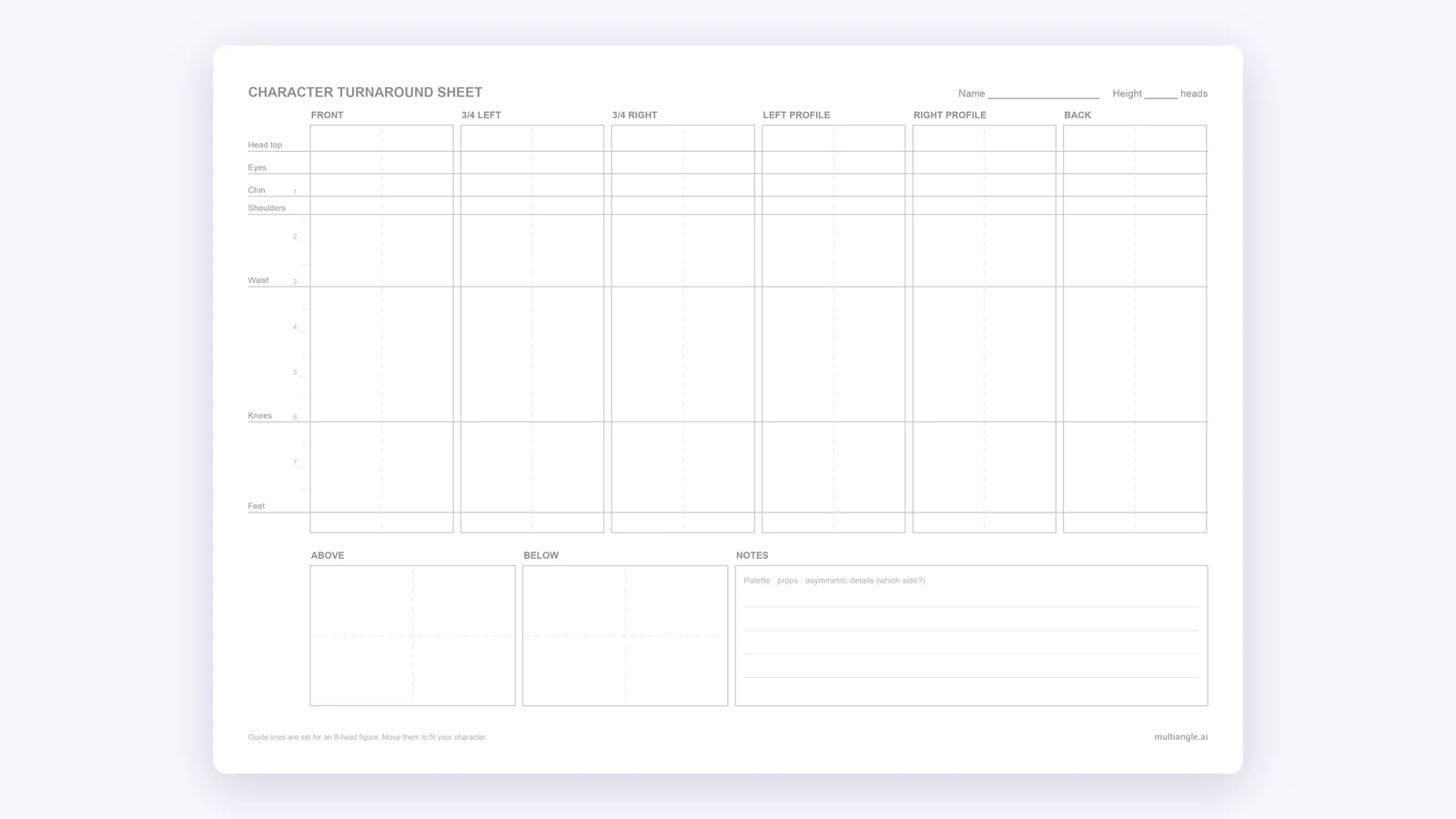
Draw seven horizontal lines across every standing view: top of the head, eyes, chin, shoulders, waist, knees and feet. Set the lines from the front view, then look for any view where a feature misses its line. A miss means a proportion drifted, and that view needs a fix before anyone draws or models from it.
Do the same for your tracking detail: the satchel, a scar, a badge. It should stay on the same side of the body in the three-quarter, profile and back views, allowing for the rotation.
In our set the eyes, chin, shoulders, waist and knees land on the front view's lines in both the profile and the back. Two things miss, both in the profile: the top of the skull sits a little below the head-top line, and the far foot stands above the feet line, because the view carries some perspective. Across all eight views the figure's height stays within about 2% of the frame.
Generating views from one image has real limits, and some are built into the problem rather than the tool. Plan to check the back view and the small details by hand, and treat the set as a first draft of the sheet, not the finished sheet.
What drifted in this run: the back view adds a second buckle to the lower belt and drapes the pendant cord over the jacket with a clasp. The front implies neither. What stayed right: the large satchel stays on the character's left hip in every view where it shows, the gloves keep their cut-outs, and the hair tie and ponytail carry through.
If a term here is new to you, start with the turnaround sheet definition in our glossary. For products and rooms, the product and room angle templates apply the same method.
Start with one clean, full-body front view in a neutral pose. Make the side, back and three-quarter views by drawing them, prompting an image model one view at a time, or using a fixed-view tool, then check every view against shared horizontal guide lines. Redraw what drifted before anyone builds from the sheet.
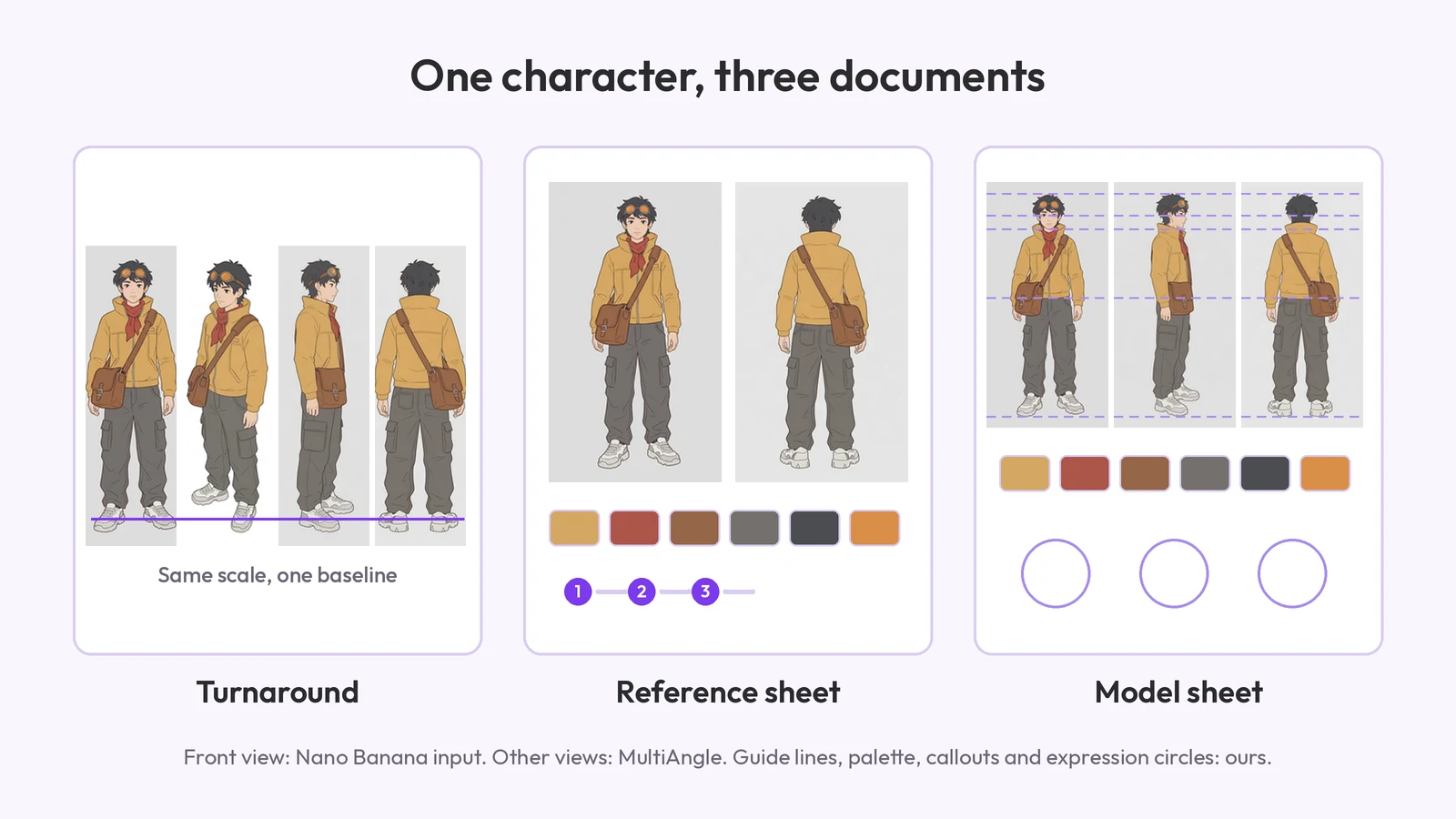
In practice, yes. A turnaround is the set of rotation views, and a sheet is those views laid out on one page on one baseline. Studios also say "model sheet", which adds colours and expressions: character reference sheet vs turnaround sorts the terms out.
Yes, with limits. It can produce every view from a single front drawing, but anything the drawing never showed, especially the back, is invented. Check each view against guide lines and redraw what drifted.
Three (front, side, back) is the working minimum. Five covers most animation and comics work. Eight adds mirrored views for asymmetric designs and top and bottom views for hats, hair and soles.
MultiAngle allows commercial use on every plan, Free included, with no watermark. Your character's design is still your own; check the rights to any input you didn't create.
Sometimes. The views can carry slight perspective, so test them: line up front and profile on guide lines in your 3D app and see whether the heights and depths agree before you commit to modelling.
Test it with your own character first. Stylised hair and exaggerated proportions are where generated views most often slip, and a chibi figure needs its guide lines placed for its own head count.
More on this topic: Character turnaround sheets and Character Turnaround Sheet Guides.
Multi-view images for 3D: the views Meshy, Hunyuan3D-2mv and Tripo take, how to make 8 consistent views from one drawing, and how to check them.
What a character reference sheet is, what goes on it, how to make one step by step, which template to start from, and how it differs from a turnaround.
A free blank character turnaround sheet template: 8 panels and 7 shared guide lines, as PNG, PDF and SVG. Fill it by hand or from one drawing.