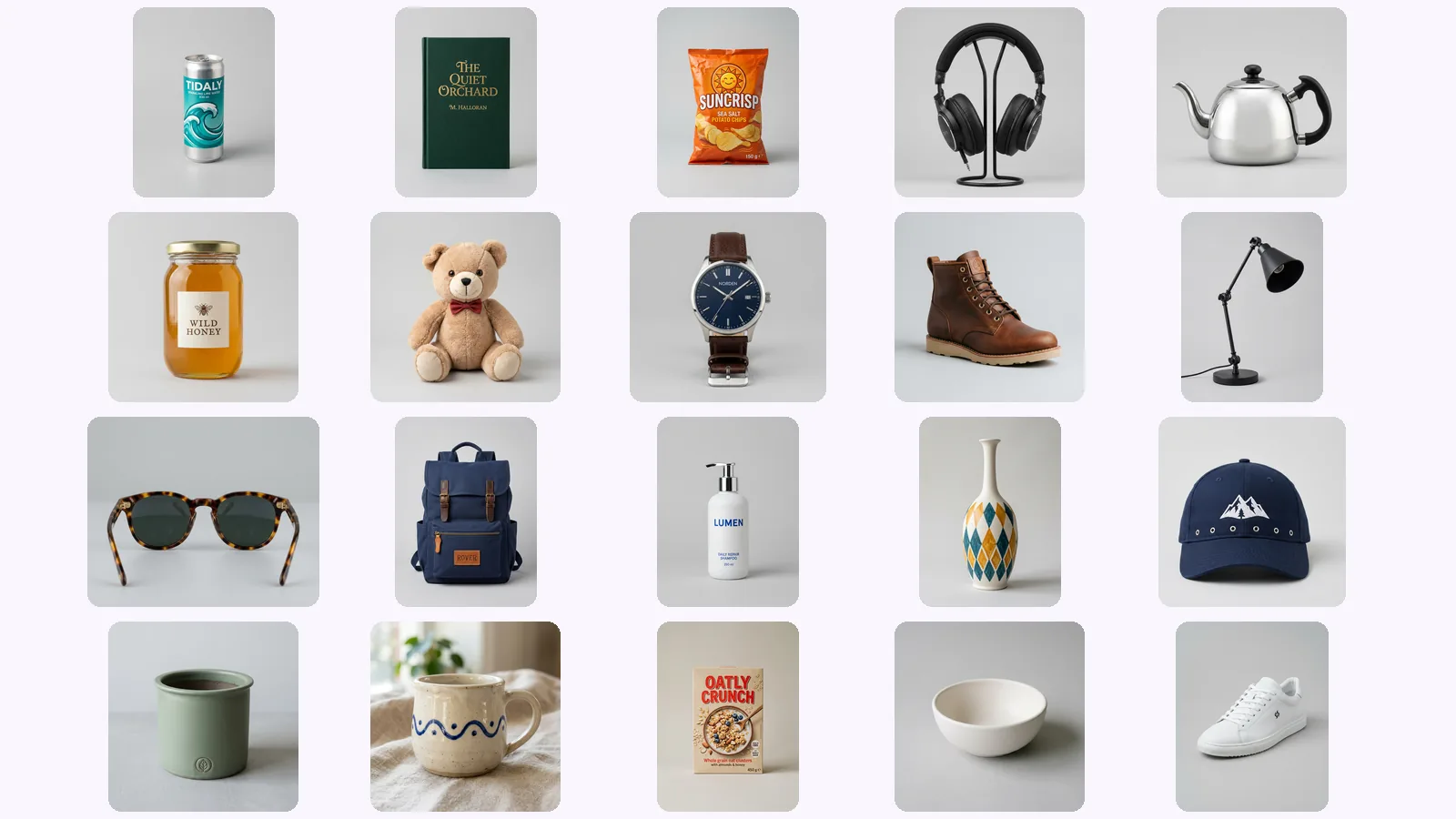
We generated every angle of 20 products: where AI drifts
We scored 139 generated views of 20 AI-made products on six checks. Where AI product photos drift: the back view, garbled lettering, a level 'below'.
AI product photography cost against a studio shoot, with dated prices: $50–$350 an image at a studio, AI tools from $9 a month, and what credits cost.
AI product photography costs less per image than a studio, but the two are not billed the same way. Studios charge by the day or the image, AI tools by the month, and MultiAngle by the credit. Below are dated prices from each vendor's own page, what a set costs in credits, and where a studio is still the better buy. MultiAngle's AI product photography starts free: your first Product photoshoot set (the white main image plus 4 scenes) is free, once per account.
Key takeaways
Roughly $50 to $350 an image, or $500 to $3,000 a day, before extras. Shopify's guide gives both ranges (dated 2026-01-27). Studios also add setup fees, studio passes, retouching and rush charges, so the quote and the bill can differ. Every figure below comes from a vendor or a guide, not an independent survey.
| Source (all checked 2026-10-25) | What it says | Note |
|---|---|---|
| Shopify, product photography pricing (2026-01-27) | $500 to $3,000 a day; $50 to $350 an image | Day rate is before support staff and equipment |
| Squareshot, per-image pricing (2026-05-13) | White background $25 to $75 an image; mid-tier studios $75 to $150; premium specialists $150 to $300+; typical e-commerce $50 to $125 | A studio's own benchmarks |
| soona pricing | $39 a photo; $149 studio pass a booking; premium edits from $9 | Models and styling cost extra |
Extras are where quotes drift. Nightjar, which sells AI product photos, worked two 100-image totals: $4,049 at soona ($40.49 an image before optional extras) and $1,360 at ProShot ($13.60 an image after a 15% bulk discount, with a $100 setup fee), and it passes on Shopify's rush fees of 25% to 200% of the job cost (Nightjar, updated 2026-09-16, checked 2026-10-25). Treat those as one vendor's worked examples.
Mostly a monthly plan with an image allowance. Pebblely lists $9, $19 and $39 a month for 30, 200 and 500 images, about 8 to 30 cents an image if you use every one. Pixelcut has a free plan and a Pro plan at $10 a month. We could not read a dollar price on Photoroom's page.
| Tool (checked 2026-10-25) | Plans | What the page lists | Per image if every one is used (our arithmetic) |
|---|---|---|---|
| Pebblely | Lite $9, Basic $19, Pro $39 a month | 30, 200 and 500 images a month; bulk generation on Basic and Pro | $0.30, about $0.10, about $0.08 |
| Pixelcut | Free; Pro $10 a month ($8 billed yearly); Business $30 ($24) | Free: limited background removal. Pro: 600 AI credits a month | The page does not say how many product photos a credit buys |
| Photoroom | Pro, Max, Ultra; free trial | Pro: 1,000 exports and 8,000 AI credits a month | No dollar price on the page we read |
Pebblely's page carries no date, only a 2026 copyright line. Prices on all three change, so read the page before you budget.
MultiAngle bills in credits: 1 credit = 1 image. your first Product photoshoot set (the white main image plus 4 scenes) is free, once per account. After that it is 1 credit per image, so a full Product photoshoot for Amazon listings of the white main image plus up to 8 scenes costs 9 credits, and there is one free redo per scene image.
| What | What you get | Cost |
|---|---|---|
| First Product photoshoot set | the white main image plus 4 scenes | Free, once per account |
| Each image after that | One main image or one scene | 1 credit per image |
| A full photoshoot | the white main image plus up to 8 scenes | 9 credits |
| Redoing a scene | The same scene again | one free redo per scene image |
| Product turnaround | 8 angles of one product | 7 credits |
| Free plan | Monthly credits | 4 credits, reset on the 1st of each month (UTC) |
| Creator plan | More credits a month | $19/month, 100 credits |
| Top-up packs | Credits for one project | 10 credits for $4.99, 40 credits for $9, 120 credits for $25 and 320 credits for $59; top-up credits never expire |
To get a price per image, divide a plan's or a pack's price by its credits. The pricing page and our credit guide keep the current numbers, so this post does not print a figure that could go stale.
The photoshoot is not the only way to buy product images here. The Product turnaround template makes 8 angles of one product from one photo, for 7 credits. Here is one run, on a made-up tote bag:
Count cost per accepted image, not per generated image. Nightjar's help page frames it as the studio total minus the AI total for the same number, type, resolution and acceptance standard of final images, including staff time on both sides (Nightjar, reviewed 2026-09-17, checked 2026-10-25). Nightjar is an AI vendor, but the rule holds either way.
A worked example, using Pebblely's Pro plan (about 8 cents an image if every image is used, per the table above): if you keep one image in four, you pay about 31 cents per kept image. If you keep one in ten, about 78 cents. Our arithmetic, not a measured rate.
What to count on each side:
A studio wins whenever the picture needs something that is not in your photo. An AI tool wins when you have one photo and need several consistent images fast enough to test a listing. Nightjar's own page says physical shoots remain necessary for regulated label claims, exact fit and named talent (reviewed 2026-09-17).
| Job | Better fit | Why |
|---|---|---|
| One product, a white main image plus scenes | An AI tool, or the Product photoshoot | One photo in, cost per image |
| Hands, models, people using the product | A studio | The photoshoot adds no people, text or logos: the app says so on its own screens |
| Regulated claims on a label, exact fit, named talent | A studio | Nightjar names these as shoots that stay physical |
| Many products on a schedule | A tool with bulk generation, or a studio | Pebblely lists bulk generation on Basic and Pro. MultiAngle runs one product at a time |
| Video or 3D | Neither of these | MultiAngle makes still images only |
| Seeing a result before you pay | The first free set | your first Product photoshoot set (the white main image plus 4 scenes) is free, once per account. Pixelcut also has a free plan |
The cost that bites is the image you cannot use. Photoroom, a vendor, ran 850 products through four general image models, and the best kept full product fidelity in "only 29.0% of cases", with logo and text distortion in 20.1% of generations (2026-07-06, checked 2026-10-25).
The products were clothing, footwear, bags, jewellery and accessories, and the models redraw the product. That is a different method from pasting the real product back, so read it as a warning, not as a measure of ours.
Make your first set: the white main image plus 4 scenes, free
From nothing to a few dollars an image, depending on the tool and how many images you keep. Pebblely lists $9 to $39 a month for 30 to 500 images, and MultiAngle charges 1 credit per image after a free first set. A studio is about $50 to $350 an image (Shopify, checked 2026-10-25).
Per image, usually. Per accepted image it depends on how many of your outputs you can use, and a studio still wins for people, hands and regulated claims. Work out cost per accepted image before you decide.
Yes: your first Product photoshoot set (the white main image plus 4 scenes) is free, once per account. Images after that are 1 credit per image, and you get commercial use on every plan, Free included, with no watermark.
Divide the price of a plan or a pack by its credits, since each image is one credit. The pricing page has the current plans and the credit guide shows the packs.
More on this topic: Product photos from every angle and Product Photography Angle Guides.
We scored 139 generated views of 20 AI-made products on six checks. Where AI product photos drift: the back view, garbled lettering, a level 'below'.
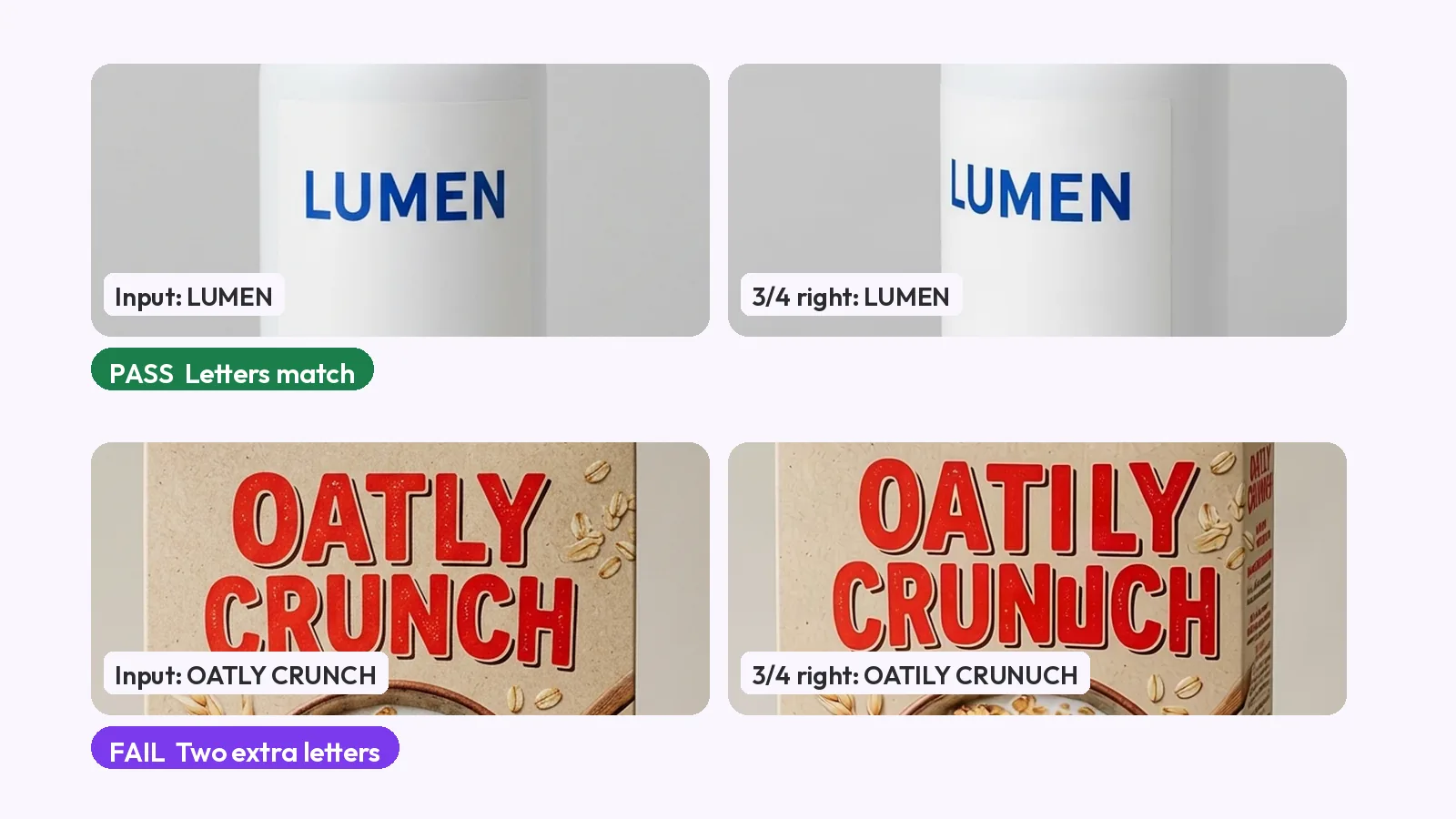
AI product photo accuracy, checked the honest way: compare every image with a real photo at 100% on six checks, with passes and fails from our own test.
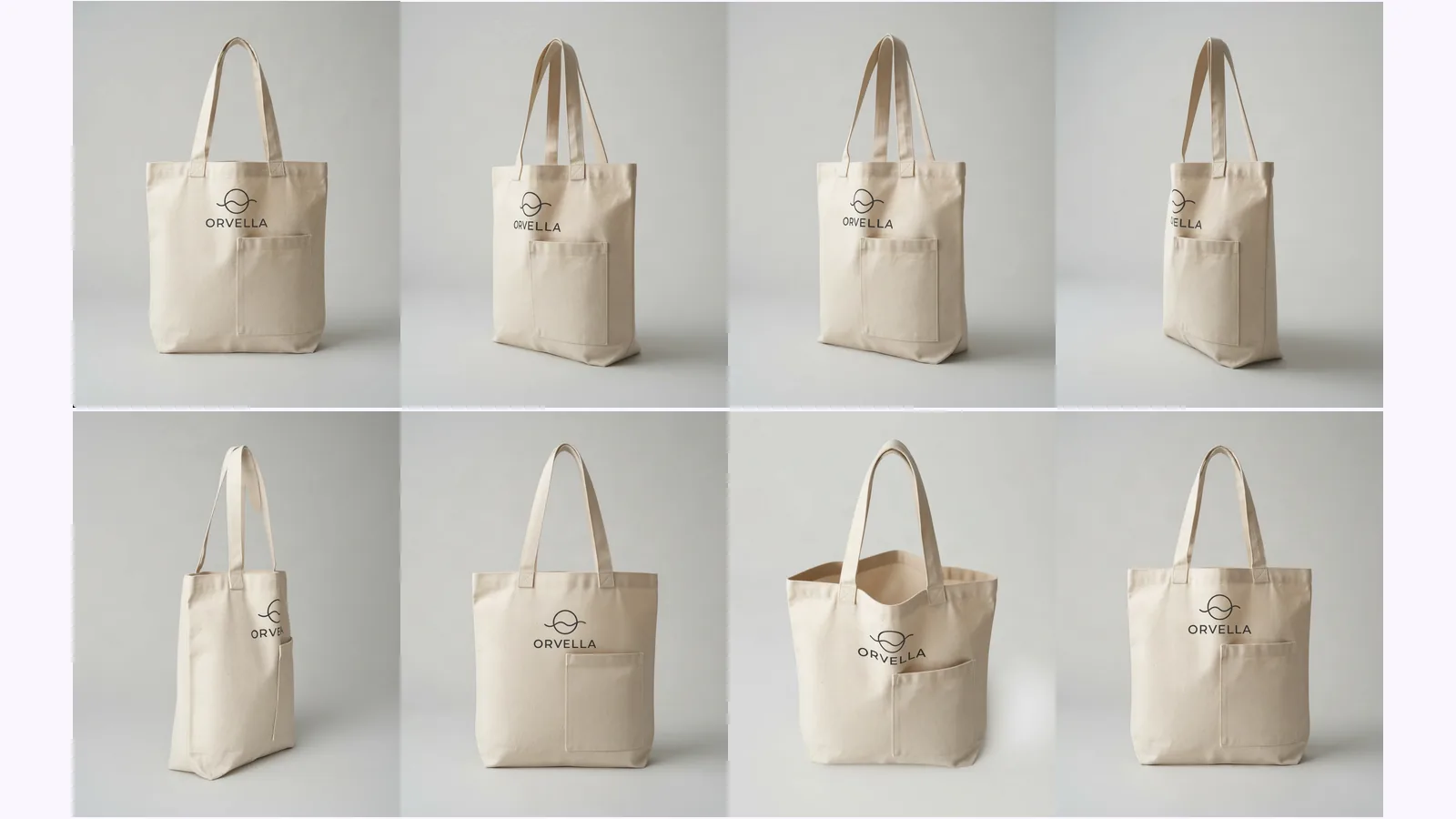
What each shot answers, which to skip by product type, and where AI-made views drift. Shown on one tote, with a pick table for bottles, shoes and bags.