Character turnaround sheet from one image: 3 methods
How to make a character turnaround sheet from one drawing: what the input needs, three methods compared, and a guide-line check on every view for AI drift.
An avatar template is a profile-picture design, a game body, an AI restyle or 8 views of one character. What each is, and how to make the last.
An avatar template is one of four different things online. The kind this guide covers is a fixed set of views of one character, made from a single image. MultiAngle's Character turnaround is an avatar template of that kind: one photo or drawing in, 8 views out. Below: what the term means, how to make one, which views suit which job, and where the views drift.
Key takeaways
It depends on who is searching. Editors such as Kapwing mean a pre-designed profile picture you customise, game documentation such as Roblox's means a starter character body, and AI apps such as Picsart restyle one selfie. We mean a fourth thing: a fixed set of views of one character, made from a single photo or drawing.
| Meaning | What you get | Example (checked 2026-10-25) | Right when |
|---|---|---|---|
| Profile-picture design | A ready-made image you edit | Kapwing: "pre-designed digital images that serve as starting points for creating your profile picture" | You need one picture for an account |
| Game character body | Starter body files: a Blender project, an FBX file and textures | Roblox Creator Docs, template files | You are building a game avatar |
| AI avatar of you | One selfie restyled as cartoon, anime, 3D, watercolor, pixel art or fantasy | Picsart, tutorial dated 2026-04-15 | You want a stylised profile photo |
| Set of views | Fixed views of one character from one photo or drawing | MultiAngle's Character turnaround | You need the same character from several sides |
The first three win on their own jobs. Kapwing is quicker for a single profile picture, Roblox gives you a body that is ready for its engine, and Picsart lists more than 1,000 styles. None of the three, as their pages describe them, makes fixed views of a character you already have.
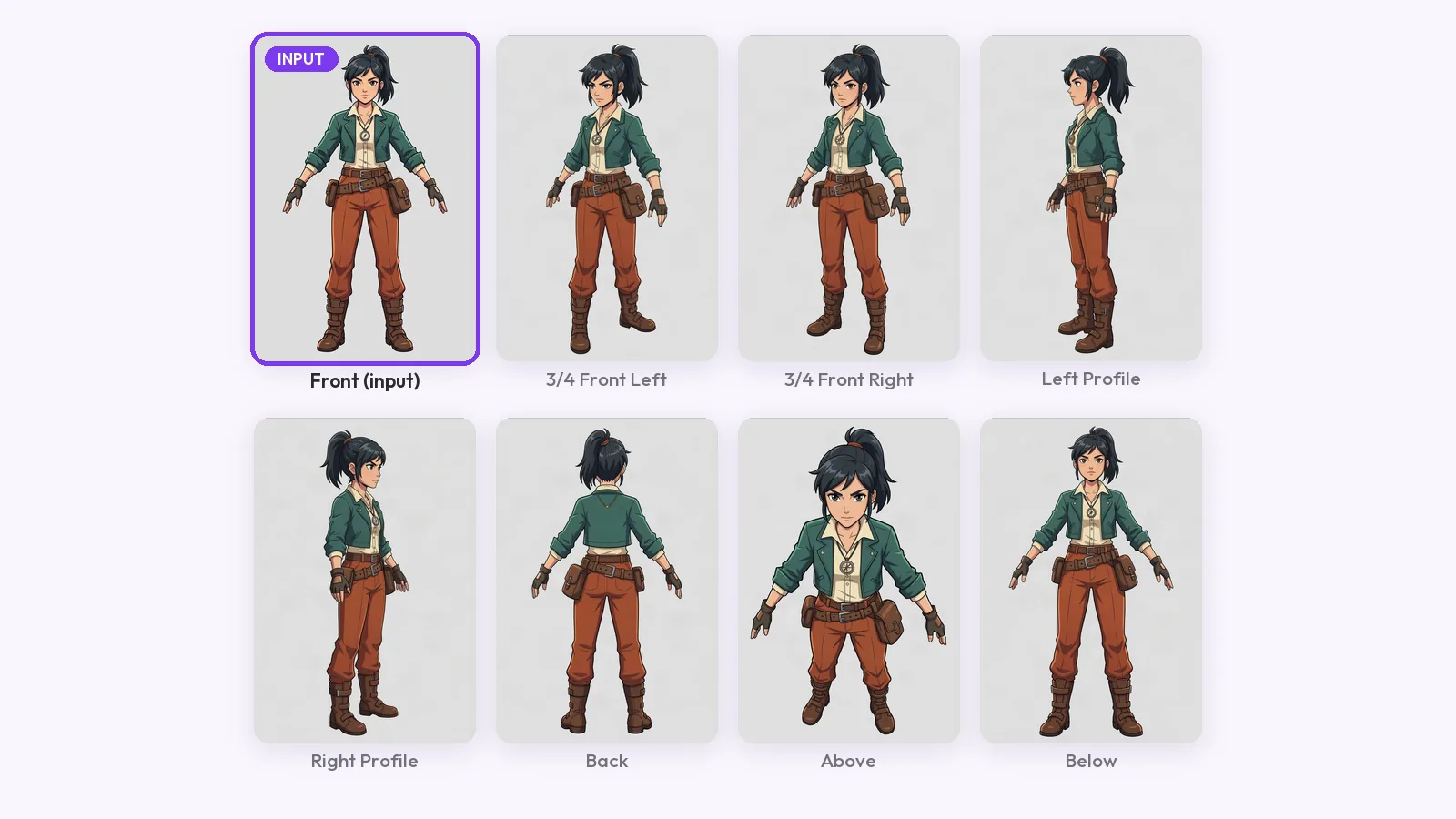
It is the Character turnaround template. You upload one full-body image of a person or character and it returns 8 views: front, 3/4 front left, 3/4 front right, left profile, right profile, back, above and below. Your upload is one of them, so 7 are generated. The set is fixed: you do not choose an angle, you get these.
Two avatar templates are live in the app today: this one, and the LinkedIn headshots recipe, which makes 4 shots from a selfie (see AI LinkedIn headshots). The Avatars page also shows Portrait packs, Style transfer, Outfit swap and Avatar packs, marked "Coming soon". Do not expect those yet.
Start from one full-body image in a neutral pose on a plain background, upload it to the Character turnaround template, run the full set and check each view against the input. A set costs 7 credits at one variant per angle. The steps are below, and how to make a character turnaround from one image adds the guide-line check.
Take the views the job needs, not all eight. A profile picture needs a face that reads at small size, an artist's reference needs every side, and a 3D modeler starts from front, side and back. This table is our pick, not a rule.
| Job | Views to take | Why |
|---|---|---|
| Profile picture or community avatar | Front, 3/4 front left, 3/4 front right | They face the camera, so the face stays readable small |
| Reference for an illustrator or animator | All 8, with guide lines | The sides, back, above and below are what a new drawing needs |
| 3D modeling reference | Front, left profile, back | The three views a modeler works from first |
| Commission brief | Front and back, with a palette and notes | The turnaround is one part of a reference sheet |
For the last row, what a character reference sheet adds to a turnaround lists the extras a commission needs. This template makes the views only.
Every view except the front is generated from your one image, so each is a guess shaped by that image. In our courier run the design held, but the framing drifted and one view barely changed. The checks that catch it are in the consistency guide linked above.
Make your 8 views from one image
It is a starting point for an avatar, and the word covers several things: an editable profile-picture design, a game character body, an AI restyle of a selfie, or a fixed set of views of a character. MultiAngle's avatar template is the last one: 8 views from one image.
No. A profile-picture template is a design you edit into one image. MultiAngle's avatar template returns 8 views of the same character, so you can pick the one that suits each place you use it.
The template accepts a photo of a person or a character. We tested an illustrated character, so check likeness view by view on your own photo. For professional portraits, the LinkedIn headshots recipe is built for a selfie and returns 4 shots.
8 in all: front, 3/4 front left, 3/4 front right, left profile, right profile, back, above and below. Your upload is one of them and 7 are generated.
MultiAngle allows commercial use on every plan, Free included, with no watermark. If the character is based on a real person, get that person's permission first.
More on this topic: Character turnaround sheets and Character Turnaround Sheet Guides.
How to make a character turnaround sheet from one drawing: what the input needs, three methods compared, and a guide-line check on every view for AI drift.
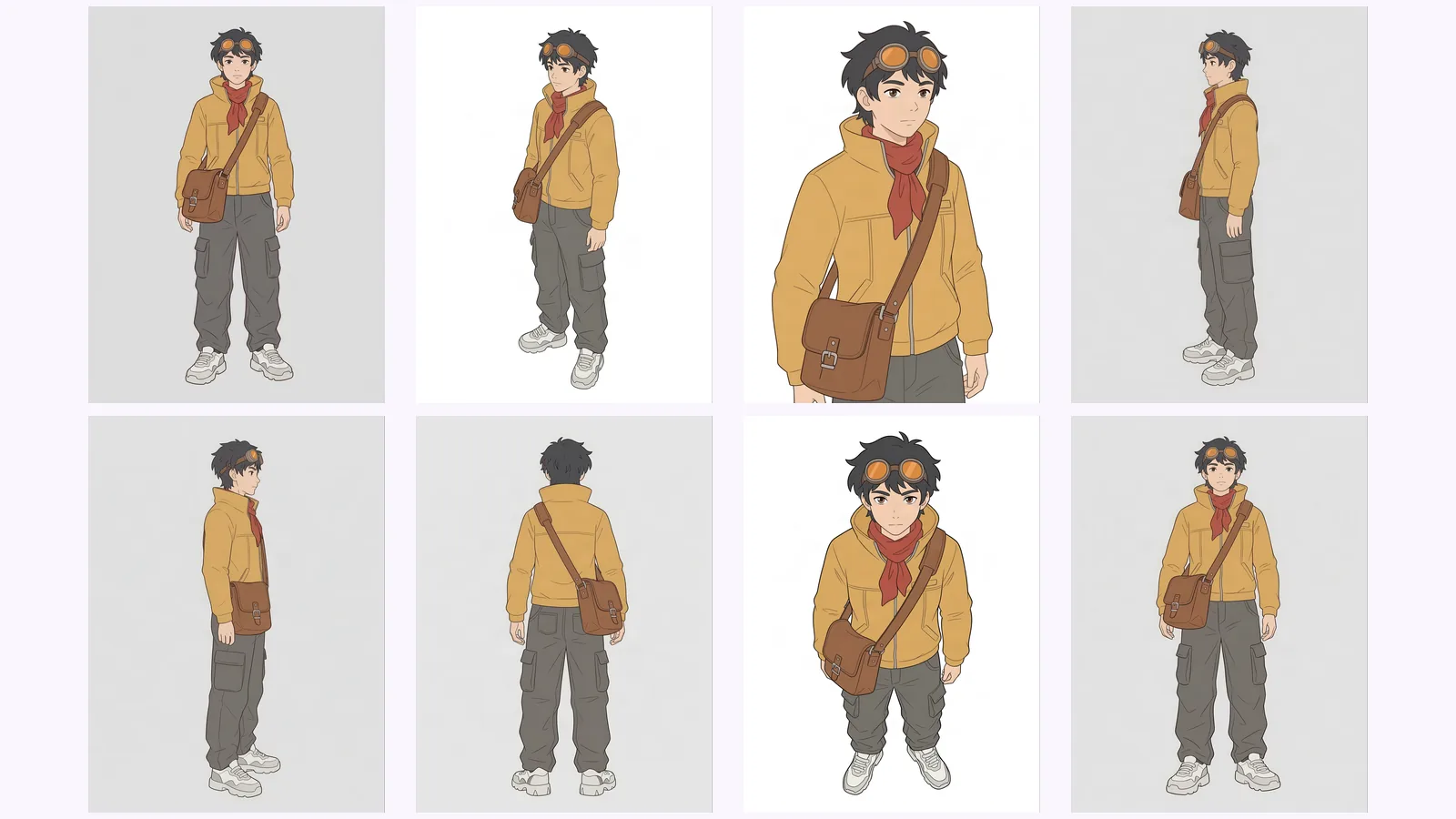
Keep an AI character consistent across angles: lock one reference, generate every view as one set, then check each view against a short list of anchor traits.
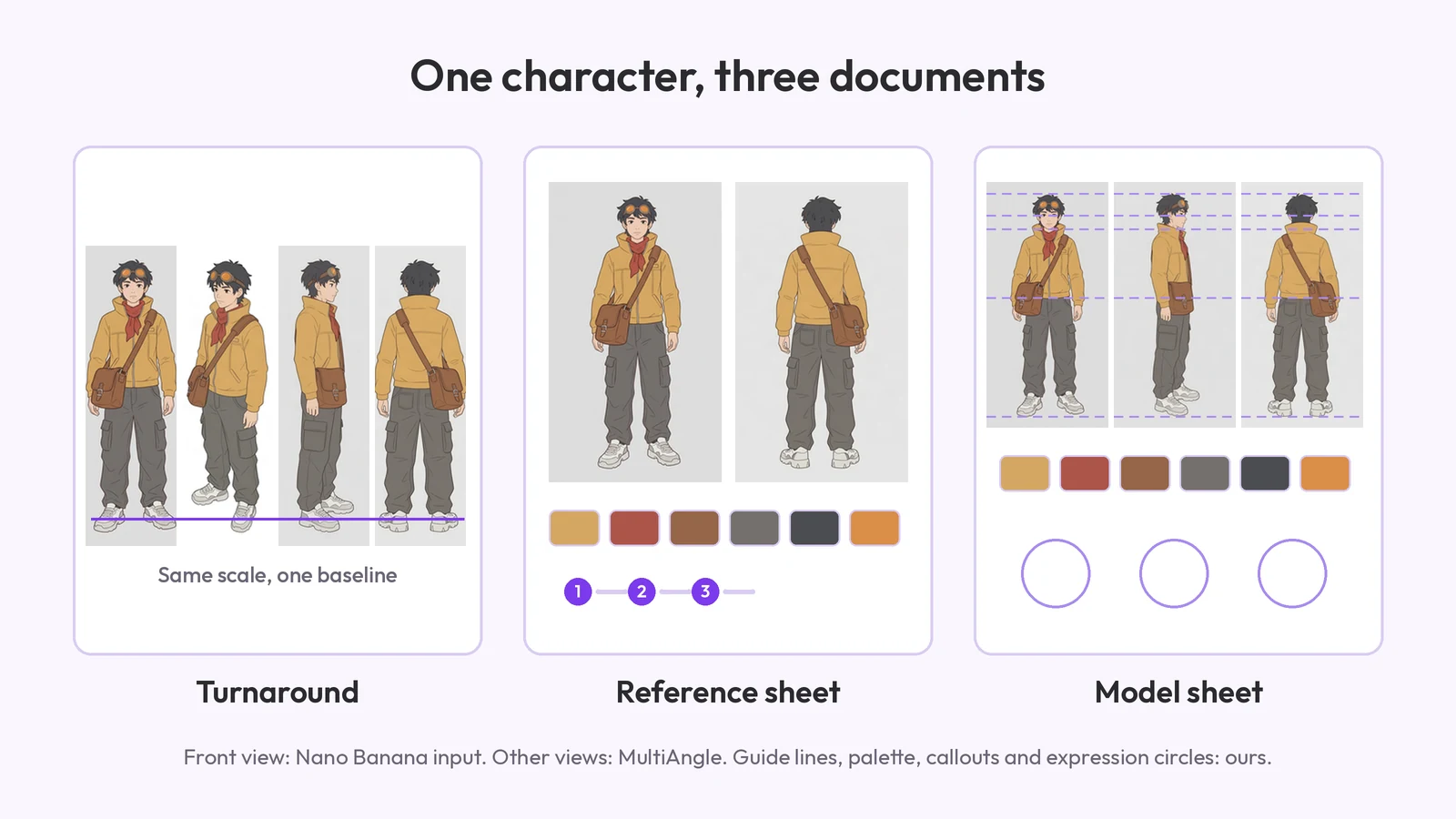
What a character reference sheet is, what goes on it, how to make one step by step, which template to start from, and how it differs from a turnaround.