How to see a room from every angle from one photo
Can AI show a room from different angles? One photo became 10 views, each tagged seen, partly seen or invented, and where it fails.
How to photograph a room for a listing: camera height, corners, lens, light and the angles to take, plus how one photo can show the other views for planning.
To photograph a room for a listing, stand in a corner or a doorway, hold the camera at about chest height and level, use a wide lens that is not a fisheye, turn every light on and take two or three angles. This guide gives the settings the guides agree on, where they differ, the four angles to take in one room, and how one photo can show you the rest with the Room angles template, for planning. Sources checked 2026-10-25.
Key takeaways
Stand in a corner or doorway, set the camera at chest height, keep it level, use a wide lens and turn the lights on. Colibri Real Estate gives the clearest version: camera "at about chest height, roughly four to five feet off the floor", aimed across the room "so you capture two or three walls". The table lists each setting and who says it.
| Setting | What the guides say | Source |
|---|---|---|
| Position | A corner or doorway, aimed across the room. Head-on to a flat wall "makes a room look smaller and boxier" | Colibri, dated 2026-10-19 |
| Height | Chest height, roughly four to five feet. Higher shows too much floor, lower too much ceiling | Colibri; Redfin, 2023-08-25 |
| Lens | Wide, not fisheye: a phone's ultra-wide or a wide-angle lens. Step back into the doorway before you switch to a wider setting | Colibri |
| Lens, in millimetres | SLR users can use 28 or 24 mm lenses; point-and-shoot zooms usually reach about 35 mm | NYIP, undated |
| Level | "Keep the camera level so vertical lines stay vertical", because tilting makes walls and door frames lean | Colibri; NYIP |
| Light | Open every blind and curtain, turn on every light, skip direct flash | Colibri; Bob Vila, 2025-03-28 |
| Angles per room | Two or three for every main room, then pick the best one or two | Colibri |
Wide helps, up to the point where the room stops looking like itself. Colibri warns that fisheye lenses "bend straight walls into curves, which distorts the room and can mislead buyers about the space".
On height, on how many walls to show, and on how technical to get. None of it is settled, so choose a rule and use it for every room in the listing. Here are the splits we found, each from a source we read.
NYIP's view is the useful brake on all of it: "it's virtually impossible to include an entire room in a single photograph". Choose the part of the room you want to show, and show it well.
Use daylight and the room's own lights, not flash. Open every blind and curtain, turn on every lamp and fixture, and shoot when the room is bright and even, often late morning to early afternoon. Colibri says direct on-camera flash "flattens the room and throws hard shadows on the walls". NYIP also says to skip it.
If the windows are much brighter than the room, bracket three or five exposures on a tripod and blend them. Colibri's warning is worth keeping: "heavy HDR makes rooms look gray and artificial". A tripod also lets a long exposure stay sharp, as NYIP notes.
Take four at most: two corners, the way in, and one detail. The set is our judgement, built on Colibri's "two or three angles of every main room". For a small room one corner can be enough, and a bathroom may need only the first. The counts per room type are in how many photos a listing should have.
| # | Position | Where you stand | What it shows | Skip it if |
|---|---|---|---|---|
| 1 | Corner A | A corner, aimed across the room diagonally | Two or three walls and the floor between them | Never: if you take one photo, take this |
| 2 | Corner B | The opposite corner, aimed back | The walls corner A missed | One corner already shows every wall |
| 3 | The way in | The doorway, level | The entrance and how the room connects | Corner A already shows the door |
| 4 | One detail | Close to a feature buyers care about | A fireplace, a light fitting, built-in storage | The room has no feature worth a photo |
If the room is empty and you plan to stage it, corner A is also the photo to stage. How to virtually stage an empty room shows why it needs to be level, wide and taken from a corner.
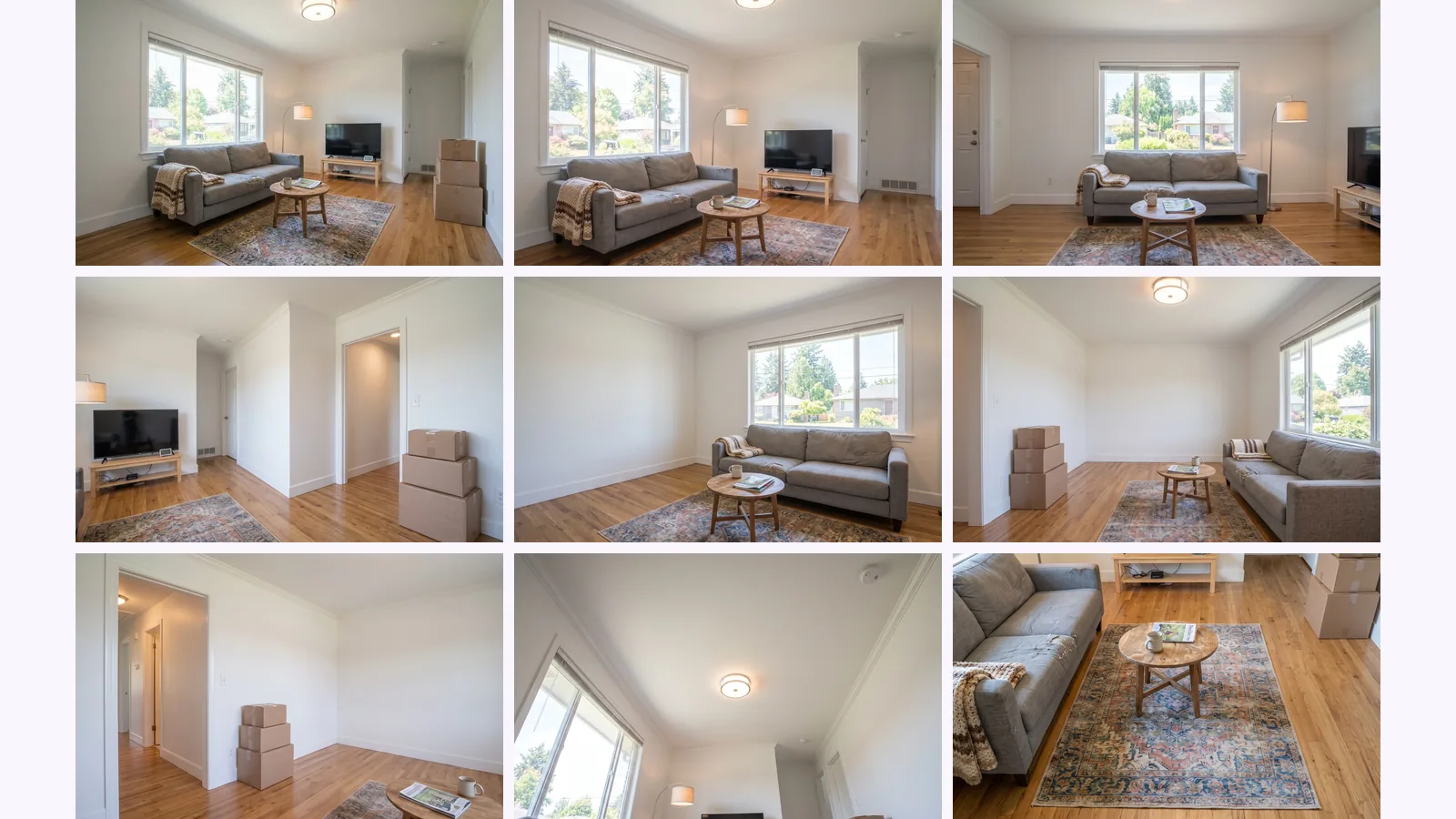
Yes, for planning. MultiAngle's Room angles returns 10 views of a room from one photo: 4 walls, 4 corners, the ceiling and the floor. Your photo is one of them and 9 are generated. Anything the camera never saw is invented, so use the views to decide where to stand next, not as listing photos.
We ran one corner photo of a furnished living room through it. The room is an image made with Nano Banana, not a photograph.
The tags are our reading of what the camera saw. Two views stay close to the input. The views that look across the room from the other side are where you learn something: they show where a second corner would put the sofa, the window and the doorway in the frame. In our full test of this set, the wall behind the camera had a door in one view and was blank in three others, so none of those views can tell you what is on that wall.
That is the use. Look at the views, decide which corner is worth a second photo, then go and take it.
A generated view is a guess about a room, and a guess is not evidence for a buyer. Treat the set as a planning aid, and shoot every photo you publish.
Take your first photo from corner A by the settings above, then let the set show you the rest of the room. Each step is short.
Turn one room photo into 10 views
About chest height, roughly four to five feet off the floor, according to Colibri Real Estate (2026-10-19). Redfin's quoted photographers say chest height too. A photographer in Bob Vila's article uses doorknob, chest and overhead heights and gives no measurements.
A wide view helps, but not a fisheye. Colibri says a phone's ultra-wide lens or a wide-angle lens made for your camera, and that fisheye lenses bend walls and can mislead buyers. NYIP says 28 or 24 mm lenses for SLR users.
Two or three of every main room, then pick the best one or two later, says Colibri. For how many photos a whole listing needs, see our listing photo count guide.
No. Colibri and NYIP both say direct on-camera flash flattens a room and makes hard shadows or an unnatural look. Use daylight and the room's lights, and a tripod for long exposures.
It can show a guess. MultiAngle's Room angles returns 10 views from one photo, and the walls the camera never saw are invented. Use them to plan a shoot, not as listing photos.
More on this topic: Room angles from one photo.
Can AI show a room from different angles? One photo became 10 views, each tagged seen, partly seen or invented, and where it fails.
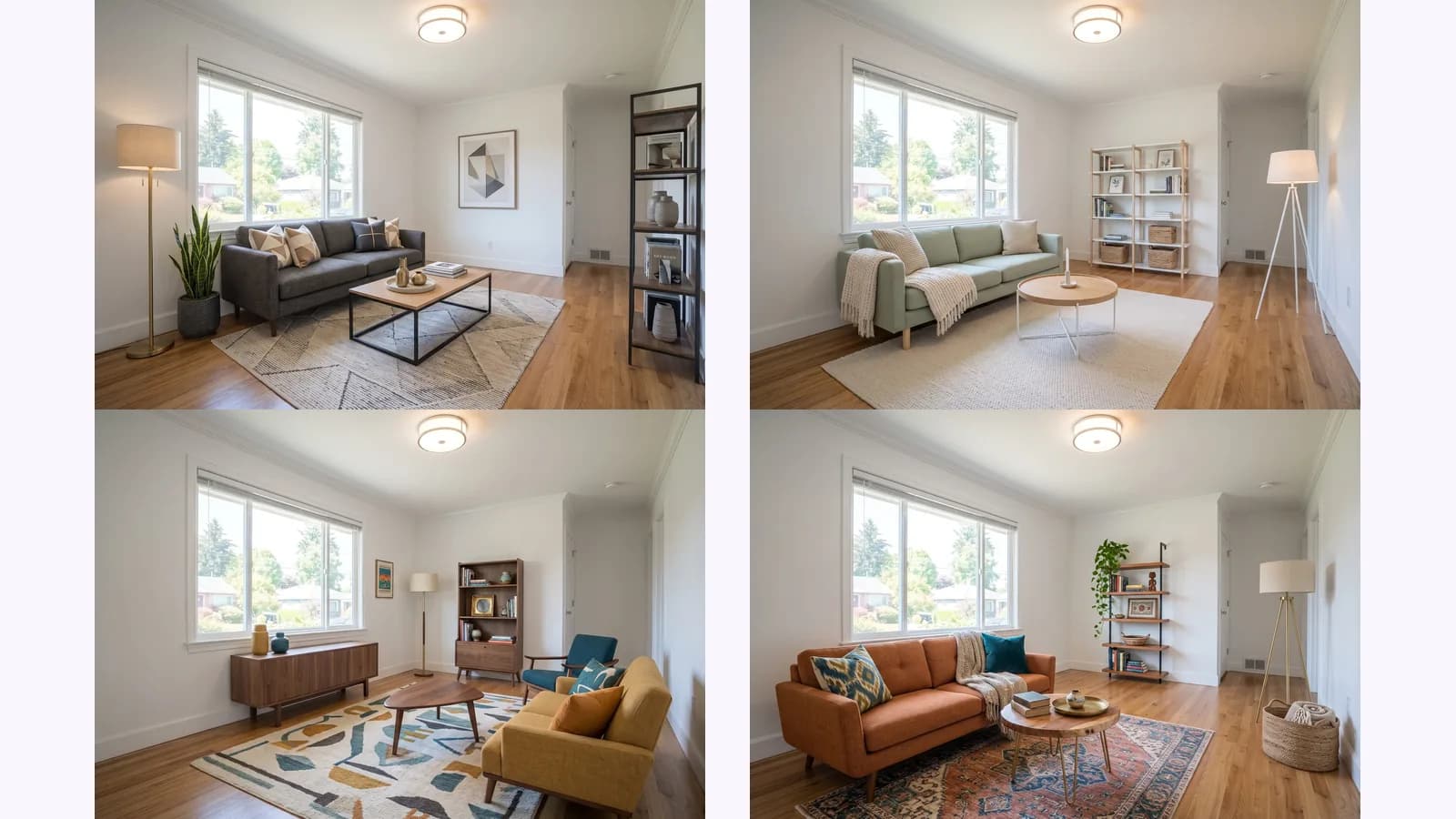
How to virtually stage an empty room: shoot one level corner photo, stage it, then check every change against the original. One room shown in 4 styles.
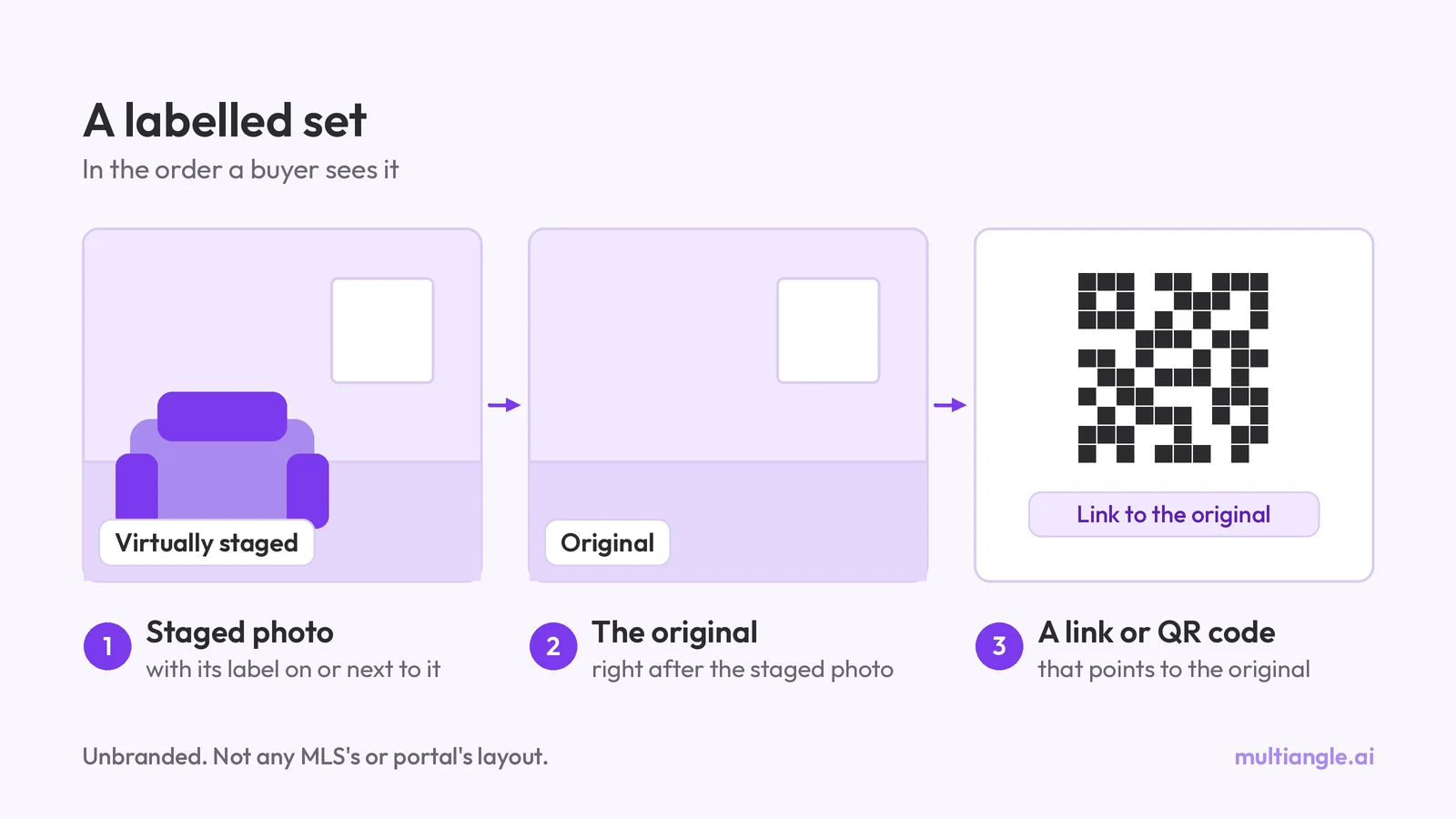
Do you have to disclose virtual staging? What California AB 723, CRMLS, Stellar MLS, NAR and Wisconsin say, quoted and dated. General info, not legal advice.