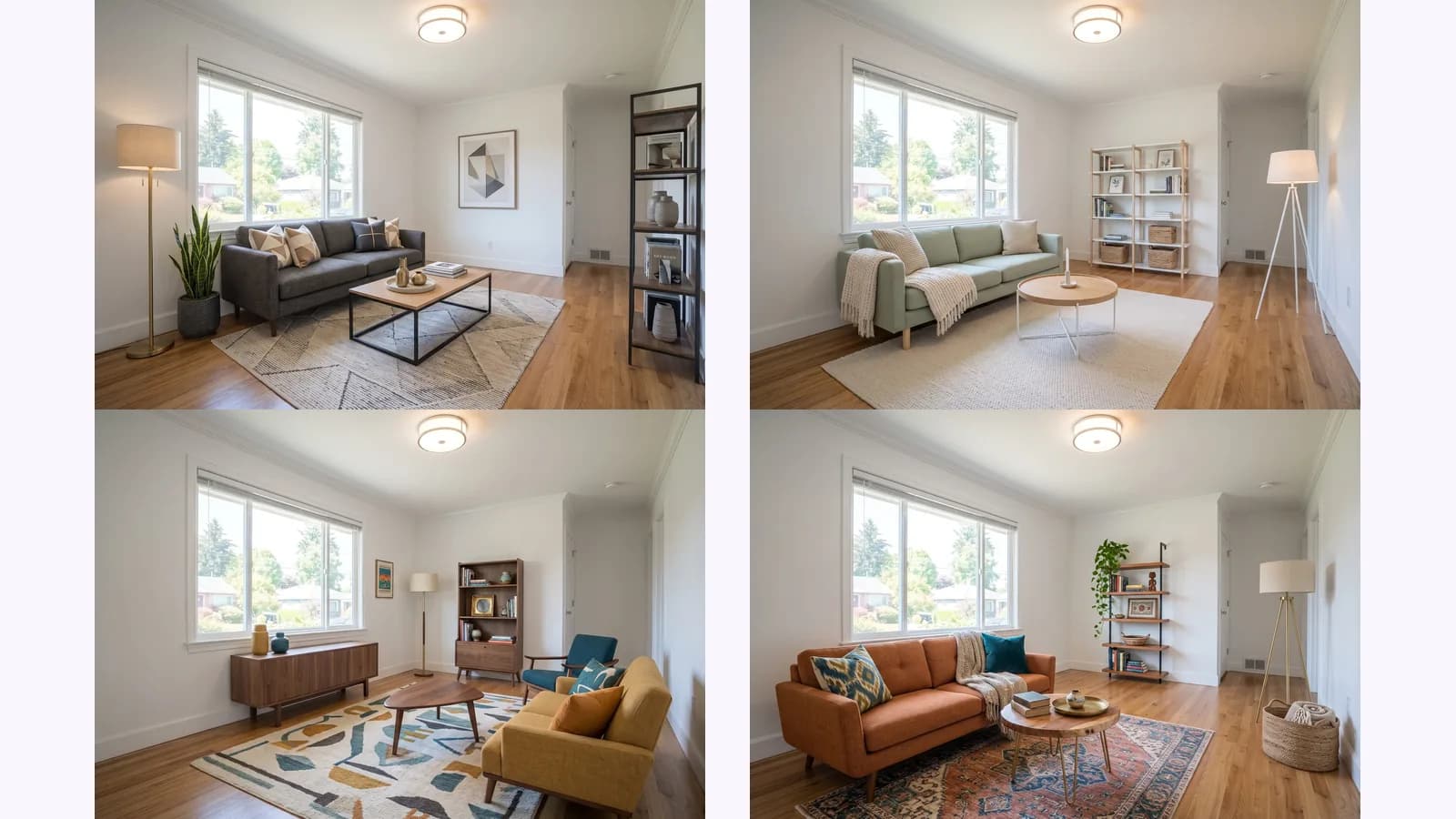
Virtual staging an empty room: 4 styles, same camera
How to virtually stage an empty room: shoot one level corner photo, stage it, then check every change against the original. One room shown in 4 styles.
Can AI show a room from different angles? One photo became 10 views, each tagged seen, partly seen or invented, and where it fails.
Yes, AI can show a room from different angles, but only part of what it shows was in your photo. One wide corner photo can become a full set of views of the room, and whatever the camera never saw is a guess. Below: the input, all 10 views from one run, which ones were seen, partly seen or invented, what stayed consistent between them, and where it fails.
This is for people who need to understand a space they can't walk around: interior designers planning a layout, renters checking furniture before a move, 3D and game artists blocking a scene, and stagers deciding where a sofa goes. For the room tool itself, see MultiAngle's Room angles template.
Key takeaways
Yes. An image model predicts what a room looks like from a new viewpoint, using your photo as the evidence. Views close to the original are the most reliable, because the photo showed them. Views of walls behind the camera are invented, because nothing in the photo shows them.
That is the thing most room-perspective tools leave out. A tool can turn a view by 45° and give you a convincing wall, and the wall may not match the real one. So for every view in this post we say whether the camera saw it.
If you came here to compare ways of getting new angles on any subject, how to get different angles of the same image with AI tests prompting, a fixed set and a slider on one product.
A room needs 4 walls, 4 corners, the ceiling and the floor. MultiAngle's Room angles returns 10 views: your photo is one of them and 9 are generated.
Corners tend to carry more layout information per image. A corner view shows two walls and the line where they meet the floor, so you see how the room's pieces connect. A view square onto one wall shows that wall and little else.
We started from one wide image of a furnished living room, framed like a photo taken from a corner at chest height: a window on the left wall with a sofa under it, a floor lamp, a TV on a stand, a door at the end of a short recess, a stack of three boxes against the right wall, a rug and a round coffee table. The room was made with Nano Banana, not photographed.
We ran it through Room angles once. The grid shows the input and the 9 generated views. The numbers match the floor plan above, and the tags are our reading of what the camera saw.
What each view shows, from looking at the images:
A full set at one variant per angle costs 9 credits.
The checks that matter for a room are the ones a buyer or a client would notice: the number of windows, where the doors are, where outlets and vents sit, and which way the flooring runs. We compared those across views.
What held across the views, as far as we could see:
What did not hold was the layout of the parts of the room the input never showed, which is the next test.
The strongest test of invention would be a real photo of the wall the camera never saw. We could not run it: the input room was itself made with Nano Banana, so there is no real wall behind the camera to photograph. What we can do is compare the views with each other, because several of them look at that same wall.
Three of the four draw that wall as blank white with no door, window or outlet. View 4 draws a panelled door with a knob and deadbolt in an opening at its near end, with a light switch and an outlet. The doorways in views 5, 7 and 8 are on the box wall instead. As far as we can tell, the set contains at least two different layouts for the end of the room the camera never saw. Nothing in the input says which one is right, so none of them can be trusted as a survey of the room.
Two more things stand out in what the app returned. No view looks square onto the right-hand wall where the boxes stand: it appears only at an angle, in views 5 and 8, and the floor plan has an empty direction there. And views 2 and 3 are, for practical purposes, the same picture, so one of the views adds nothing new.
The ceiling view held up: one flush-mount light in the middle, a smoke detector in the upper right and a second small round fixture near the right wall, with the window, lamp, TV and boxes at the bottom edge. The input showed the light and a detector, so the rest of the ceiling is plausible but unchecked. The floor view kept the rug, table, sofa and boards consistent with the other views, and the worn patch on the sofa seat is drawn as a frayed tear. It is not looking straight down, though: the TV stand and boxes are still in the top of the frame, so it does not give you a clean plan of the floor.
A slider gives one custom view per run, so you pick the angle yourself. A fixed set gives many views of the room from one upload, but only at the angles the template has, and on our run it did not look squarely at every wall. Use a slider for one exact view and a fixed set when you want many views at once.
Three room-perspective tools, as their own pages describe them (checked 2026-09-26):
Where they win: rotation to whatever view you want, and an orbit view. MultiAngle's Room angles has fixed views only, and it makes still images with no 3D export.
We did not test any of these three tools: we have no accounts with them, and we do not show or describe their output. What follows about them comes from their own pages.
| Method | In the room? | Coverage | Unseen walls | Cost | Consistent across views? |
|---|---|---|---|---|---|
| Walk round and photograph | Yes | Whatever you shoot | Photographed | Your time | Yes, same camera and light |
| Slider or perspective tool | No | One custom view per run | Generated | home-design.ai: 1 credit (Basic) or 4 (Pro) a generation, checked 2026-09-26. We did not test it | Each view is a separate run |
| Fixed set (MultiAngle Room angles) | No | 10 fixed views per run | Generated | 9 credits per full set | One run, one upload |
| 3D scan app | Yes, you scan on site | The whole room | Scanned | Not checked | A model, not photographs |
No, not as photos of the property. A generated view of a wall the camera never saw is not a photograph of that wall. California's AB 723 (Bus. & Prof. Code §10140.8, checked 2026-09-26) covers listing images altered with editing software or AI to add, remove or change elements, and it is the place to read the exact definition (bill text). This is general information, not legal advice, and your MLS has its own rules.
Use the set to plan a shoot, to show a client a layout idea, or as reference. For listing photos you shoot the rooms; for empty rooms, virtual staging of your own photo keeps the camera position real. The shot-by-shot version is in how to virtually stage an empty room. How to shoot them: how to photograph a room for a listing.
The interior and real-estate guide covers the other room tools, and the real-estate use cases show where room sets fit a workflow.
Turn one room photo into 10 views
Not with MultiAngle. Room angles returns still images of 10 views, with no 3D export. A model needs a different tool, and a model of the unseen walls would be invented too.
A single photo is the input for Room angles, and a wide shot from a corner shows the most. More photos from other positions would show more of the real room, but this template starts from one. Walls the photo did not show are generated.
Not as photos of the property, because they show walls the camera never saw. Label anything altered, keep your originals and check your MLS's rules. See the section above.
Our test input was a furnished living room, and the results are in the grid above. The sofa, table, rug, lamp, TV and a stack of three boxes stayed the same objects in every view that showed them; the layout of the walls around them did not. We have not tested an empty room or a cluttered one for this template.
More on this topic: Room angles from one photo.
How to virtually stage an empty room: shoot one level corner photo, stage it, then check every change against the original. One room shown in 4 styles.
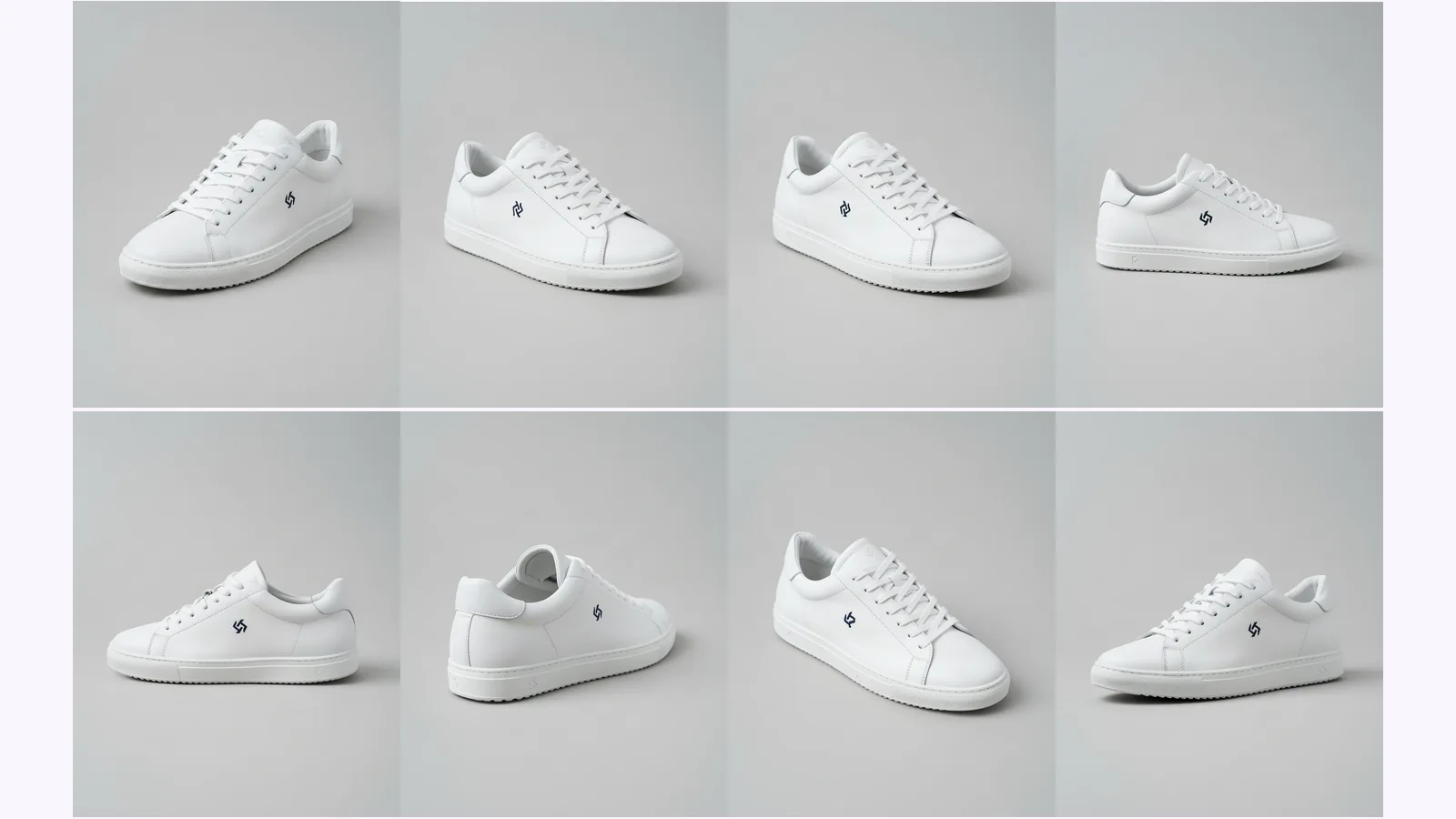
Prompt a chatbot, move a camera slider, or use a fixed angle set to get multiple angles of one image. We ran two on one product: which stayed consistent.
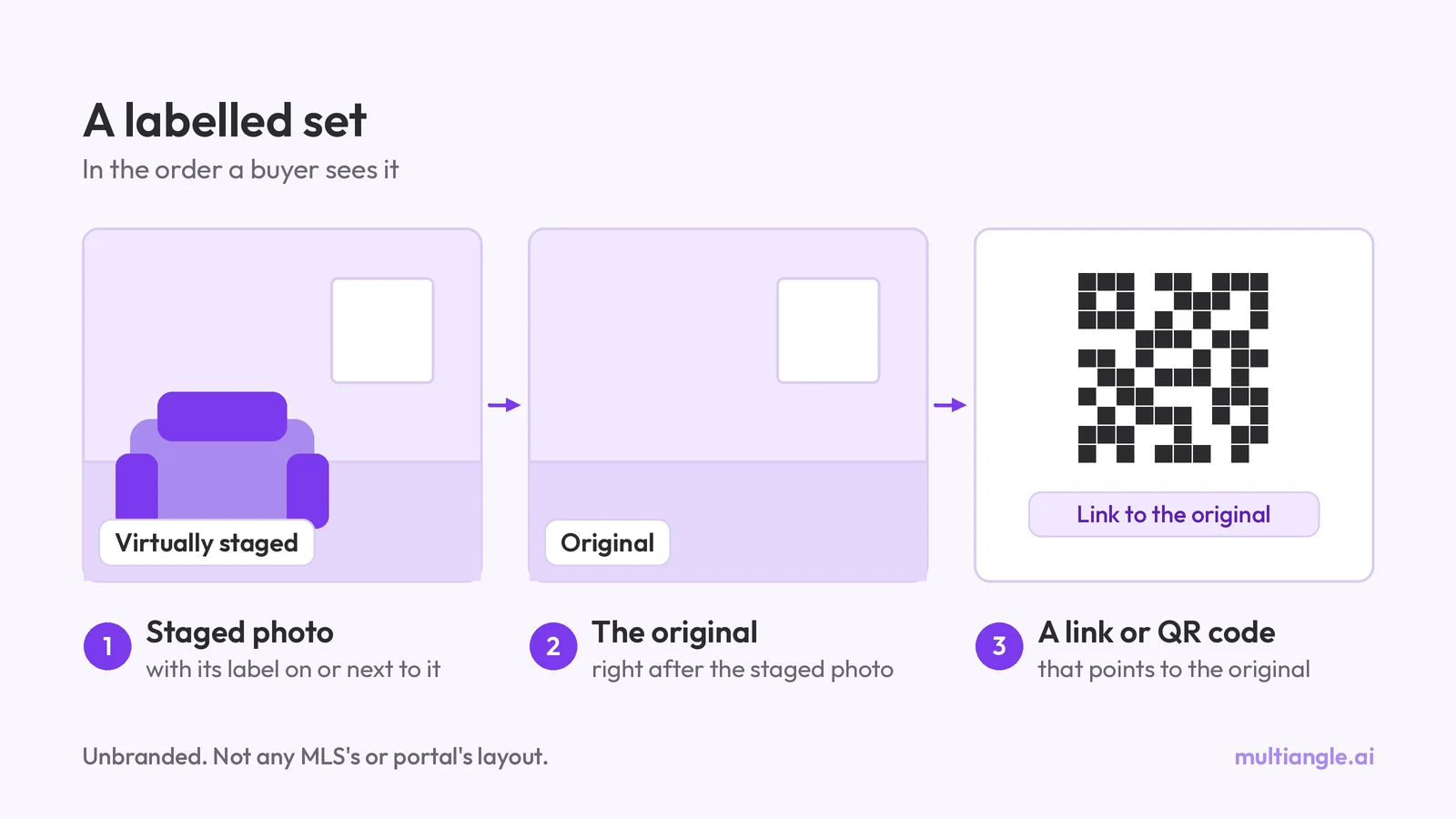
Do you have to disclose virtual staging? What California AB 723, CRMLS, Stellar MLS, NAR and Wisconsin say, quoted and dated. General info, not legal advice.