8 product photography angles and which to skip
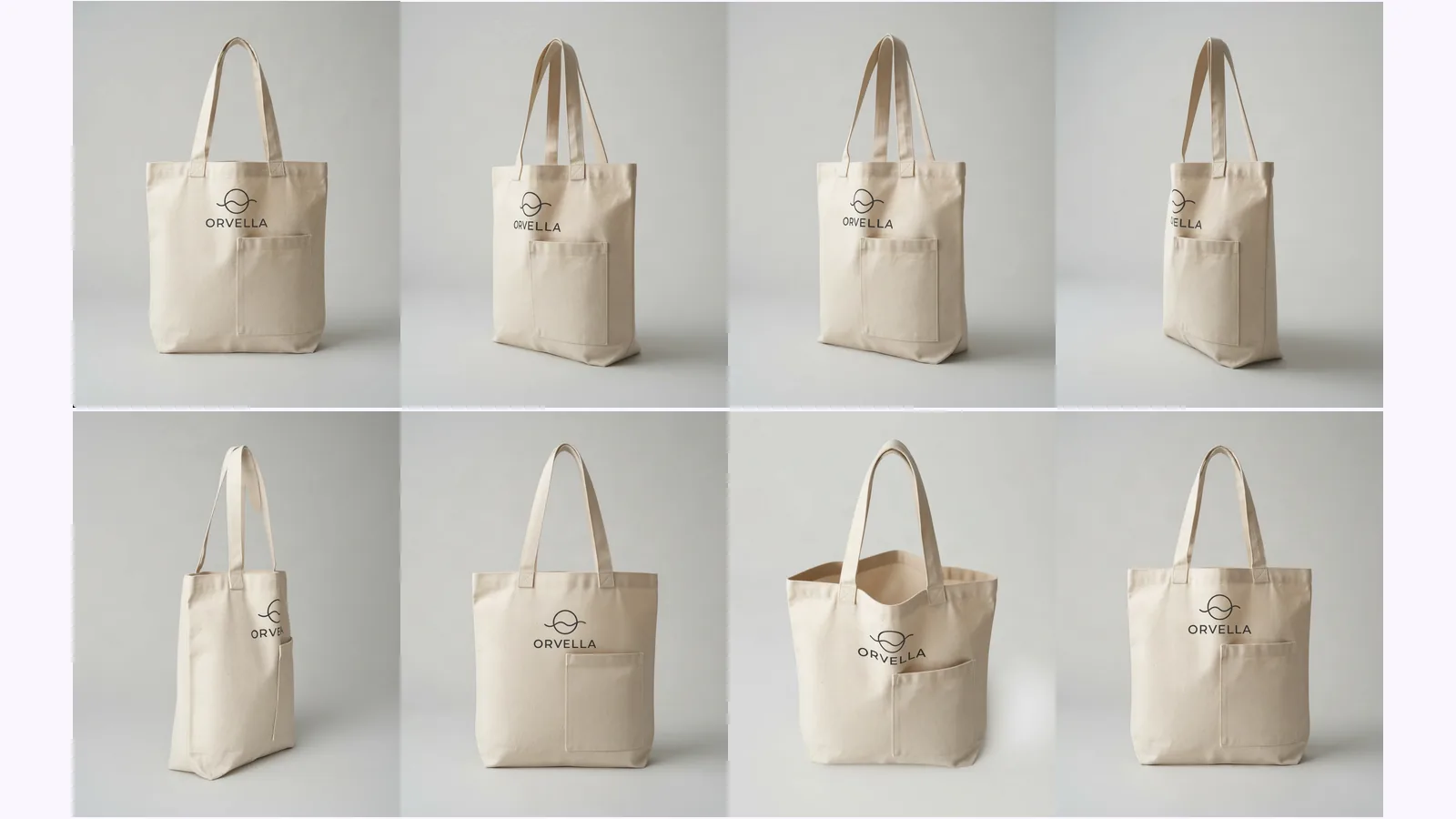
What each shot answers, which to skip by product type, and where AI-made views drift. Shown on one tote, with a pick table for bottles, shoes and bags.
Product photography angle names: front, 3/4, profile, back, high, low, top-down and detail. What each means, which products need which, and what a set covers.
Product photography angle names are not standardised: one angle has three names, and one name has several meanings. This guide sorts them by three questions (where the camera sits around the product, how high it is, how close it is), shows which names each product type needs, and says which names a fixed set of 8 views covers. If you have one photo, the product turnaround template makes that set from it.
Key takeaways
Six names recur across guides: front, three-quarter, profile, back, top and detail. Practical Ecommerce lists front, profile, back, 45-degree, top and macro. Amazon's seller guide names a "standard dead-on front shot, back shots, side shots, overhead, closeups, and 45-degree shots" (Amazon, 2024-12-04, checked 2026-10-25).
| Name | Also called | Where the camera sits | What it answers |
|---|---|---|---|
| Front | Straight-on, dead-on | Faces the product head-on, at its natural level | What is it? Practical Ecommerce calls it the default image for most ecommerce photos |
| Three-quarter | 3/4, 45-degree | The product is turned about 45° to the camera, often with a slightly raised camera | How deep is it? Two faces show at once |
| Profile | Side, outer side (shoes) | Square to one side | What is its silhouette? |
| Back | Rear | Behind the product | Is there a label, a port or a closure? |
| Top | Overhead, bird's-eye, topside | Above, pointing straight down | What is the layout, or what is inside the opening? |
| High | Raised, top 3/4 | Raised and angled down | The top surface and the front in one shot |
| Low | Low straight-on | Below the product, pointing up | It makes the product look larger. Practical Ecommerce says low shots suit lifestyle and in-context pictures |
| Detail | Close-up, macro | The frame is filled with one feature | Stitching, label, finish. Macro "requires special equipment" |
The names come from Practical Ecommerce (2021-09-05), Squareshot (2022-02-17) and Nightjar (published 2026-06-27, updated 2026-09-17), all checked 2026-10-25. What each view is for is covered in the product photography angles guide.
Because each name answers a different question, and a guide that lists them in one row hides it. "3/4" says where the camera sits around the product, "high angle" says how high it is, and "macro" says how close it is. One picture can be a 3/4 view, a high angle and a detail at once, which is why guides seem to contradict each other.
Practical Ecommerce keeps two lists: three viewpoints (low, eye-level, high) and six angles. The other guides we read merge them. Degrees are a range, not a measurement. Practical Ecommerce says the 45-degree angle is "also called the three-quarter angle" and recommends a high viewpoint for it. Nightjar says to rotate the product 30 to 45 degrees and add a slight high angle.
"Hero shot" is not an angle at all. Nightjar defines it as framing "the product as the protagonist, shot at or near eye level with depth". It names the job of the lead image, so that image can be a front view or a 3/4 view. "Lifestyle" and "scale" are jobs too: a scale shot puts the product "next to a familiar reference".
Take the names your product's questions need. Squareshot, a studio, recommends them per category (2022-02-17): glasses lead with straight-on and 3/4, bags add the back and an open shot, shoes lead with the outer side, watches with straight-on and a left 3/4, and earrings with a 3/4. The table adds which of those a fixed set supplies.
| Product | What Squareshot recommends | A fixed set supplies | You shoot or crop |
|---|---|---|---|
| Glasses | Straight-on, 3/4, a side angle and a close-up of one detail. On a low budget: straight-on and 3/4 | Front, 3/4, Left side, Right side | The close-up |
| Bags | Straight-on, 3/4, the back and the bag open, with a top 3/4 as an optional extra. On a low budget: straight-on | Front, 3/4, Back, Above (a raised 3/4) | The open shot |
| Shoes | Straight-on from the outer side, a 3/4 top angle and a topside view, optionally the sole. On a low budget: the outer side | Left side, Right side (the outer side), Above | The topside (straight down) and the sole |
| Watches | Straight-on, back crossed, left 3/4 (top side), a 3/4 side angle and full-size straight-on. On a low budget: straight-on and left 3/4 | Front, 3/4, side | The back-crossed shot |
| Earrings | Straight-on, low straight-on and 3/4. On a low budget: 3/4 | Front, 3/4 | The low straight-on (Below is mostly level) |
Squareshot splits its advice into low and high budgets and uses these names without defining them in degrees, so read the table as one studio's picks, not a rule. Squareshot's rings section gives no angles of its own, so the table has no rings row. Watches and earrings are small parts, the group that drifted most in our test: 20 products, every generated view scored had 6 failing views out of 14 on small parts (two products, so not a general claim). Check every generated view there. For bottles, mugs and electronics, the pick table in the angles guide covers them by view.
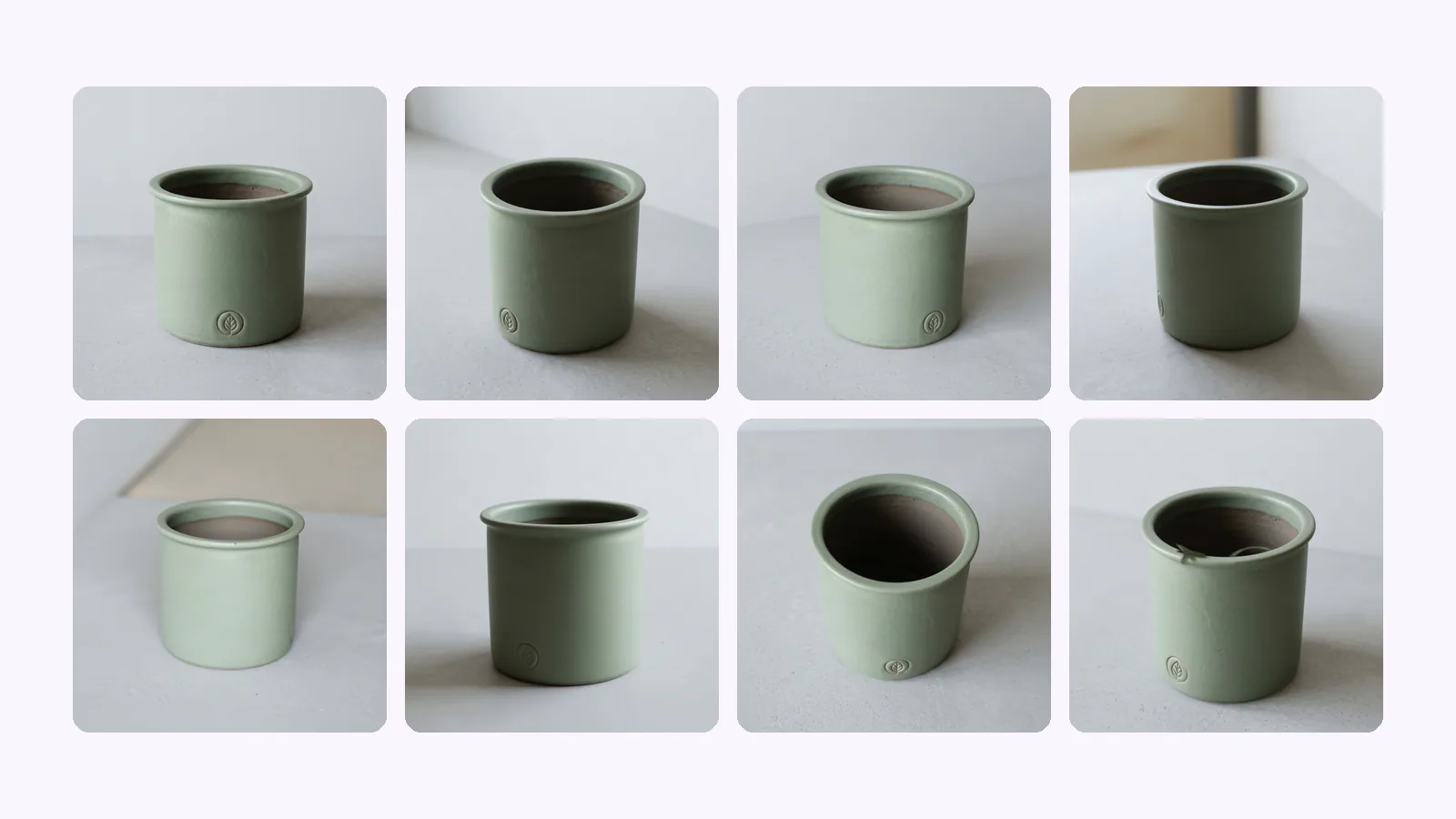
MultiAngle's product turnaround returns 8 views: front, 3/4 left, 3/4 right, left side, right side, back, above and below. By name they cover front, 3/4, profile and back. Above is a raised 3/4 view, not a flat top-down, and Below is mostly level. Detail, macro, in-context and scale are not in the set.
We ran a made-up sage-green planter through it. The planter is an image made with Nano Banana, not a real product.
The shape broadly held in every view. Reading the views against the names:
In the 20-product test, 17 of 20 Below views were scored partial because the camera was close to level, not looking up, and six Left side and six Right side views were partial, mostly because they were under-rotated. The names are right for most views and the angles are not exact.
The set gives you eight fixed views, so each name it covers is an approximation of the angle. You cannot place the camera, set a height or choose a rotation. Everything below follows from that, and from the fact that every view except the front is generated from one image.
For in-context scenes, which no angle name covers, the Product photoshoot makes up to 8 scenes with your real product pasted back from the photo. your first Product photoshoot set (the white main image plus 4 scenes) is free, once per account.
Shoot one sharp front photo, make the set, check each view, and keep the names your product needs from the table above. Then shoot what the set does not cover: a top-down, a detail and a scale shot. Each step is short.
Make every angle from one product photo
Nearly. Practical Ecommerce says the 45-degree angle is "also called the three-quarter angle". Nightjar says the product is turned "about 45 degrees", and its setup says 30 to 45 degrees plus a slight high angle. Treat 3/4 as a range around 45 degrees, not an exact figure.
It is the lead image, not an angle. Nightjar defines it as framing the product "as the protagonist, shot at or near eye level with depth". It is a role, so it can be a front view or a 3/4 view. On Amazon, the main image has its own rules: see Amazon product image requirements.
The camera position is the same: above the product, pointing straight down. Nightjar says "a flat lay is shot straight down on a flat surface", and Practical Ecommerce calls the top angle the bird's-eye view. "Flat lay" also implies an arrangement of items on a surface.
Not always. Practical Ecommerce says a macro "requires special equipment" and that merchants with limited budgets should likely not attempt one. For most listings, a detail crop from a sharp, large photo answers the same question.
More on this topic: Product photos from every angle and Product Photography Angle Guides.
What each shot answers, which to skip by product type, and where AI-made views drift. Shown on one tote, with a pick table for bottles, shoes and bags.
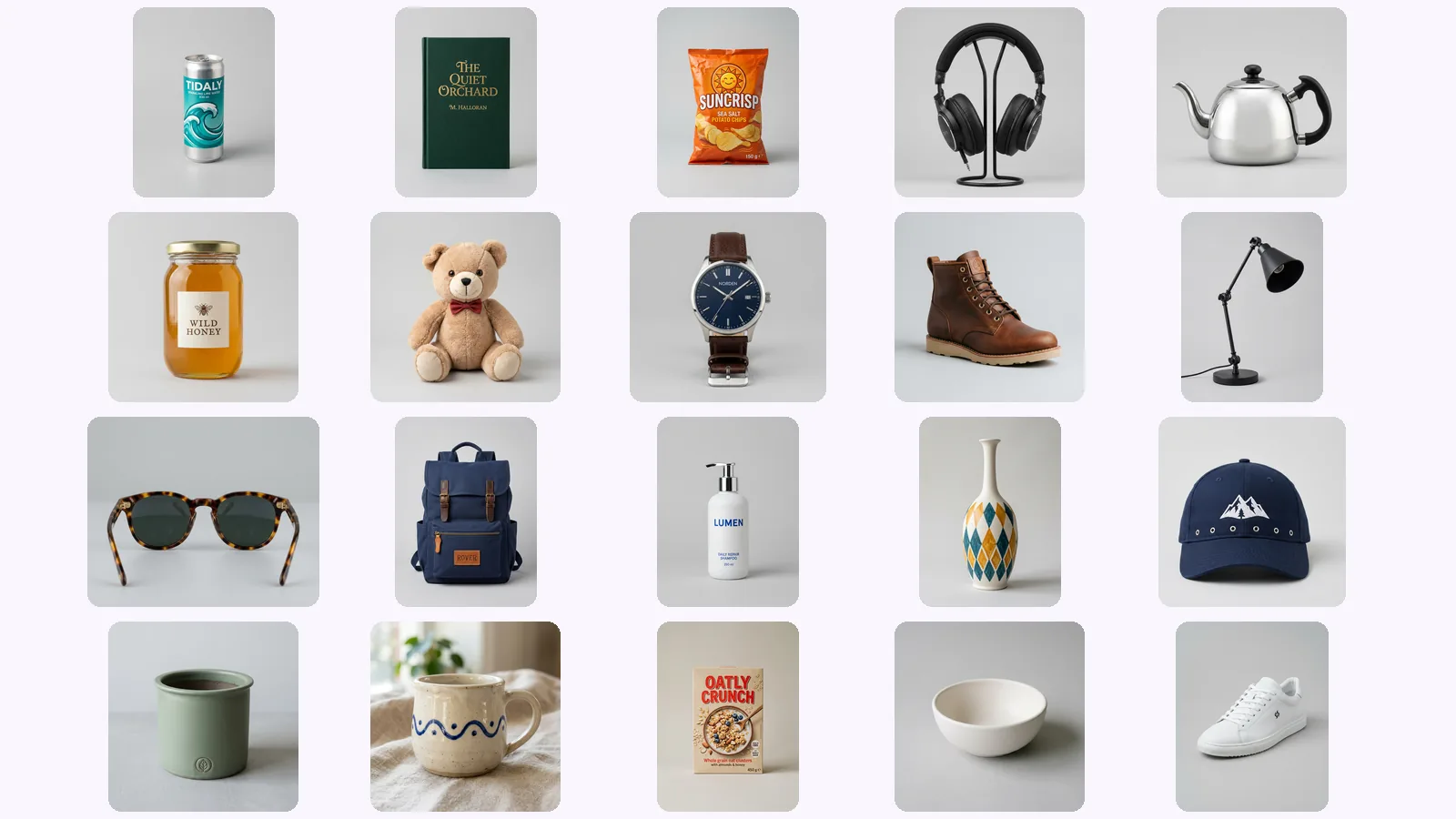
We scored 139 generated views of 20 AI-made products on six checks. Where AI product photos drift: the back view, garbled lettering, a level 'below'.
Shopify product image size: 2048×2048 px square is Shopify's pick. The size table, how many images a product holds, which angles to upload, and a checklist.