Change the camera angle of a photo with AI: 5 methods
Change the camera angle of a photo with AI: five methods compared, two tested on the same room, and where each one breaks, from reframing to 3D.
Higgsfield Angles lets you aim the camera; MultiAngle returns a fixed set. What each fits, from Higgsfield's pages and our outputs. We did not run Higgsfield.
Stay on Higgsfield Angles if you need one exact view of any image: you aim the camera, and MultiAngle lets you do no such thing. Choose MultiAngle if you need the same named set of views every time, such as a product page or a character turnaround. We make MultiAngle, and we did not run Higgsfield Angles, because we have no account for it. Every Higgsfield fact below is dated and linked to its own page, and every image is MultiAngle's own output.
So this is not a side-by-side test. It compares what each tool says it does, using Higgsfield's public pages, with MultiAngle's own results on two subjects: a ceramic mug and an illustrated character, misses included. For a wider comparison of prompting, sliders and fixed sets on one product, see how to get different angles of the same image with AI. If a fixed set is what you are after, you can turn one photo into a set of matching angles and check each view yourself. More tests like this are in all our guides to getting different angles of one image.
Key takeaways
Higgsfield Angles is a camera-control tool: you rotate, tilt and zoom around the picture and it generates the image from that new viewpoint. Higgsfield's own guide describes sliders for rotation, zoom and vertical angle, Quick Select presets, 360° rotation and a "Generate from all angles" option, and says the output keeps the input's aspect ratio (Higgsfield, "Change the Angle of Any Image", published 2025-11-11, modified 2026-08-28, checked 2026-09-26). Its Angles page marks Angles 2.0 as PRO.
The credits come from your Higgsfield plan, in one pool shared across all of its models. On its pricing page (checked 2026-09-26, prices exclude VAT, with rotating promo banners):
What one Angles image costs in credits is not stated on Higgsfield's own pages. One reviewer, Chase Jarvis, reported 0.2 credits per image in an undated review. That is his number, not Higgsfield's, so treat it as a reported figure until you see your own balance move.
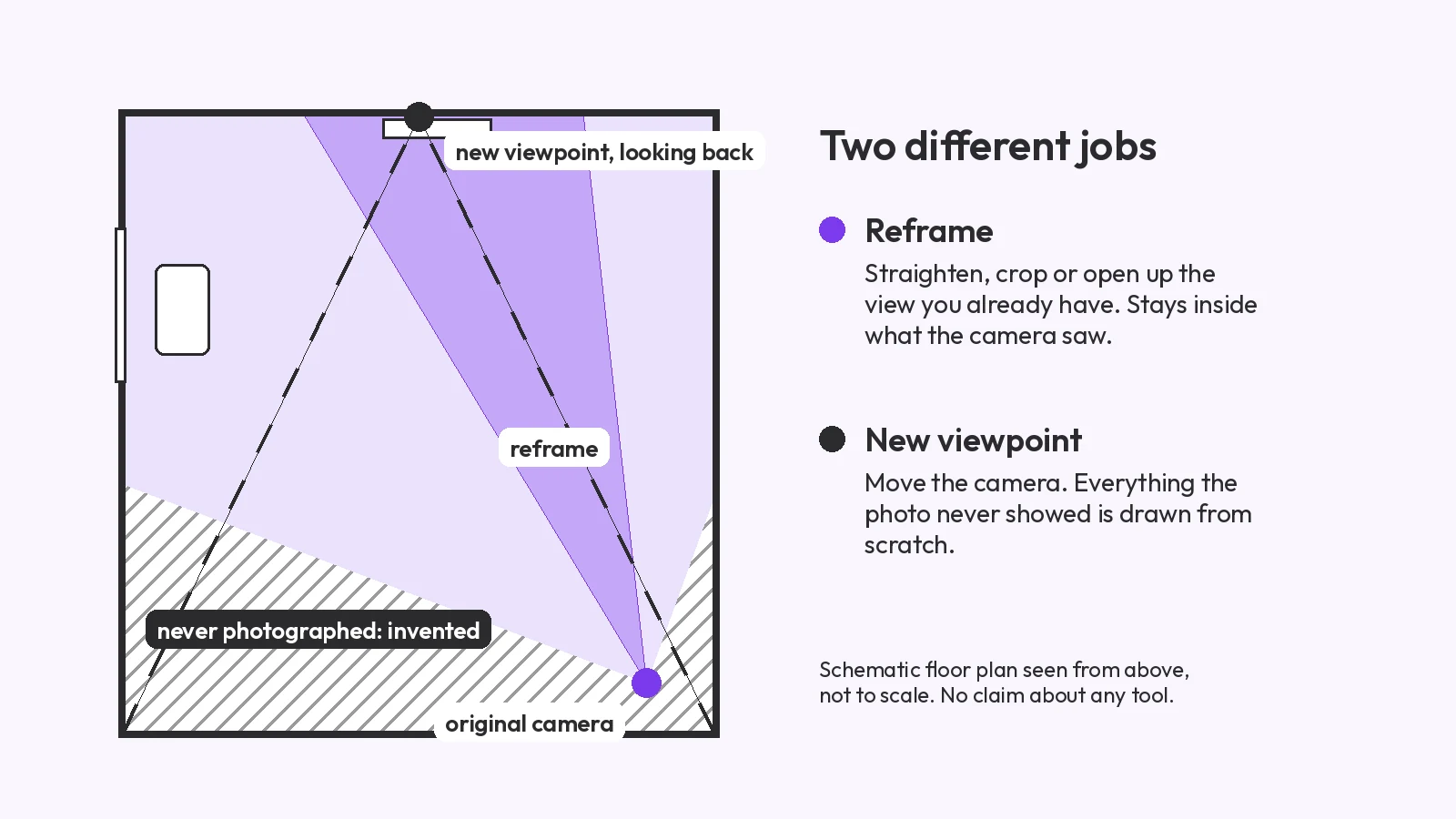
A camera slider is best when you want one view you can choose: you set the direction, and the tool returns that view. A fixed set is best when every image has to match a spec: you upload once and get the same named views back, with no slider position to reproduce by hand. Both generate the sides your photo never showed, so both need checking.
The practical test is what you will do with the images. A hero shot for one post wants a slider. A turnaround sheet, a product page with a front, back and side, or a room walkthrough wants the same views every run, in the same order, so you can lay them side by side.
The input is one front image of a ceramic mug with a hand-painted blue wave and dots on a linen cloth, made with Nano Banana, not photographed. MultiAngle's Product turnaround template returns 8 views from it: front, 3/4 left, 3/4 right, left side, right side, back, above and below. Your upload is one of them, so 7 are generated, and a full set at one variant per angle costs 7 credits. We ran it once.
From the images: the blue wave and dots kept the same colour and roughly the same spacing across the views. The glaze did not stay put: the input is cream with brown speckles, and several views (right side, back, 3/4 right) come out whiter with fewer speckles. The back view shows the wave and dots continuing around the body, which we cannot check against the input. The above view looks down into the mug. Two views did not match what their labels promise. In the right-side view no handle is visible, although the input shows one. The below view stays near the input's own camera height, with no base in view.
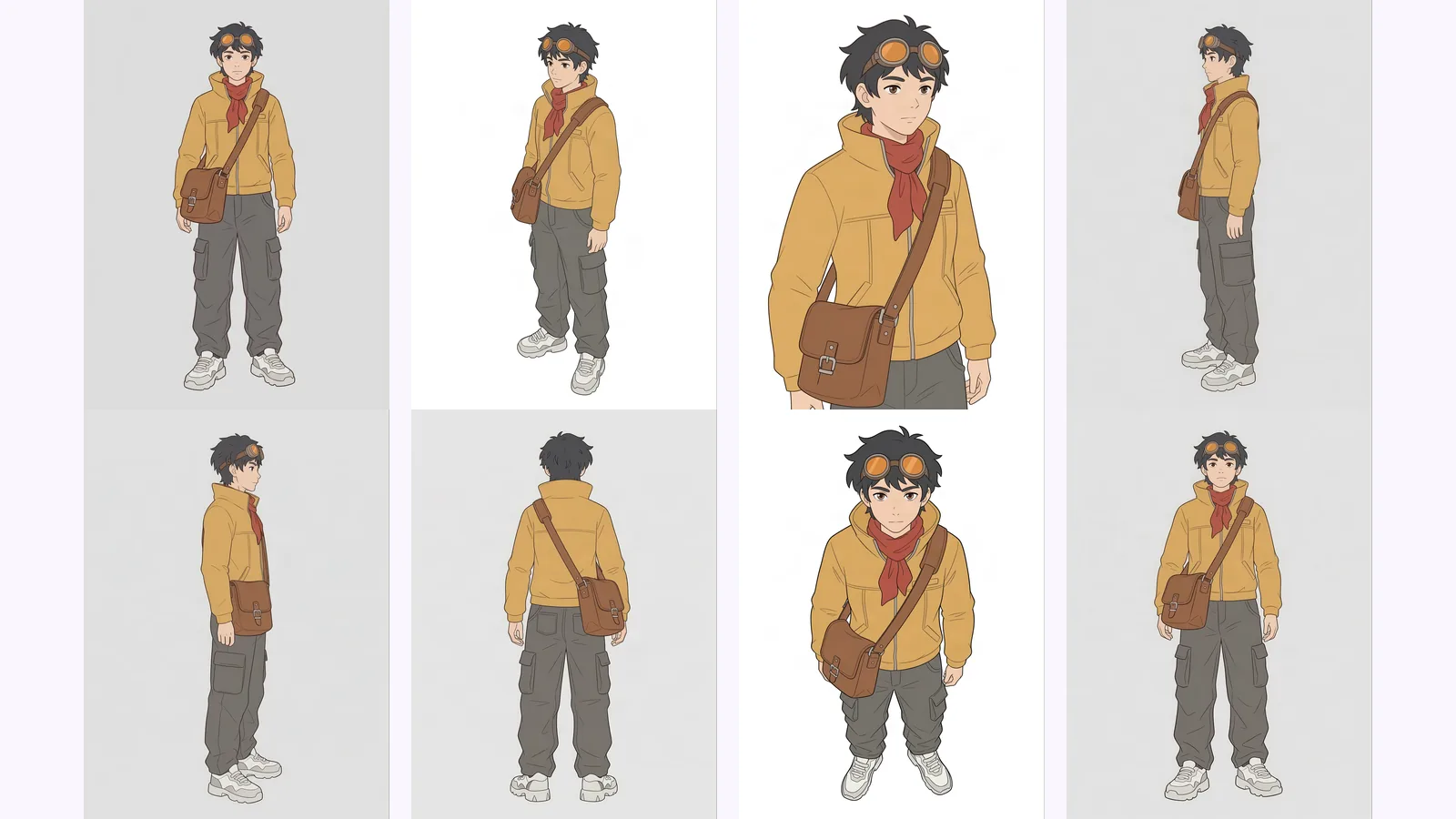
The second input is one front drawing of a fictional courier in a yellow jacket, with goggles, a red scarf and a brown shoulder bag, on a plain background. It was made with Nano Banana, not drawn by hand. MultiAngle's Character turnaround returns 8 views: front, 3/4 front left, 3/4 front right, left profile, right profile, back, above and below. A full set costs 7 credits. For the method and a full run on another character, see how to make a character turnaround sheet from one image.
From the images: the jacket, scarf, bag, trousers and shoes stay recognisably the same in every view, and the goggles in every view that shows the face or the side of the head. The back view shows no goggles or strap. The back and the two side views came out close to a true back and true profiles. Where it was uneven: the 3/4 right view is framed much closer and cuts off at the thigh, the background is white in some views and grey in others, and the below view looks like the front view rather than a view from below.
Two examples from these runs: the mug's right-side view lost the handle, and the courier's below view is close to a copy of the front. On a cereal box we ran through the same template (see the Nano Banana prompts post), the back view repeated the front artwork and one wordmark was corrupted on a 3/4 view. Two subjects and one run each show where to look, not a ranking. We did not run Higgsfield Angles, so we cannot say whether a camera slider does better on any of these.
| Higgsfield Angles | MultiAngle | |
|---|---|---|
| Angle control | Camera control: rotation, tilt, zoom, presets (Higgsfield's Angles guide, checked 2026-09-26) | Fixed angles only, set by the template |
| Views per run | The view you set, or a "Generate from all angles" run, which Higgsfield's guide describes as 12 perspectives | A named set: 8 for a product, 8 for a character, 10 for a room, the upload included |
| Free tier | Free plan: 0 credits, "Limited use" (pricing page, checked 2026-09-26) | 4 credits, reset on the 1st of each month (UTC); none (4 credits cover part of a set) |
| Commercial use on Free | "Not included" (pricing page, checked 2026-09-26) | commercial use on every plan, Free included |
| Pricing model | Credits from a monthly plan, shared across all Higgsfield models; Starter $19, Plus $59, Ultra $129 a month (monthly billing for Plus and Ultra, annual for Starter; ex-VAT) | Credits from a monthly plan: $19/month for 100 credits at Creator; plans run $0–$149 a month |
| Other tools on the plan | Yes: Angles sits among relighting, upscaling, video and many models (per Higgsfield's pages) | No: a single-purpose image tool |
| Video or 3D export | Video tools are part of the platform | Neither; still images only, in PNG, JPEG and WebP |
| Output quality | Not tested by us | See the mug and courier runs above |
For every MultiAngle plan and what each credit buys, see the plans and credit costs.
We did not run either of these.
We list these and others, with what we ran and what we did not, in best AI tools for multiple angles: what we tested. For changing a single photo's viewpoint, including scenes, see change the camera angle of a photo with AI.
Make a product angle set from one photo
Angles 2.0 is marked PRO on Higgsfield's Angles page, and the Free plan on its pricing page lists 0 credits and "Limited use" (checked 2026-09-26). Plans start at $19 a month on annual billing. Higgsfield's pages do not state a per-image credit cost.
Higgsfield's pricing page lists commercial use as "Not included" on the Free plan (checked 2026-09-26). Check the current terms on that page before you publish anything. MultiAngle has commercial use on every plan, Free included.
Yes, with limits. Upsampler's tool runs without an account on a daily allowance, and GoStudio gives 10 free credits with no card (both checked 2026-09-26, and neither tested by us). MultiAngle's Free plan gives 4 credits, on the 1st of each month (UTC), which covers part of a set.
No. MultiAngle returns a fixed set for each template, for example front, 3/4 left, 3/4 right, left side, right side, back, above and below for a product. For one custom view, use a camera-slider tool such as Higgsfield Angles.
No. We have no account, so every Higgsfield statement here comes from its own pages, dated and linked, and nothing in this post compares its image quality with ours.
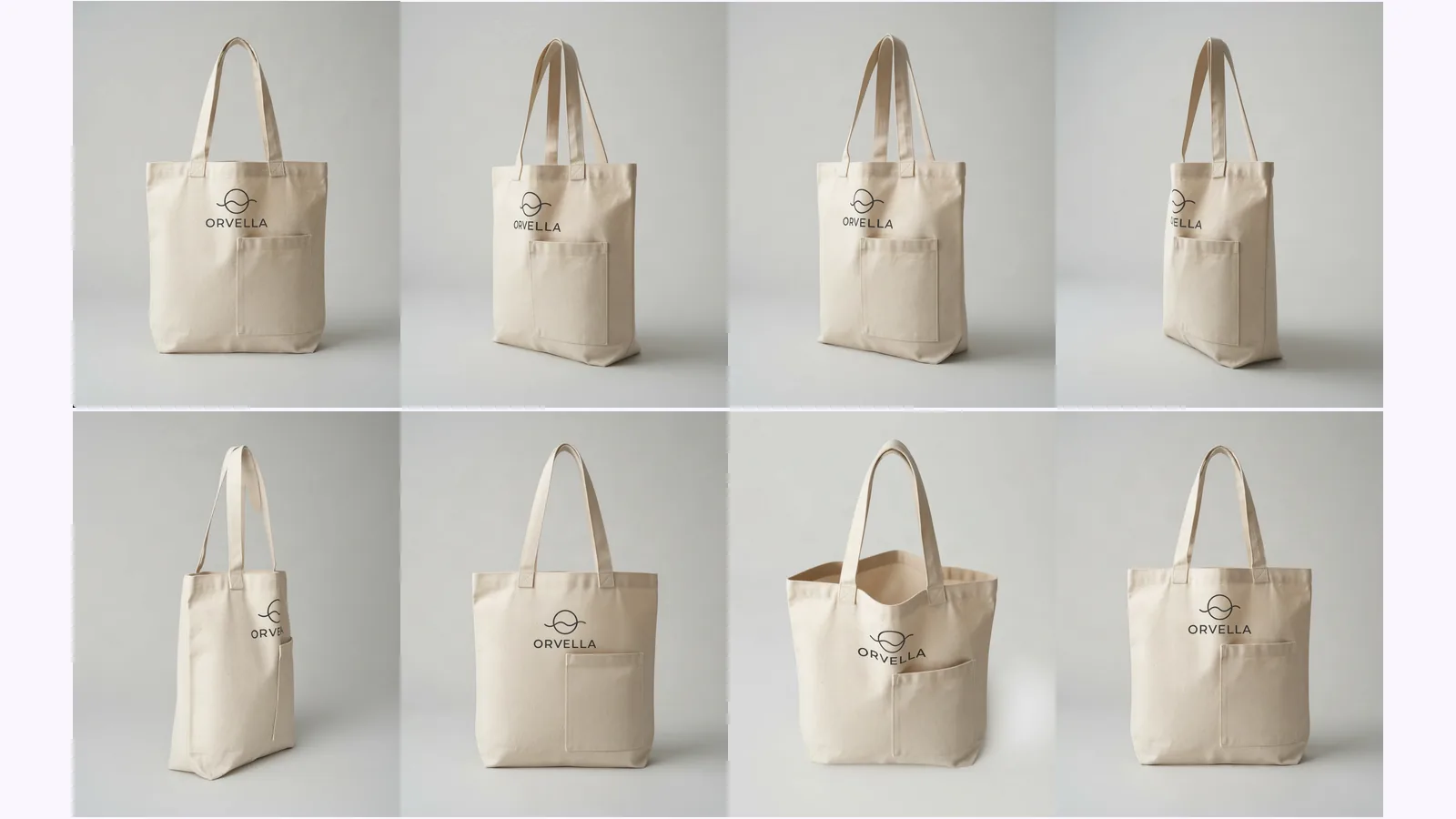
More on this topic: AI angle generator and Different Angles of One Image With AI.
Change the camera angle of a photo with AI: five methods compared, two tested on the same room, and where each one breaks, from reframing to 3D.
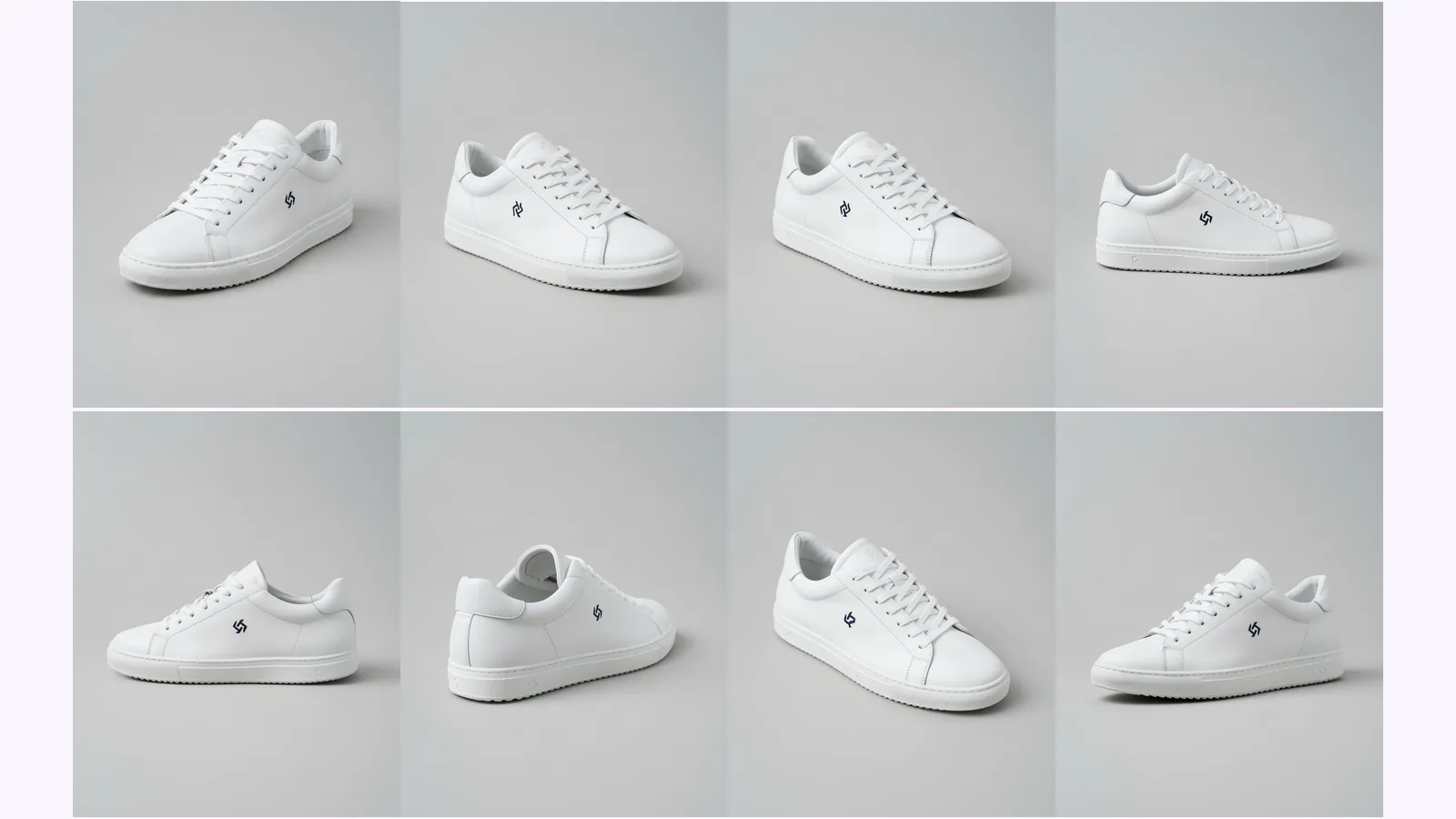
Prompt a chatbot, move a camera slider, or use a fixed angle set to get multiple angles of one image. We ran two on one product: which stayed consistent.
Multi-view images for 3D: the views Meshy, Hunyuan3D-2mv and Tripo take, how to make 8 consistent views from one drawing, and how to check them.