Gallery
Avatars, set by set.
Turnaround sheets from one photo. 8 sets from our guides, each labelled for what it is: MultiAngle output, a before and after pair, an input photo or a check.
Avatars sets
What is in the Avatars gallery
8 sets are live in the Avatars gallery, made with Character turnaround (4) and LinkedIn headshots (4), from 4 guides on the blog. Each set was first published in a guide, so you can read how it was made, and each is labelled for what it is. This page says which template and views made the sets in this world, what each one shows and what to look at before you rely on it.
The guides these sets come from: Character reference sheet: what it is and how to make one, Character turnaround sheet from one image: 3 methods, LinkedIn headshot tips: 5 checks before you upload and Free character turnaround sheet template (PNG, PDF, SVG).
How the labels read
- Real MultiAngle output (4 sets): Made in the MultiAngle app and published as it came out.
- Check (4 sets): An annotated test of MultiAngle output: what to zoom in on and verify.
Character turnaround
The Character turnaround takes one front image of a person or character and returns 8 fixed views: front, 3/4 front left, 3/4 front right, left profile, right profile, back, above and below. The upload is the front view, so 7 are generated, and a full set costs 7 credits. The result is a set of still images, not a 3D model or a video, and the angles are the fixed ones listed, not a free-form camera. Judge each set on the same things: whether the face, outfit and proportions hold from the front view to the back.
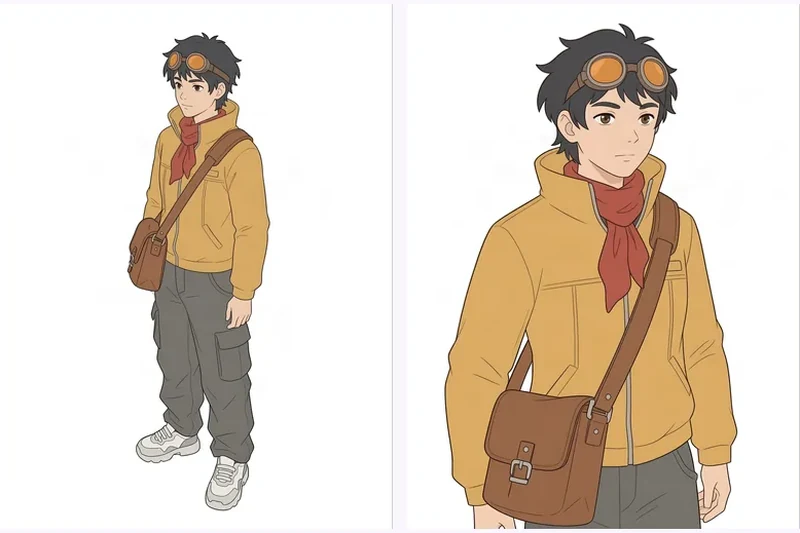
- Courier turnaround sheet from one front image: An original courier in a mustard jacket and red scarf, turned through every standard view from a single front drawing. The jacket, scarf and satchel read the same from card to card. What to look at: Compare the three-quarter right and above cards, which are tighter crops than the rest, and the below card, which looks close to the front. The background also shifts between grey and white across the set.
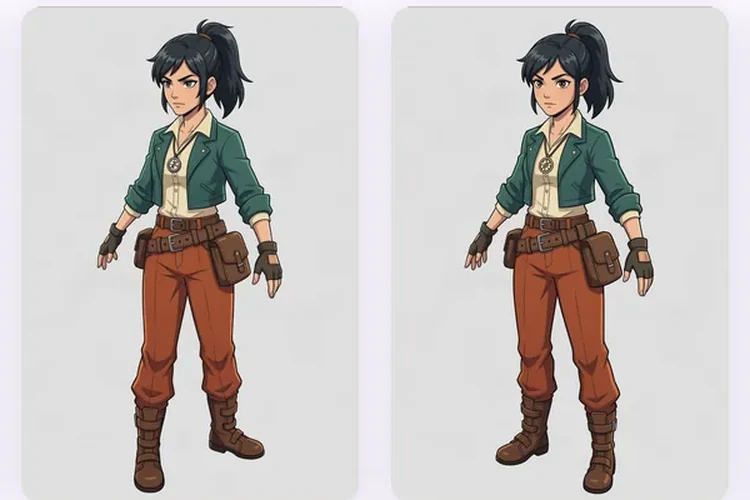
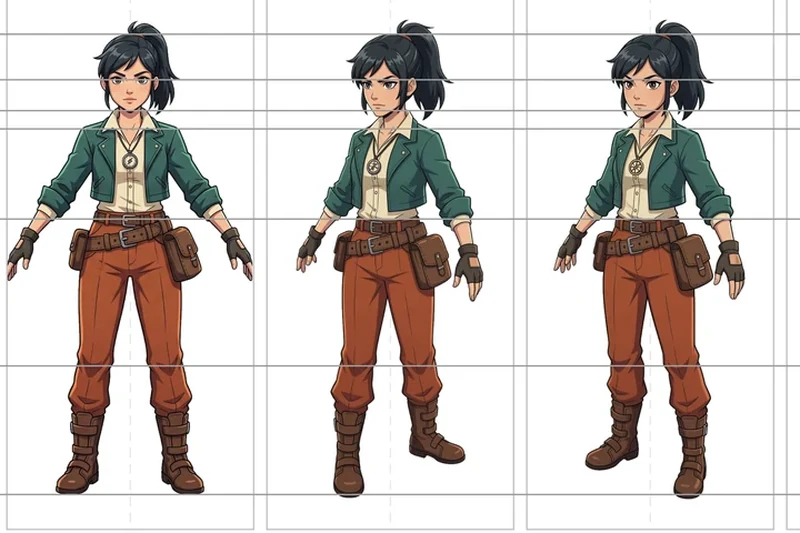
- Explorer turnaround from one front drawing: One illustrated explorer in a green jacket and rust trousers, shown from every standard turnaround angle. Only the front card is the upload; the rest were generated from it. What to look at: Check the satchel stays on the same hip in each view, then look at the profiles: the head turns fully side-on but the torso stays partly toward the camera. The above and below views are gentle angles, not top-down.
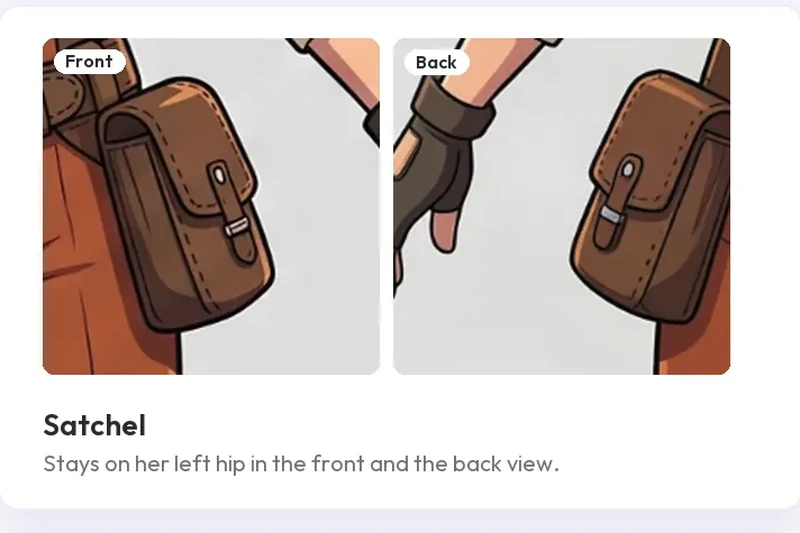
- Explorer detail check: satchel, belt, cord and gloves: Four close-ups pulled from the explorer set: the satchel, the belt, the pendant cord and the gloves, each compared with what the front drawing actually shows. What to look at: The satchel and the glove cut-outs held. The back view added a second belt buckle and a cord with a clasp over the jacket, which the front never implied. Those are guesses, so check the back of your own character.
- Explorer views laid out on a turnaround sheet template: The generated explorer views placed on our blank turnaround template at one scale on a shared feet line. The sheet layout and guide lines are ours; the character views are MultiAngle output. What to look at: Follow the guide lines across the panels: eyes, shoulders and waist sit close to their lines. In both three-quarter panels the far boot rides above the feet line, because those views carry some perspective.
LinkedIn headshots
LinkedIn headshots is a recipe on the same engine: from one portrait it makes 4 shots (Studio · Classic, Studio · Turned, Office and Outdoor) for 4 credits, cropped as 4:5 portrait (1600×2000) and 1:1 (1200×1200). Likeness is the thing to check on your own portrait, so judge these sets for what the recipe does, not for how you would look.
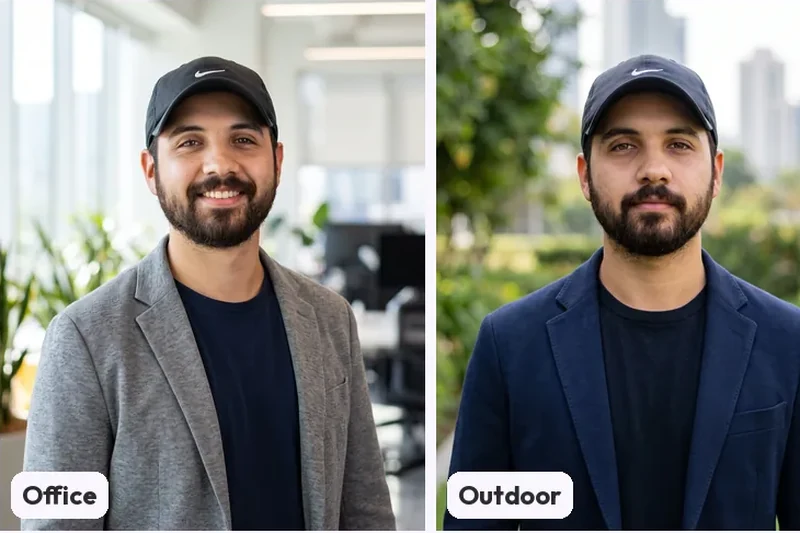
- Headshot looks from a portrait in a cap: What the recipe made from our weakest input, a three-quarter portrait of a bearded man in a cap against a red wall: two studio looks, an office look and an outdoor look. What to look at: We would pick Studio Classic: plain background, even light, larger face. Studio Turned has a hard shadow down one side. Office and Outdoor make the face smaller against a busy background, and two outputs add a smile the input did not have.
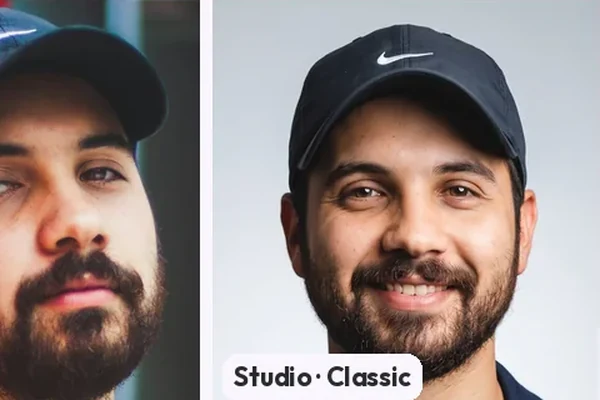
- Cap portrait: the input beside each headshot look: The stock input on the left with the recipe's looks beside it, cropped to the face so the changes are easy to see. What to look at: The cap, its logo and the beard shape stay. The heavy-lidded eyes become more open and two outputs add a teeth-showing smile, so the expression is invented. The hairline is under the cap, so we could not check it.
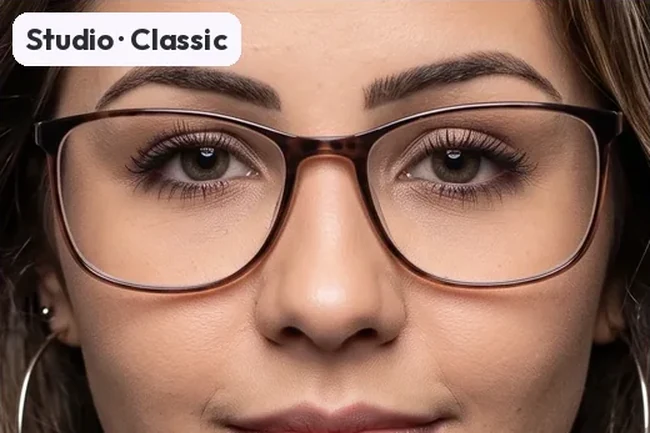
- Glasses check: input frames against each output: Close crops at the eyes: the input's near-black frames with a green lens reflection, then the recipe's looks. What to look at: The glasses stay rectangular, but the frame colour and weight change from output to output and the reflection fades or disappears. Eye colour also moves between looks, so check your own frames and eyes in each output.
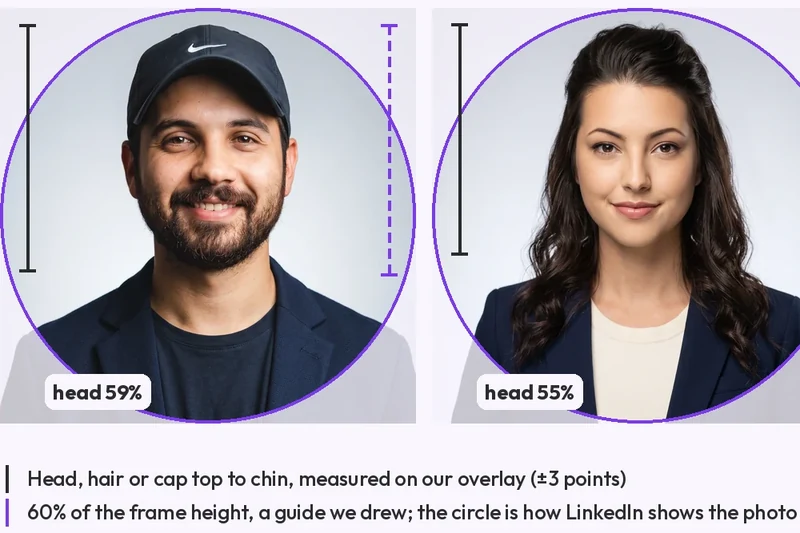
- LinkedIn circle-crop check on three headshots: Three Studio Classic outputs cropped square with the circle LinkedIn displays drawn on top, and the head measured against a guide we drew. What to look at: The heads come out at or a little under the guide. The circle clips the corners and lower shoulders, and the ends of the long hair slightly in two, but keeps the cap, the top of the hair and the glasses clear.
Each set opens on its own page with the full images and a link to the guide it came from. To see how the Avatars world works as a whole, read about the Avatars templates, or go back to the whole gallery or the other worlds: Products and Environments.
Other worlds