Gallery
Products, set by set.
Every side, same object. 7 sets from our guides, each labelled for what it is: MultiAngle output, a before and after pair, an input photo or a check.
Products sets
What is in the Products gallery
7 sets are live in the Products gallery, made with Product turnaround (6) and Amazon listing set (1), from 4 guides on the blog. Each set was first published in a guide, so you can read how it was made, and each is labelled for what it is. This page says which template and views made the sets in this world, what each one shows and what to look at before you rely on it.
The guides these sets come from: 8 product photography angles and which to skip, Amazon product image requirements: the 7-image set, Shopify product image size: 2048 px, angles, checklist and Different angles of the same image with AI: 3 methods.
How the labels read
- Real MultiAngle output (5 sets): Made in the MultiAngle app and published as it came out.
- Before / after (1 set): The photo we put in, beside what MultiAngle returned from it.
- Check (1 set): An annotated test of MultiAngle output: what to zoom in on and verify.
Product turnaround
The Product turnaround takes one front photo of a product and returns 8 fixed views: front, 3/4 left, 3/4 right, left side, right side, back, above and below. The upload is the front view, so 7 are generated, for 7 credits. Judge each set on whether the shape, colour, label and material hold from view to view.
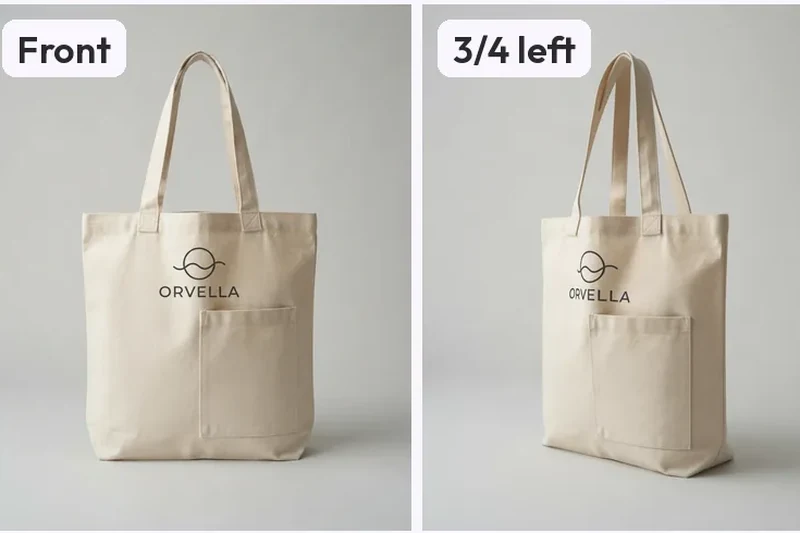
- Canvas tote: one front photo, a full turnaround: A cream canvas tote with a printed logo and a patch pocket, shown as the single front input and the labelled set of angles the Product turnaround returned from it. What to look at: Check the side views against the input. The logo is cut off where it wraps round the edge, and the back shows the logo and a pocket the input never showed. Those are guesses, so compare them with the real bag.
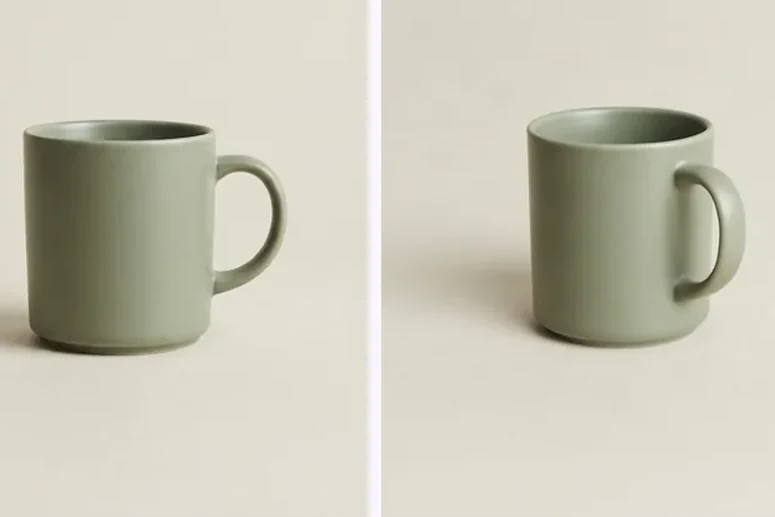
- Sage ceramic mug: handle on the right side in every view: A plain matte sage mug turned through the full Product turnaround from one front image, with the handle and the glaze staying consistent across the set. What to look at: Follow the handle. It sits on the right in the front, 3/4 and above views, moves to the left in the back view, and is hidden in the right-side view. The Below tile looks level, not up at the base.
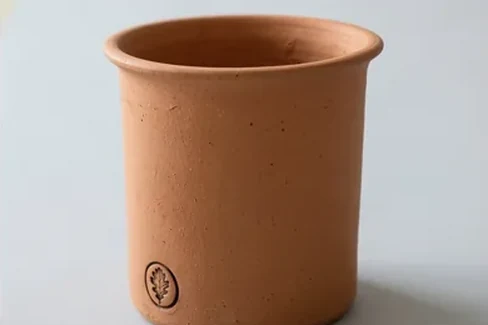
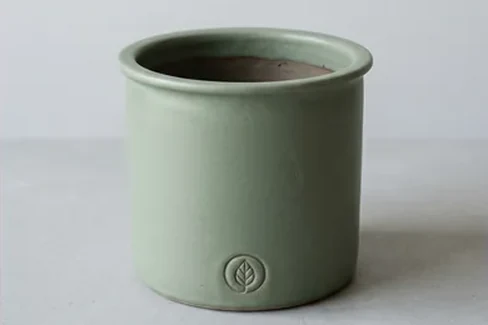
- Two planters, two separate runs: A sage planter and a terracotta planter, each from its own run. They are two different Nano Banana images, not a recolour, so each set follows its own input. What to look at: Compare each back view with its own front. Both back views carry a stamp the input never showed, smaller and paler on the terracotta one. The terracotta tone also reads slightly paler in the 3/4 right view.
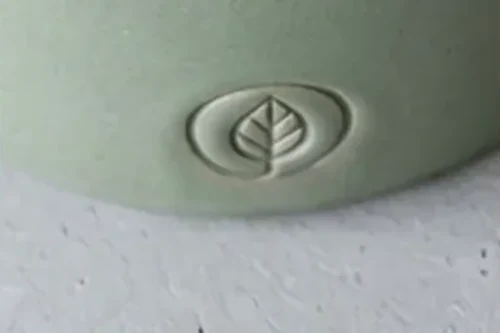
- Planter stamp: close-ups from the input and each view: Six crops of a small stamped leaf: the input, then the same spot in the back, side, below and above views of the generated set. What to look at: The stamp on the back is something the model added, and it is fainter than the front one. The side views show only a sliver, and the Below crop shows shapes inside the rim that the input did not have.
- Sage planter: a stamped mark that comes and goes: A matte planter with a rolled rim and a small stamped leaf, the upload on the first tile and the generated angles beside it, with the backdrop and light changing from tile to tile. What to look at: The shape and glaze hold. The back has a fainter stamp the input never showed, the Below tile adds a small sprig and loop inside the rim, and the backdrop and light differ between views.
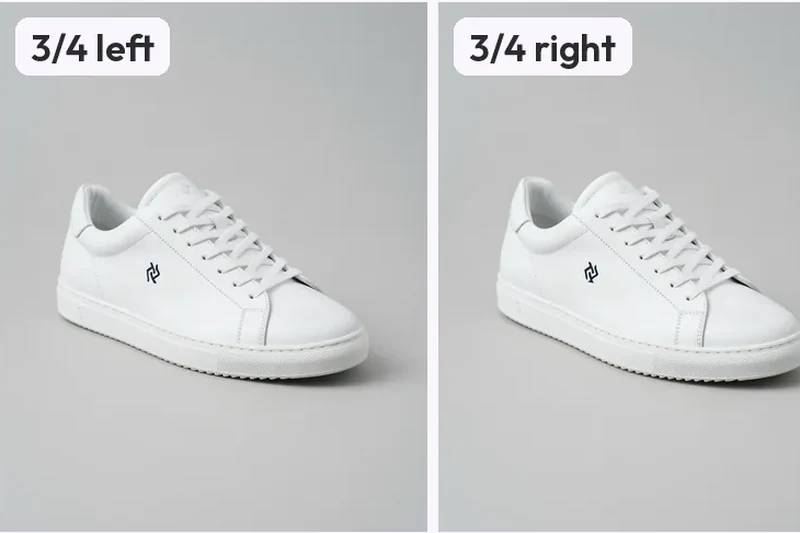
- White leather sneaker: a full turnaround and one logo problem: A white sneaker with a small dark logo, the upload and the angles generated from it. The leather, sole and laces stay the same shoe across the set. What to look at: Zoom into the logo. On the 3/4 left, 3/4 right and above views it is redrawn as a different mark with broken strokes. The Below tile is a low side angle, so the underside of the sole is still not shown.
Amazon listing set
The Amazon listing set is a recipe on the same engine: from one product photo it makes 7 listing images: a white-background main image, a 45° angle, a view from above, a detail crop, and 3 lifestyle shots (in use, styled, scale), for 7 credits. Its pictures are for a marketplace listing, so a set is judged on its label, its detail crop and its lifestyle shots as well as the angle.
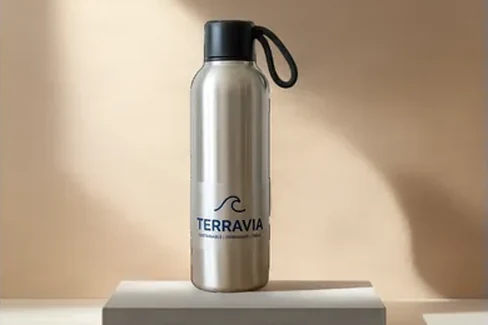
- Steel water bottle: the Amazon listing set, refusals included: Every slot of an Amazon listing set from one bottle photo: a white main image, a detail crop and lifestyle shots. Two angle slots were refused rather than faked. What to look at: The two Refused tiles say the label would change, and those shots were not charged. The Detail tile is a crop of the input, not a new image. In the lifestyle shots the label stays legible.
Each set opens on its own page with the full images and a link to the guide it came from. To see how the Products world works as a whole, read about the Products templates, or go back to the whole gallery or the other worlds: Avatars and Environments.
Other worlds