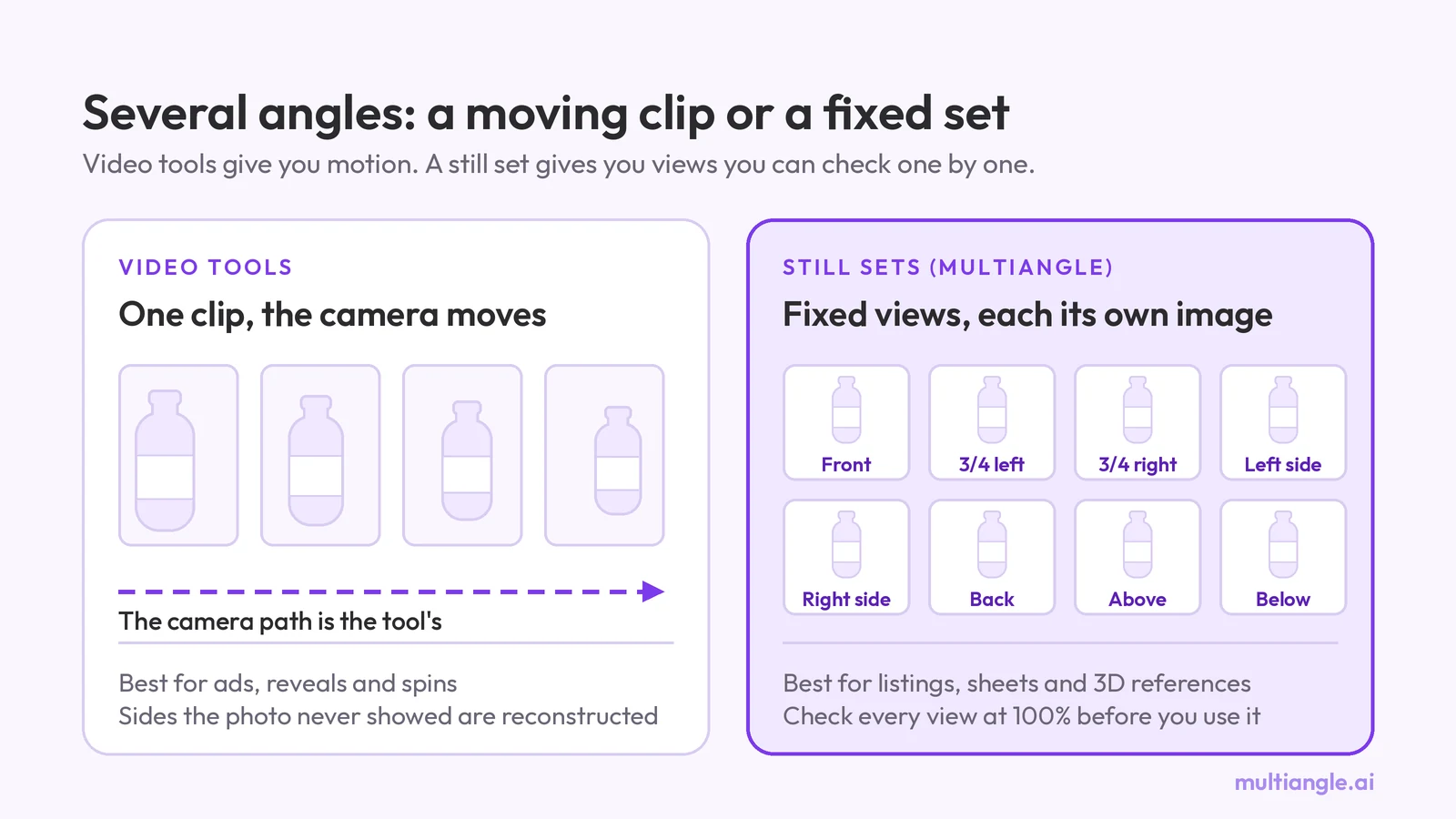
Multi angle video generator: tools, and when stills win
Multi angle video generator guide: what people mean, which tools make video (dated and sourced), and when a fixed set of still angles is the better pick.
Best AI tools for multiple angles: two run on one product box, the rest not tested. A rubric first, dated vendor facts, and where each one fails.
The best AI tool for multiple angles depends on the job: a camera tool for one exact view, a fixed-set tool for matching views, a chatbot prompt for a free single view. Disclosure: we make MultiAngle, one of only two tools we ran on one product box. The other is Nano Banana, called through the Gemini API. We could not run the rest, so they appear below with dated facts from their own pages and no verdict.
Same input and same target angles for both tools we ran. There is no overall number one, and a pick goes to a tool only where we have our own output to show for it. For the two-tool version of the comparison between a camera slider and a fixed set, see Higgsfield Angles vs a fixed set. For the prompts and full outputs behind the Nano Banana row, see the Nano Banana prompts we tested. If you want the fixed-set route straight away, you can turn one photo into a fixed, matching set of angles, and the rest of our comparisons are in the angles guide index.
Key takeaways
The input. One front image of a cereal box with a red wordmark, a bowl photo and small printed text, on a plain background. It was made with Google's Nano Banana, not photographed. The same file went into both tools.
The target angles. The views MultiAngle's Product turnaround generates: front, 3/4 left, 3/4 right, left side, right side, back, above and below, with the front as the input. We asked Nano Banana for the same views one prompt at a time, with the pattern "name the subject, name the move, say what must not change". Every prompt is in the prompts post linked above.
What we ran, and what we did not.
gemini-3.1-flash-image model, called directly on 2026-10-04, one try per prompt and no re-rolls. This is not the Gemini app.The rubric, set before the results. Two criteria are scored from our own run, as pass, partial or fail, and only for the two tools we ran. Four are read from vendor pages:
This is one product and one run per tool. It shows where to look, not a ranking.
It depends on what you need to do with the images, so we name a pick per job only where we have output of our own to show. Where we did not test a tool, nothing is claimed.
Prices, free tiers and features come from each vendor's own page, checked 2026-09-26. Consistency and worst failure come from our test, and only for the two tools we ran.
| Tool | Angle control | Views per run | Free tier | Commercial use on Free | Price basis | Consistency (our test) | Worst failure (our test) |
|---|---|---|---|---|---|---|---|
| Higgsfield Angles | Camera control: rotation, tilt, zoom, presets | The view you set, or a "Generate from all angles" run (12 perspectives, per its guide) | Free plan: 0 credits, "Limited use" | "Not included" | Credits shared across Higgsfield's models: Starter $19 a month billed annually (270 credits), Plus $59 monthly or $47 annual (1,200), Ultra $129 monthly or $99 annual (3,000), ex-VAT | Not tested by us | Not tested by us |
| GoStudio | Sets of 12, 21 or custom angles | One set of 12, 21 or a custom number | 10 free credits, no card | Not stated in the sources we checked | Lite 80, Pro 160, Max 500 credits a month; one-time packs from $3.90; 1K, 2K or 3K; no watermark | Not tested by us | Not tested by us |
| Upsampler | You describe the angle in an instruction | Not stated in the sources we checked | Free, no account, daily GPU minutes | Not stated in the sources we checked | Free | Not tested by us | Not tested by us |
| Nano Banana via Gemini | You describe the angle in words | One image per prompt, grids on request | Free and paid tiers in the app; limits compute-based and refreshing, no fixed number published | Not stated in the sources we checked | Gemini plan (we used the API, whose pricing we did not review) | Partial: front text and wordmark held; every hidden side invented | A back panel of invented nutrition table, address and barcode; "from below" returned a distorted front view |
| MultiAngle | Fixed set, set by the template | 8 views, the upload included | 4 credits, on the 1st of each month (UTC); none (4 credits cover part of a set) | commercial use on every plan, Free included | 1 credit = 1 image; $19/month for 100 credits at Creator; plans run $0–$149 a month | Partial: all views kept the box and its lighting; one view corrupted the wordmark | The "back" view repeated the front artwork; the "below" view looked like the front |
Sources: Higgsfield pricing and Angles guide; GoStudio; Upsampler; Google's Gemini Apps Help. Upsampler's own page says its tool "works best on a single object or character".
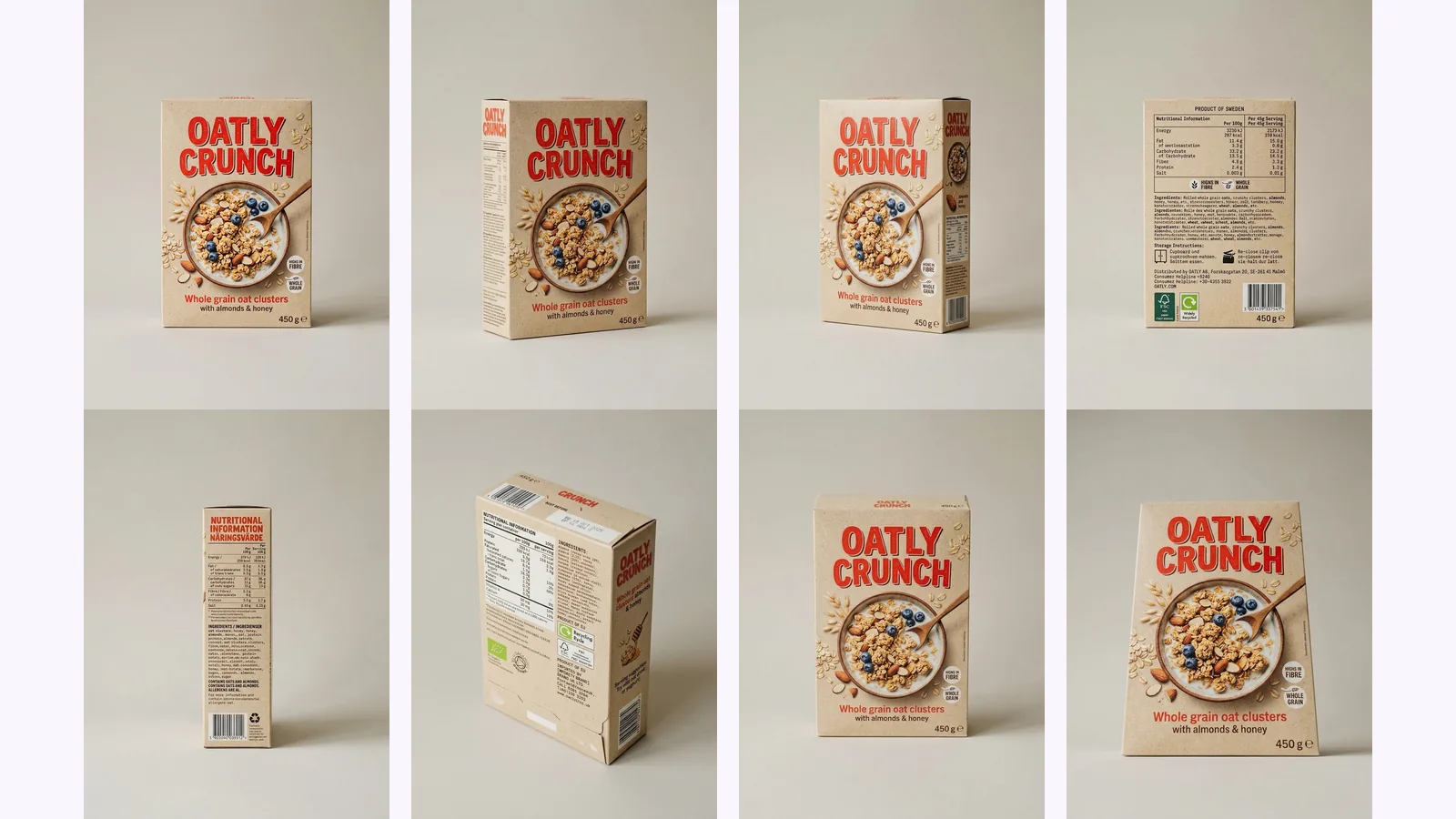
Top row: MultiAngle's Product turnaround. Bottom row: Nano Banana via the Gemini API, one prompt per view, first try. The prompts are in the prompts post.
Prompting Nano Banana gives one image per prompt, with grids on request. Google describes the free and paid limits in the Gemini app as compute-based and refreshing and publishes no fixed per-day image number (Gemini Apps Help, checked 2026-09-26). We called the API instead of using the app.
What held: on every view that shows the front, the wordmark, the bowl artwork, the colours and the lighting matched the input. The 3/4 turns and the straight side views came back as asked on the first try.
What did not: "from above" barely moved the camera, and "from below" returned a front view with the box redrawn as a trapezoid, with no underside. Every hidden side was invented. The back panel, a nutrition table with an address in Malmö, a "Product of Sweden" line and a barcode, looks real and is not. Full prompts, outputs and crops are in the Nano Banana prompts post.
MultiAngle's Product turnaround template returns 8 views from one upload: front, 3/4 left, 3/4 right, left side, right side, back, above and below. Your upload is one of them, so 7 are generated, and a full set at one variant per angle costs 7 credits. The angles are fixed. Plans and credit costs are on the pricing page.
What held: the box, the beige background and the lighting stayed close across all views, and the wordmark was intact on every view but one.
What did not: the "back" view repeats the front artwork, so it is not a back view. On the 3/4 right view the wordmark reads "OATILY CRUNUCH", where the input reads "OATLY CRUNCH". The side faces show blocks of tiny text that the input never had, and on the "above" view the lettering on the top face is garbled. The "below" view looks like a front view with a thin top edge: no underside.
We did not run Higgsfield Angles, and we make no claim about the quality of its output. What its own pages say: it aims the camera, with sliders for rotation, zoom and vertical angle, Quick Select presets and a "Generate from all angles" option, with the output at the input's aspect ratio (Higgsfield's guide, checked 2026-09-26). It sits inside a platform with video and many models on one credit pool. The price of one Angles image is not stated on Higgsfield's pages. For the tools that make multi-angle video, see multi angle video generators: tools, and when stills win.
We did not run GoStudio. Its Multiple Angles page lists sets of 12 or 21 angles, or a custom number, at 1K, 2K or 3K, with 10 free credits and no card (checked 2026-09-26).
We did not run Upsampler. It runs a free multiple-angles tool with no account, on a daily allowance of free GPU minutes, where you describe the angle you want in a short instruction. Its own page says it "works best on a single object or character" (checked 2026-09-26).
From our two runs, the same places failed in both.
We did not test reflective or transparent objects.
This is one product and one run each. It shows where to look, not a ranking.
For which product angles a listing needs once you have them, see our AI product photography guide.
Make a product angle set from one photo
It depends on the job, and we only ran two tools. The free options we checked on 2026-09-26: Upsampler runs without an account on daily GPU minutes, GoStudio gives 10 free credits with no card, Gemini and ChatGPT have free tiers with no fixed number published, Adobe Firefly Change Perspective has free daily generations with an Adobe account, and MultiAngle's Free plan gives 4 credits, enough for part of a set, with commercial use on every plan, Free included. We did not run Upsampler, GoStudio, ChatGPT or Firefly.
Partly. In our run, both tools kept the box, colours and lighting, and both invented the back. MultiAngle's back repeated the front, and Nano Banana's was a fully invented panel. None of the tools is safe to publish without checking each view against the product.
Per its own pages, Higgsfield Angles has sliders for rotation, zoom and vertical angle, and GoStudio offers named angles and custom sets. We did not test either. MultiAngle does not offer a custom angle: it returns a fixed set for each template.
When you need a true, repeatable camera, yes. In one r/aifilmmaking thread asking how to generate multiple shots from one AI image, the answers pointed to Blender for true control. The cost is the work of building and lighting a model. For still angles of one subject, a fixed set or a camera tool is less work.
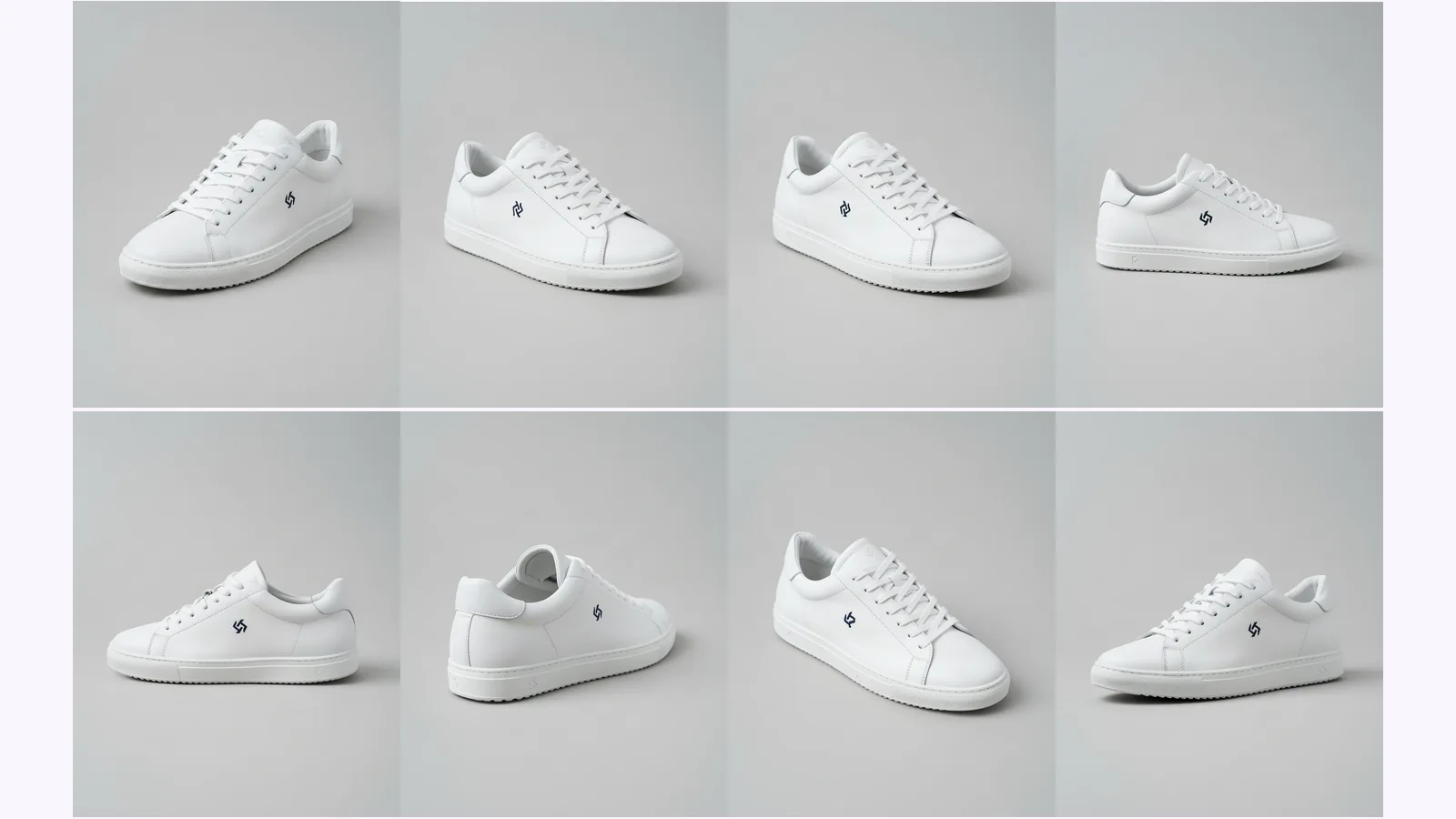
More on this topic: AI angle generator and Different Angles of One Image With AI.
Multi angle video generator guide: what people mean, which tools make video (dated and sourced), and when a fixed set of still angles is the better pick.
A Nano Banana different angles prompt, tested: eight copy-paste prompts run through the Gemini API on a box, a character and a room, and what drifted.
Change the camera angle of a photo with AI: five methods compared, two tested on the same room, and where each one breaks, from reframing to 3D.