Best AI tools for multiple angles: what we tested
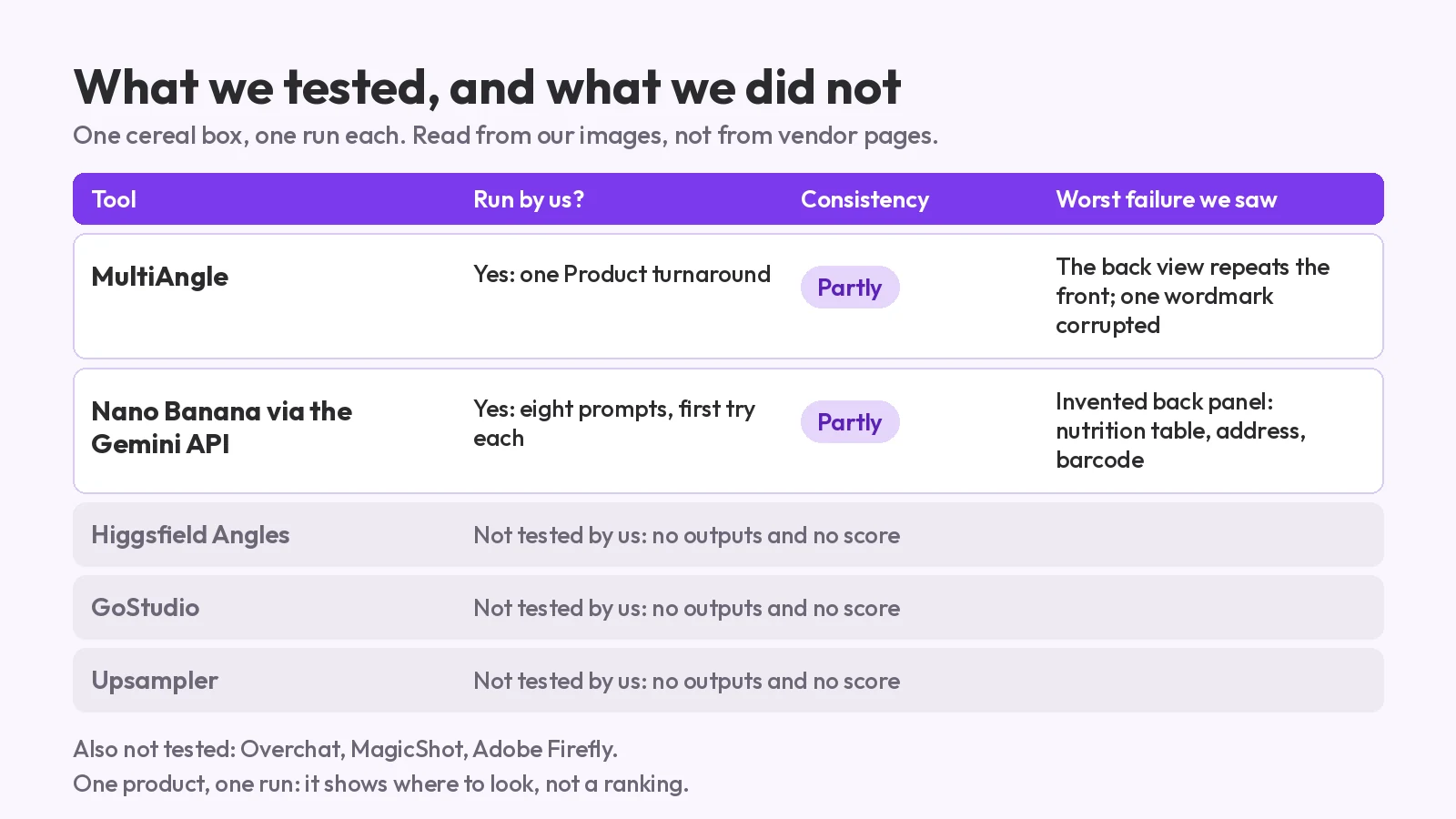
Best AI tools for multiple angles: two run on one product box, the rest not tested. A rubric first, dated vendor facts, and where each one fails.
Multi angle video generator guide: what people mean, which tools make video (dated and sourced), and when a fixed set of still angles is the better pick.
A multi angle video generator turns one image or prompt into video from several camera positions. Several tools do that, and we list them below with dated facts from their own pages. MultiAngle is not one of them: it makes still images at fixed angles, with no video, GIF or 3D files. This page covers both sides, including when a still set from our AI angle generator is the better output. We did not run the video tools; facts checked 2026-10-25.
Key takeaways
Usually a tool that takes one image or prompt and returns video from several camera positions, such as wide, close-up and over-the-shoulder. The phrase also covers a product spin video, new-angle video made from an existing clip, and editing footage from several real cameras. Which one you need decides which tool to open.
| What you mean | What makes it | You get |
|---|---|---|
| Clips from several camera positions, from one image | Artlist Multi Angle Scene, Kling 3.0 Multi-Shot | Video |
| A spin around a product, from photos | getimg.ai Product orbit | Video |
| New angles of footage you already have | Runway Aleph, Stable Video 4D (research) | Video |
| A set of views at fixed angles, from one image | MultiAngle | Still images |
| Cutting between clips from real cameras | A video editor's multi-camera tools | Edited video, not generated |
If you meant the last row, you want an editor and not a generator. For stills where you aim the camera yourself, see Higgsfield Angles against a fixed set.
At least five, as of 2026-10-25: Artlist's Multi Angle Scene, Kling 3.0's Multi-Shot, Runway Aleph, getimg.ai's Product orbit, and Stability AI's research model Stable Video 4D. Each makes video, which MultiAngle does not. None of them was run by us, so the table repeats what each vendor's own page says and nothing about quality.
| Tool | What its page says | Source and date |
|---|---|---|
| Artlist, Multi Angle Scene | One image in, short video clips from several camera positions (wide, medium, close-up, over-the-shoulder), with no settings to adjust | Artlist, checked 2026-10-25; our fetch was blocked, so this comes from how its own pages came back in search |
| Kling 3.0, Multi-Shot | Builds scenes with "more shots and coverage in one generation"; the 3.0 series supports 3 to 15 seconds of generation | Kling blog, 2026-07-28 |
| Runway Aleph | Creates new camera angles of an existing video ("generating any angle of a scene"); "available for all paid users" when announced | Runway, 2025-07-25; check current plans |
| getimg.ai, Product orbit | Up to three product photos in, a 5, 8 or 10 second spin out, at 720p or 1080p | getimg.ai, 2026-09-29 |
| Stable Video 4D | One object video in, eight novel-view videos out, at camera poses you set; a research release trained on synthetic data | Stability AI, July 2024 |
These are the leaders where you need motion. Prices are on each vendor's page and change, so we left them out rather than print a stale figure.
Because each new angle shows something the source never showed, and the model has to supply it. The vendors say so themselves. getimg.ai warns, "Text and branding are where a spin can slip", and calls its orbit "convincing rather than documentary", since the model reconstructs sides your photos do not show.
invideo's guide says most workflows "treat every angle as a fresh start" and that the inconsistencies "quietly ruin the story" (invideo, 2026-02-11). Stills have the same problem, and we measured it. In our 20-product test of still angle sets, the back view drifted most, and lettering was the most common invented detail. The difference is how you check. A still lets you zoom into each view at 100% and reject one. In a clip, the same slip may last only a few frames, which is harder to catch. That is our reasoning, not a measured result.
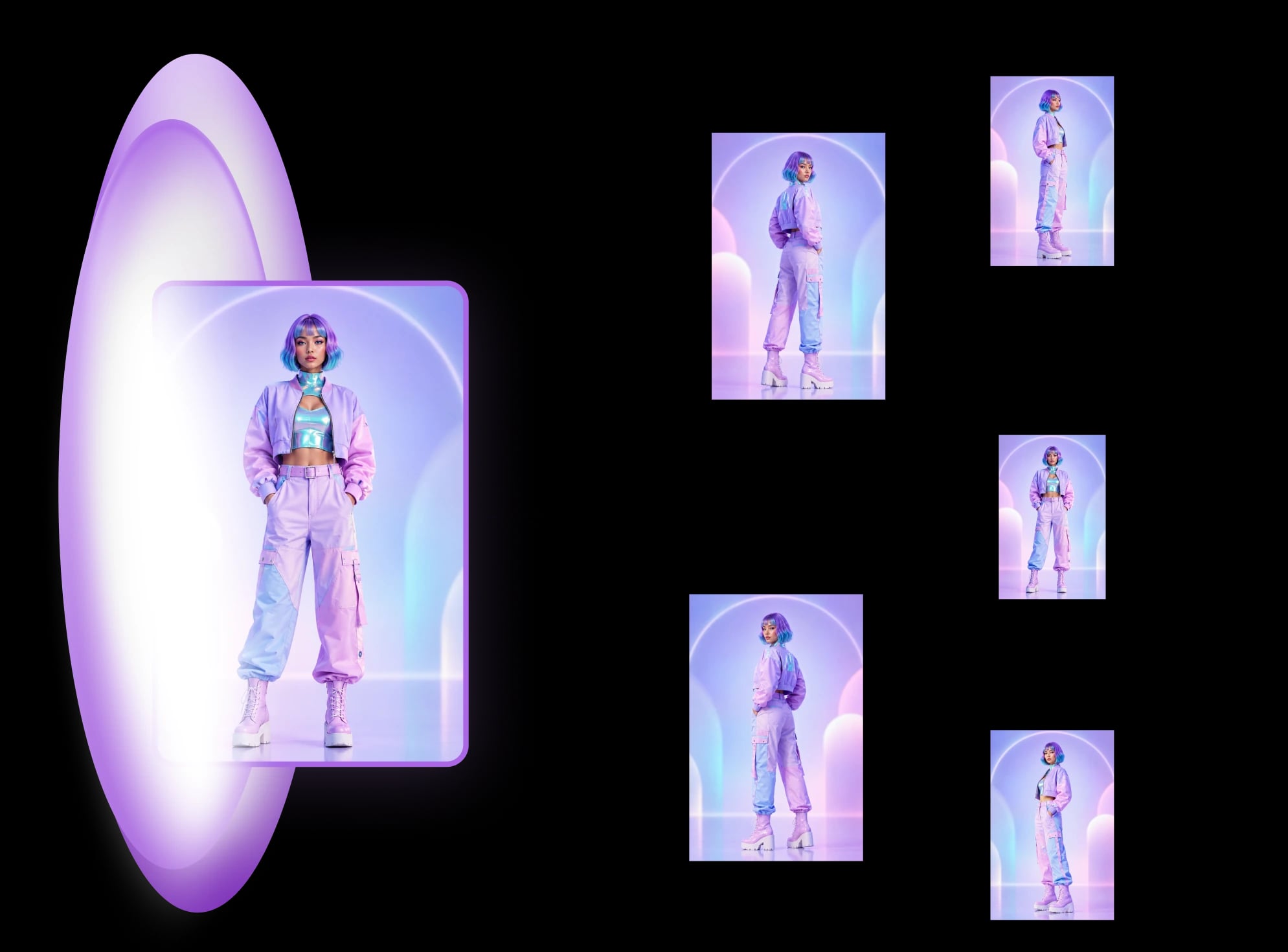
A set of still images at fixed angles, all from one photo. The Character turnaround gives 8 views, the Product turnaround gives 8 and Room angles gives 10. A character or product set costs 7 credits, a room set 9 credits, and files download as PNG, JPEG and WebP, plus a ZIP of the set. There is no video, no GIF or 3D file, and no camera you can aim yourself.
The product views are front, 3/4 left, 3/4 right, left side, right side, back, above and below. The angles are fixed: you cannot ask for a camera position that is not on the list. Here is one real set, from a made-up mug:
Free plan: 4 credits, reset on the 1st of each month (UTC). Full sets a month: none (4 credits cover part of a set). See the angle tools we compared for the other still-image options.
When the output is a picture, a document or a model input. A listing gallery is made of images, and Amazon recommends at least six per product (Amazon Selling Partner Blog, 2024-12-04, checked 2026-10-25). A labelled grid of views is a spec sheet. And multi-view stills are what image-to-3D tools take as input. Video wins when motion is the point.
| Job | Better fit | Why |
|---|---|---|
| A listing gallery for Amazon, Shopify or Etsy | Stills | A gallery is still images, one per slot |
| A size, spec or turnaround sheet | Stills | A grid of labelled views is a document |
| Reference images for image-to-3D | Stills | Multi-view images are the input |
| Checking a label, logo or edge for drift | Stills | Zoom into each view at 100% |
| An ad, a reveal or a social clip | Video | Motion is the point |
| A spin on a product page | Video | A spin is a clip; fixed views are stops, not a spin |
| A camera move through a scene | Video | You cannot aim MultiAngle's camera |
Yes, with a video tool, but not inside MultiAngle, and we have not tested it. invideo's guide describes the same order of work: it makes a grid of nine camera setups as one still image, upscales each panel, and then animates each one with Kling in 5 or 10 second clips (invideo, 2026-02-11).
The stills come first because they are easier to check. If you try it, use a still set as your keyframes and check the tool's terms for uploaded images. Our fixed views give you matching starting points, but the movement between them is the video tool's work, not ours.
A still set is not a substitute for video, and the limits are real.
Make 8 still angles of your product from one photo
Yes, in two forms. Video tools such as Artlist's Multi Angle Scene return clips from several camera positions. MultiAngle returns still images at fixed angles. Which is better depends on whether you need motion.
No. It makes still images only, from fixed angles, with no video, GIF or 3D files. The files download as PNG, JPEG or WebP, or as a ZIP of the set.
Cutting between clips that several real cameras recorded of the same event, inside a video editor. It is editing, not generation, so a multi angle video generator does not do it.
Yes. The Free plan gives 4 credits, reset on the 1st of each month (UTC), with no card required. That covers part of a set. You get commercial use on every plan, Free included.
More on this topic: AI angle generator and Different Angles of One Image With AI.
Best AI tools for multiple angles: two run on one product box, the rest not tested. A rubric first, dated vendor facts, and where each one fails.
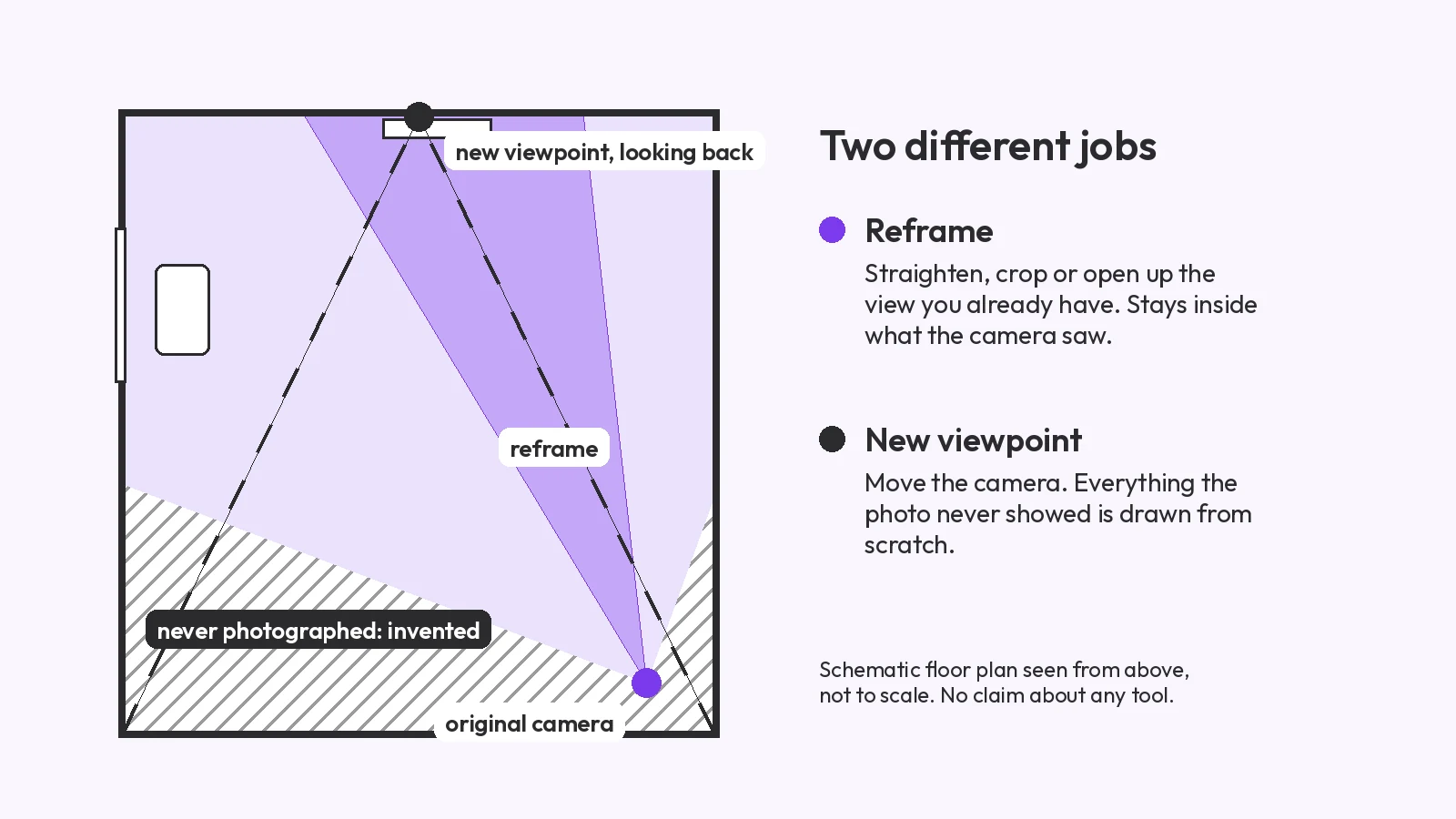
Change the camera angle of a photo with AI: five methods compared, two tested on the same room, and where each one breaks, from reframing to 3D.
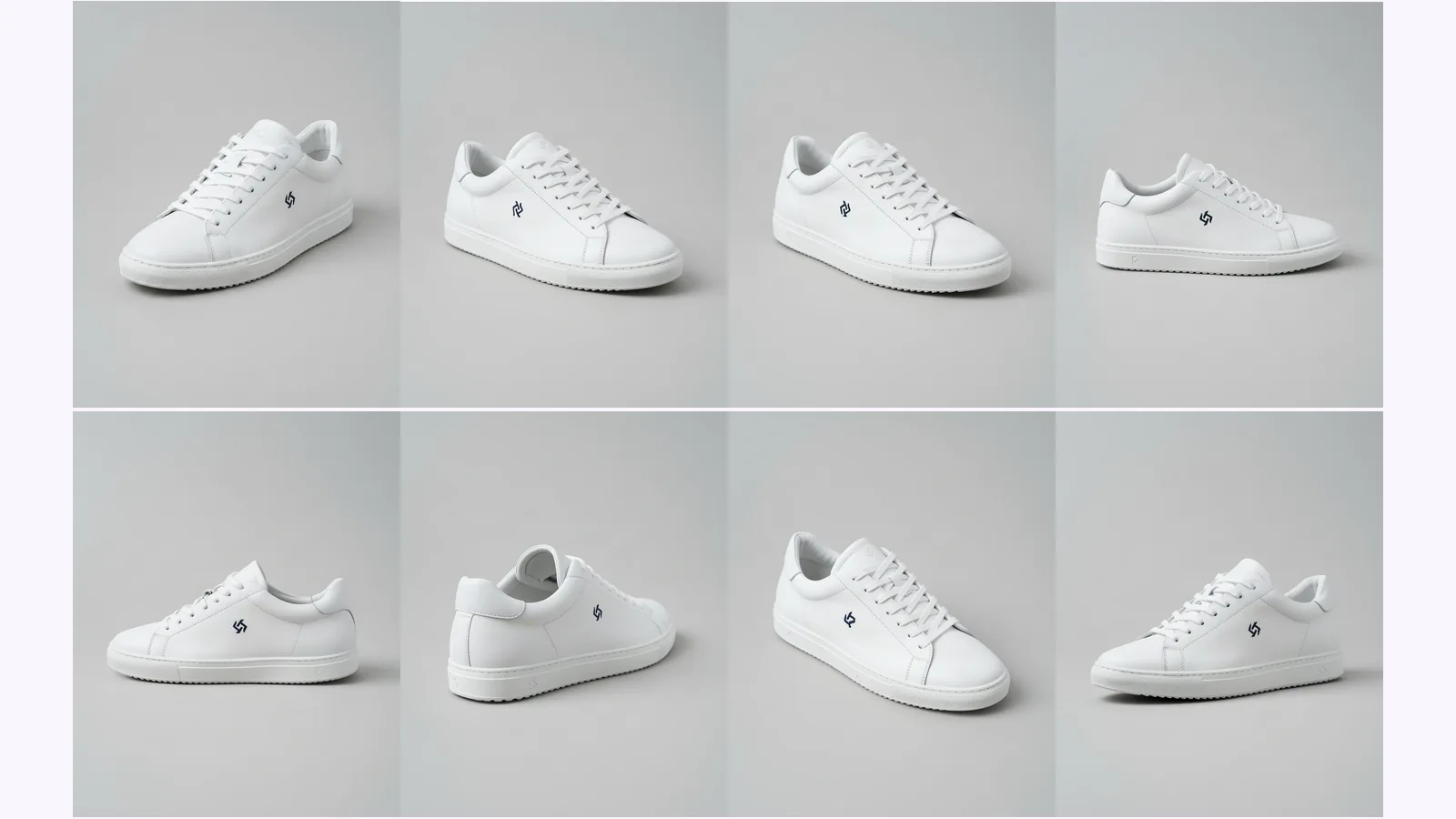
Prompt a chatbot, move a camera slider, or use a fixed angle set to get multiple angles of one image. We ran two on one product: which stayed consistent.