Turnaround sheets for 3D modeling: the 8 views
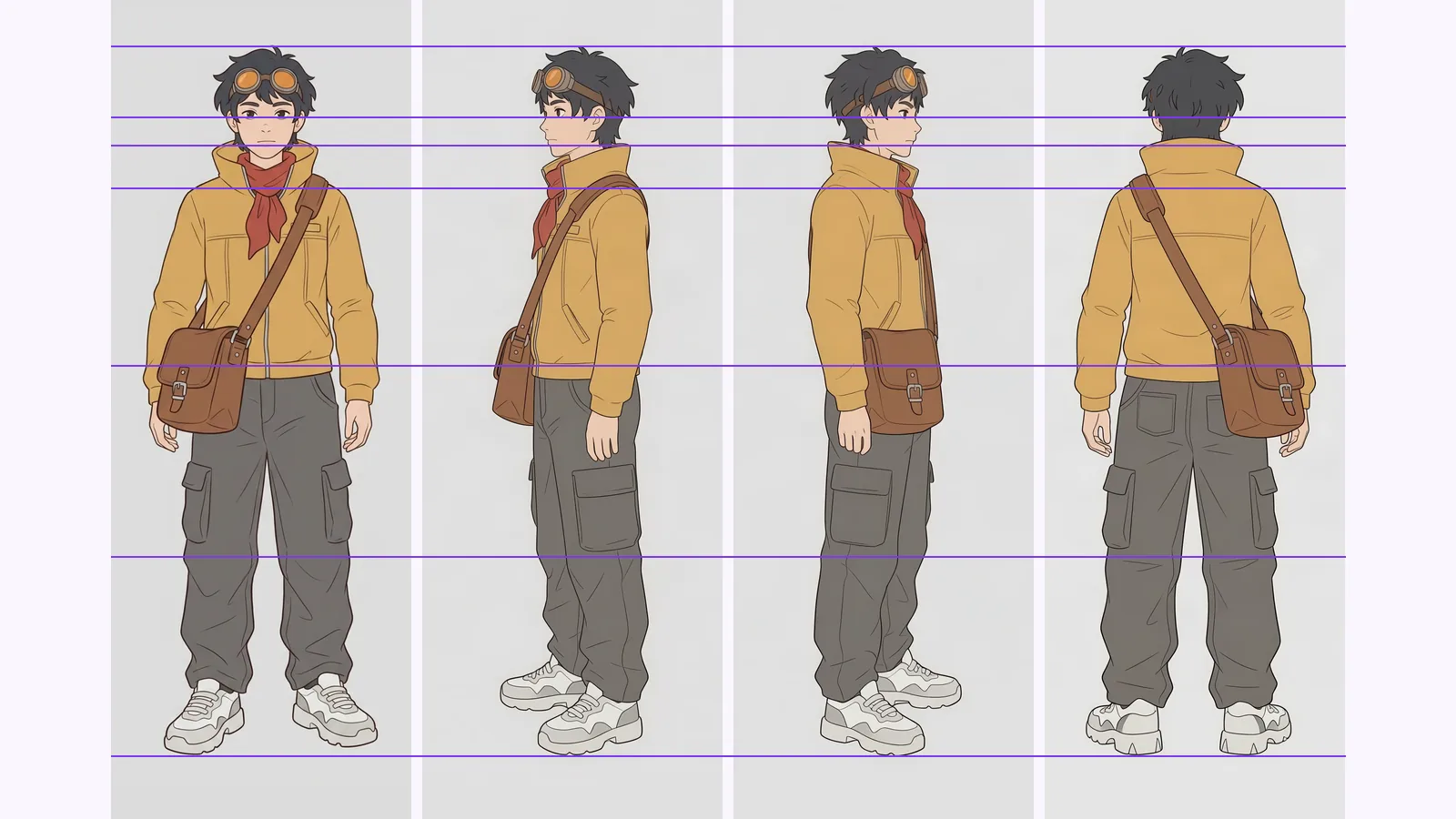
A turnaround sheet for 3D modeling needs front, side and back on one baseline. Which of 8 views make reference planes, and how to test AI ones.
Children's book character consistency: build a model sheet before page one, check each spread against anchor features, and use an AI turnaround as reference.
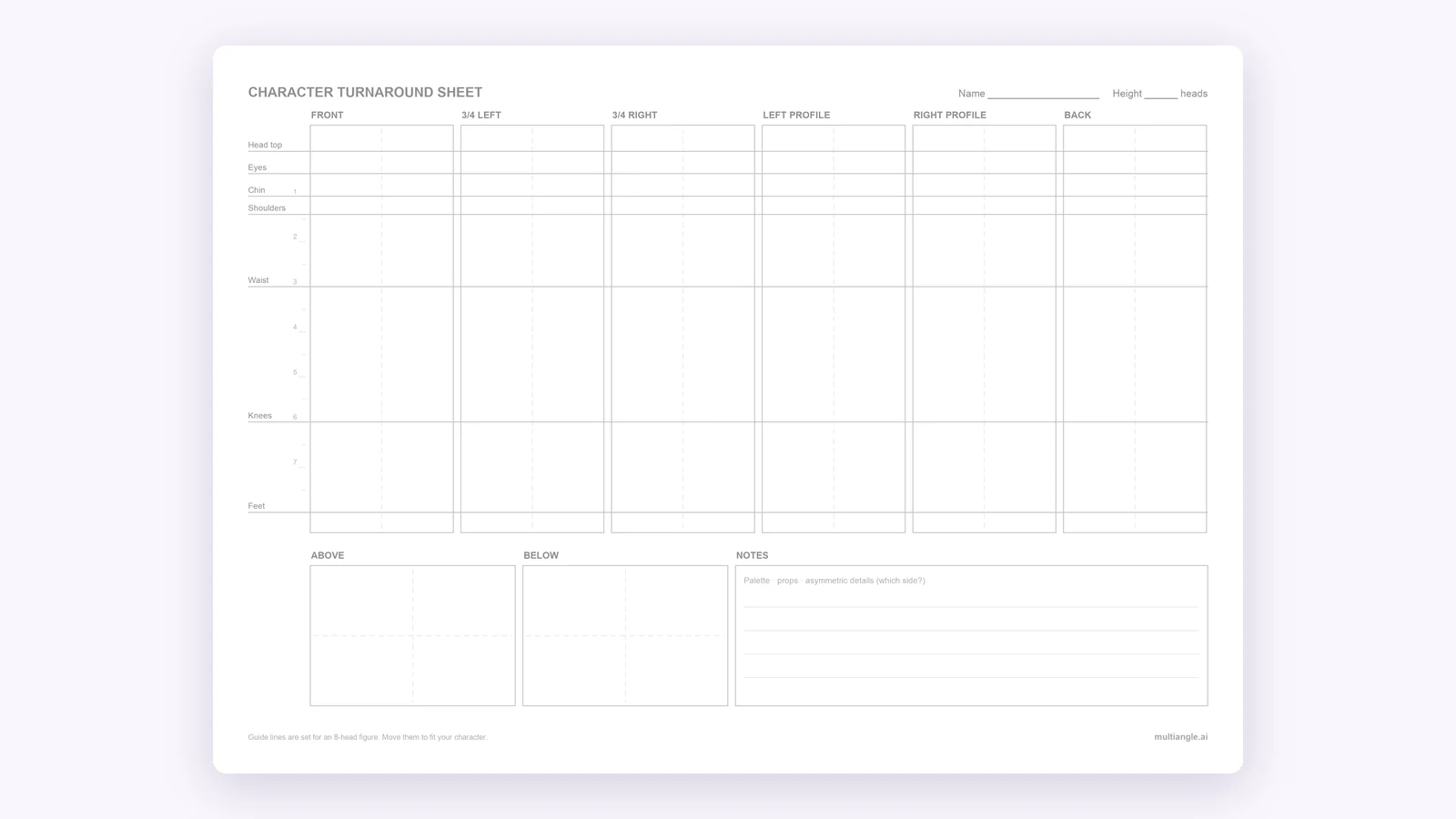
Children's book character consistency starts before page one. Lock the design in a model sheet: a turnaround, expressions, a palette and the props. Then check every spread against two or three anchor features that never change. An AI turnaround can supply the rotation views from one drawing as reference you draw from, not as the finished page art. Below is that workflow, with the mistakes marked.
This is for illustrators and author-illustrators who draw their own pages. Many pages that rank for this question pitch AI that generates every page of the book, such as Leonardo's Character Reference, which keeps a face consistent across compositions (its own page, checked 2026-09-26). That is a different job from this one, and it fits if you want the AI to make the pages.
Key takeaways
A picture-book model sheet holds everything a spread needs to look like the same character: a turnaround from several sides, a set of expressions, a colour palette, the props, and a size-comparison line-up if there is more than one character. It's the page you check against while you draw every spread.
Two sources agree on the core. The illustrator newsletter artgym describes a "bare minimum" sheet as a proportion guide, a silhouette, expressions and the costume (checked 2026-09-26). A children's-book illustration agency, US Illustrations, says to build sheets with front, side, back and three-quarter views plus 8–10 expressions first, and says the upfront work is "1–2 weeks and prevents 3–4 weeks of corrections" (the agency's own figure, checked 2026-09-26).
The turnaround is the rotation part. If the difference between a turnaround, a model sheet and a reference sheet is new to you, our explainer on character reference sheets, turnarounds and model sheets sorts the terms.
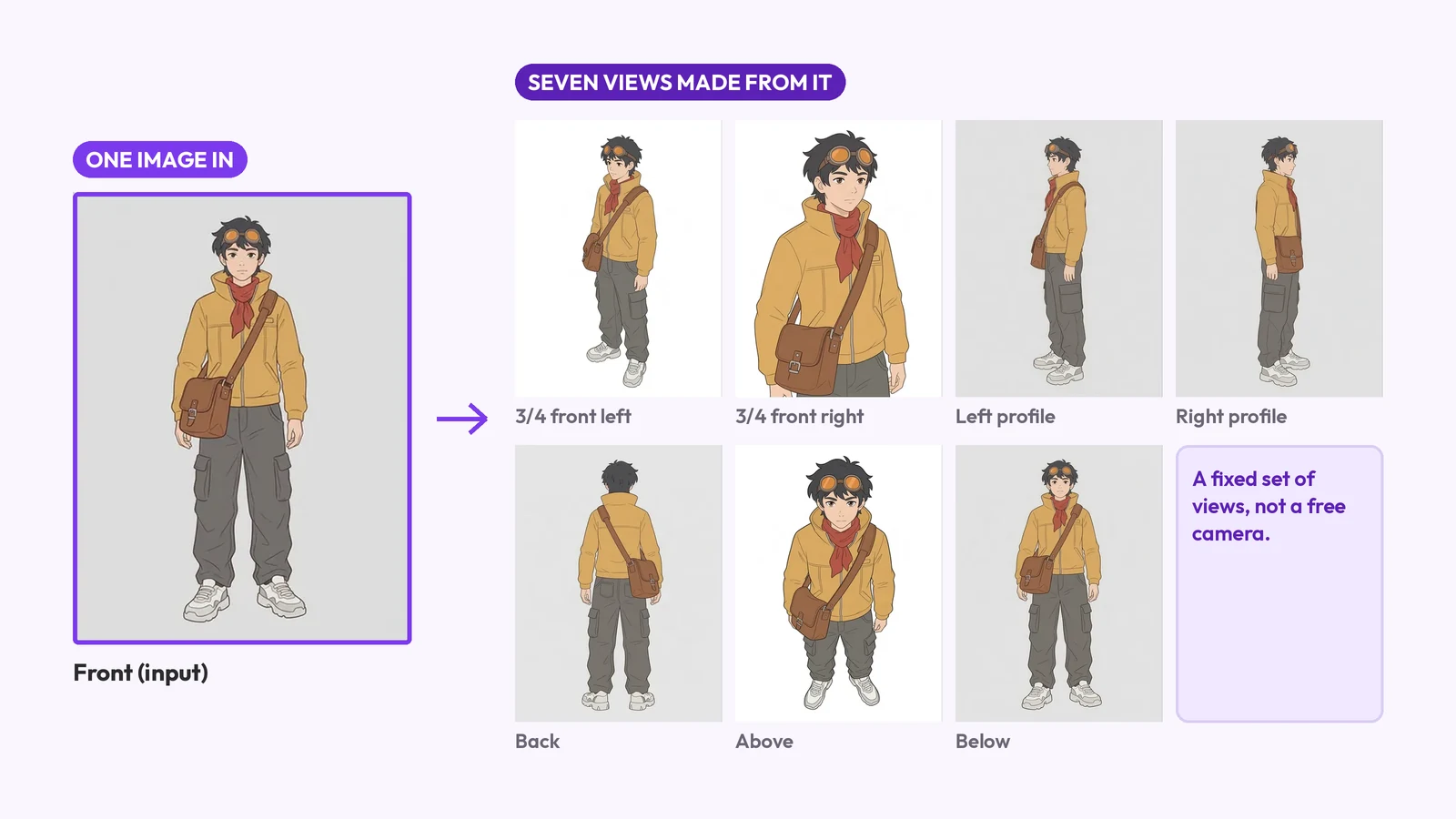
For a picture book you need the views your spreads will show. Front and three-quarter cover most pages, a profile covers anything walking across the page, and the back covers leaving scenes. MultiAngle's turnaround makes 8 views: front, 3/4 front left, 3/4 front right, left profile, right profile, back, above and below. Use the ones your story needs and ignore the rest.
| View | When a picture book needs it | What to check |
|---|---|---|
| Front | Title page, portraits, a character talking to the reader | Anchor features, the face, the head-to-body ratio |
| 3/4 front (left and right) | Most spreads: the character turning toward the action | Which side the props are on, the silhouette |
| Profile (left and right) | Walking or running across the page, reading, looking at something | Nose and tail shape, the props on the near side |
| Back | Walking away, leaving home, looking at a view | The back of the costume: it's the view the front never showed |
| Above | A character seen from overhead, such as in bed at bedtime | Hat, hair and the top of the head |
| Below | A character who towers over the reader, or climbs | Shoes, soles and the underside of the chin |
In our fox run the above view came back as the front view again, with no visible high angle, and the below view was the front view on a painted forest background. Neither gave a real high or low angle, so don't plan an overhead spread around them. The method is covered step by step in how to make a character turnaround sheet from one image.
Draw the character once, full body, from the front, in a neutral pose on a plain background. Upload it to MultiAngle's character turnaround template, which generates the other 7 views, then review each one. A full set costs 7 credits. The outputs are reference, not final art.
The Free plan gives 4 credits, reset on the 1st of each month (UTC). That is less than one full set, so you can test a few views of your character before you decide. Paid plans start at $19/month, and the pricing page shows what each plan covers.
The character here is an original fox in a yellow raincoat, with a green backpack and red boots. We made the input with Nano Banana, so it is not a hand drawing, and we did not test a hand-drawn input. Yours may behave differently, especially if your linework is rougher.
What held: the raincoat, the boots, the backpack and the bushy white-tipped tail were the same in every view, and the tail was on the viewer's left in the front view and on the right in the back view, as it should be. What drifted was direction and framing. The two 3/4 views are near copies of the front and of each other. The left and right profiles both face the viewer's right, so they don't mirror each other. The above view reads as the front view again. The below view added a painted forest behind the fox. The back is worked out from nothing: the backpack's flap and front pocket, the back of the hood and the back of the head are the app's invention.
Pick two or three anchor features that never change, pin the sheet where you draw, and check every spread against both before you call it done. Anchor features are what let a reader recognise the character in silhouette. The artgym newsletter makes the same point about two or three features that never change (checked 2026-09-26).
Say your character wears a yellow raincoat and red boots, like our fox. Those are the anchors: they appear on every page, in the same colours, and the backpack stays on the same side of the body. Then, for each spread:
At thumbnail size the fox reads as the same animal in every view: the two tall ears and the bushy tail are the shape you recognise. The front, both 3/4 views and the above view give almost the same outline, which fits what we saw in the turnaround. The profiles show the muzzle, and the back puts the tail on the other side. A silhouette checks shape only. The colour anchors, the yellow coat and the red boots, are in every view, including the below view, but you check those by eye.
Where the sheet helped: the back view answered the walking-away page at once, including where the tail sits and how big the backpack is from behind, and the right profile gave a side view to put on a walking-across page (the pose itself is standing). Where it didn't: the backpack details on the back view are invented, so on a real page you would draw them yourself and add them to the sheet. The close-up used the 3/4 front left view, which is nearly the front view, so it gave no turned head. The left profile also faces right, so a fox walking the other way would need the right profile mirrored by hand. We did not mock up a looking-up page, because no view in the set has the head tilted up.
The failure the sheet protects you from is drift across pages. For keeping one AI-generated character steady across many angles, see how to keep an AI character consistent across angles. One essay on a 24-page generated picture book describes it this way (checked 2026-09-26):
"the child ages three years between page 4 and page 11, the hair changes length, the nose shape wanders"
Generated views are a starting point, and some limits come with the method. Plan to check every view, and redraw by hand where a view is wrong.
When to redraw by hand: when a view is wrong on an anchor feature, when the back of the costume matters to the story, and for any spread that needs a pose the turnaround doesn't show.
Make a turnaround from your drawing
Not reliably. The views are rendered from your drawing, and line weight, texture and proportions can shift. Treat them as reference for shape and proportion and draw the pages in your own hand. Test with your own character first.
MultiAngle allows commercial use on every plan, Free included, with no watermark. We still suggest redrawing from the views instead of placing them in the book, because the views carry invented details and rendered linework that won't match your pages. Check your publisher's contract and platform rules on AI-assisted work.
No. Front, three-quarter, profile and back cover most picture books. Use the views above and below only if a spread needs them, and ignore the rest of the set.
Before page one. The agency quoted above puts the upfront sheet work at "1–2 weeks and prevents 3–4 weeks of corrections" (its own figure, checked 2026-09-26). The turnaround from one drawing is the quick part.
No. It makes fixed rotation views of one character, so the expressions on your model sheet are yours to draw.
More on this topic: Character turnaround sheets and Character Turnaround Sheet Guides.
A turnaround sheet for 3D modeling needs front, side and back on one baseline. Which of 8 views make reference planes, and how to test AI ones.
An avatar template is a profile-picture design, a game body, an AI restyle or 8 views of one character. What each is, and how to make the last.
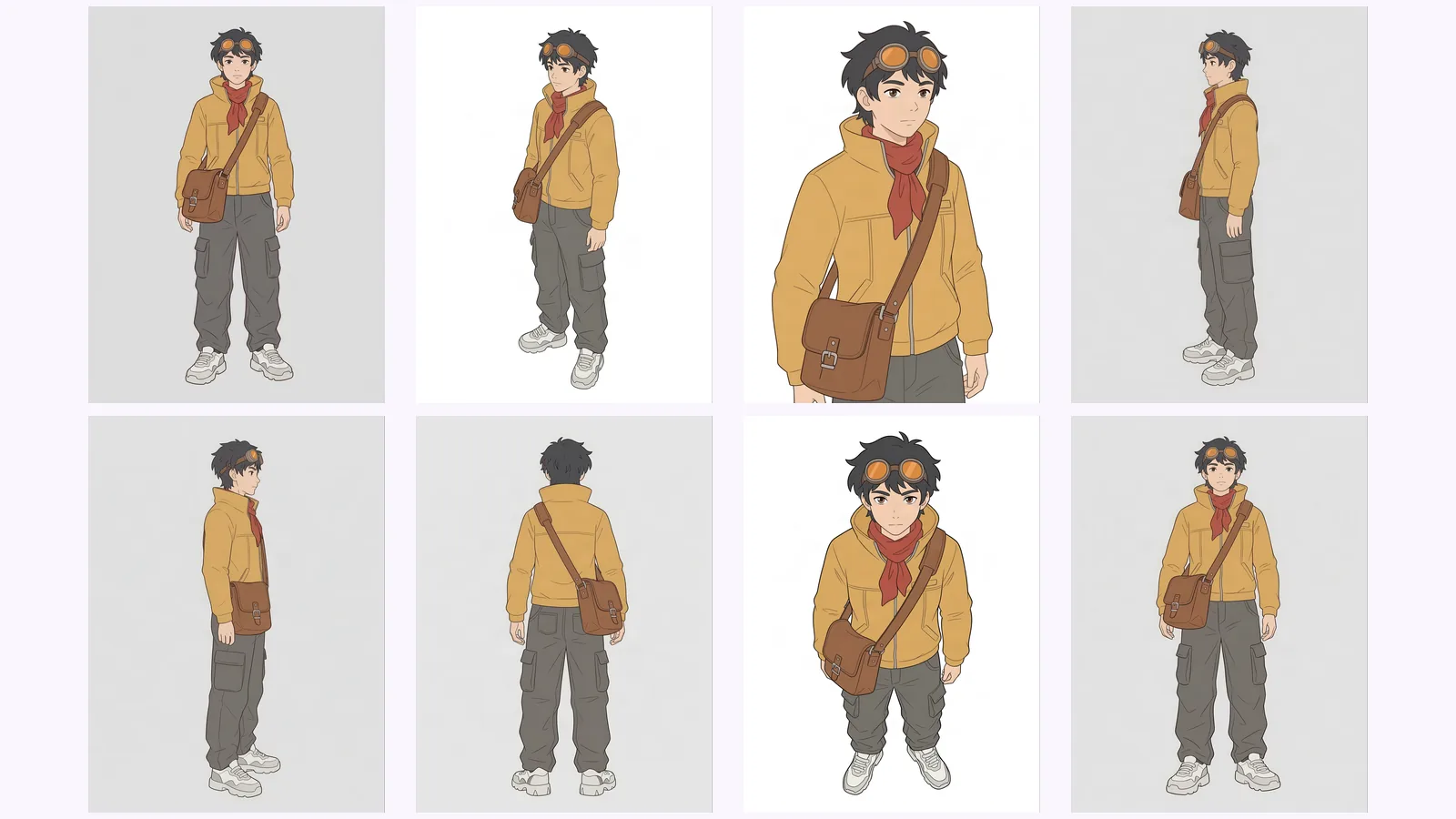
Keep an AI character consistent across angles: lock one reference, generate every view as one set, then check each view against a short list of anchor traits.